QR codes for virtual tours and immersive experiences

Bridge physical spaces with digital exploration through scannable codes that launch immersive virtual experiences instantly.
How virtual tour QR codes transform space marketing
Deciding whether to visit a restaurant, hotel, or venue often comes down to guessing what the space actually looks like. A QR code in the window offering an instant virtual walkthrough lets potential customers explore the dining room, bar area, and private event spaces from their phone before stepping inside.

Virtual tour QR codes connect physical locations with immersive digital experiences, allowing visitors to explore spaces remotely through 360-degree photography, video walkthroughs, or interactive virtual reality content. These codes eliminate the barriers between curiosity and exploration, giving potential customers, guests, or visitors immediate access to comprehensive space previews. Understanding the different types of QR codes can help you choose the best format for your virtual tour needs.
From real estate showings to museum exhibits, virtual tour QR codes are reshaping how businesses showcase their spaces. I'll walk you through creating effective virtual tour QR codes using QR Code Developer, plus share strategies for maximizing engagement across different industries and use cases.
Industries embracing virtual tour QR codes
Virtual tour QR codes serve diverse industries where space visualization drives decision-making. Whether you're showcasing property layouts or cultural exhibits, these codes remove geographical and time constraints from the exploration process. For businesses looking to enhance their marketing materials, consider pairing virtual tours with QR codes on flyers for comprehensive promotional campaigns.
Real estate property showcases
Agents place QR codes on yard signs, brochures, and online listings, allowing prospective buyers to tour homes 24/7 without scheduling appointments or traveling to properties.
Hotel and venue marketing
Hotels showcase room types, event spaces, and amenities through virtual tours, helping guests make informed booking decisions and reducing front desk inquiries about facilities. Many properties also implement check-in QR codes to streamline the entire guest experience from booking to arrival.
Museum and gallery exhibitions
Cultural institutions provide virtual access to exhibits, allowing visitors to preview collections before visiting or explore areas not accessible during their physical visit. Museums are increasingly using QR codes to enhance visitor engagement and provide multilingual content alongside virtual tours.
Retail and restaurant spaces
Businesses showcase their atmosphere, layout, and unique features to attract customers, particularly useful for event venues, specialty stores, and dining establishments with distinctive interiors.
Building your virtual tour QR code
Creating a virtual tour QR code requires combining your immersive content with an accessible scanning experience. The process focuses on linking your virtual tour platform to a scannable code that works across all devices.
Access your virtual tour generator
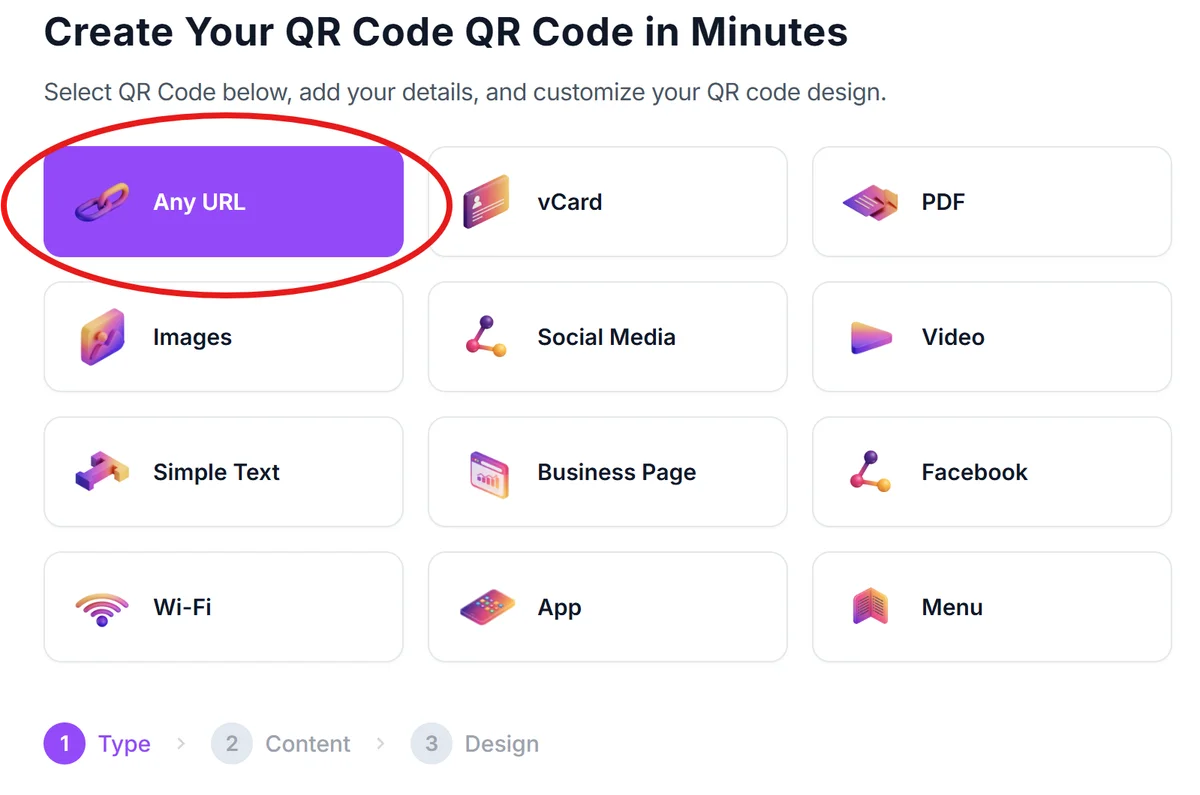
Visit qrcodeveloper.com and select the URL QR code option, which will link directly to your virtual tour platform or hosting service.
Input your virtual tour link
Paste the complete URL of your virtual tour, whether it's hosted on platforms like Matterport, Kuula, or your own website. Ensure the link opens directly to the tour without requiring additional navigation.

Design for your environment
Customize your QR code with colors and branding that complement your space or marketing materials. For outdoor placements, use high contrast colors that remain visible in various lighting conditions. Follow proven QR code design tips to ensure your codes remain scannable while matching your brand aesthetic.

Test across mobile devices
Scan your QR code with different smartphones to verify the virtual tour loads properly and provides smooth navigation. Check loading speeds on both WiFi and cellular connections.
Position for optimal scanning
Place QR codes at eye level in well-lit areas where visitors can comfortably scan without obstruction. Include brief instructions like 'Scan for Virtual Tour' to encourage engagement.
Maximizing virtual tour engagement
Successful virtual tour QR codes combine technical functionality with strategic placement and clear value communication to visitors.
Include compelling call-to-action text near your QR code such as 'Take a Virtual Walk-Through' or 'Explore Every Room' to clearly communicate what visitors will experience. Consider creating QR code stickers for temporary installations or seasonal displays that can be easily updated or relocated.
Ensure your virtual tour is mobile-optimized since most QR code scans happen on smartphones - test navigation, loading speeds, and image quality on various devices
Position QR codes strategically where visitors naturally pause or gather information, such as building entrances, information desks, or marketing displays
Update your virtual tours regularly to reflect current conditions, seasonal changes, or renovations, keeping the QR code content fresh and accurate for repeat visitors
Frequently Asked Questions
Most virtual tour platforms including Matterport, Kuula, Roundme, and custom web-based tours work perfectly with QR codes. The key is ensuring your chosen platform provides mobile-friendly viewing experiences.
Use URL shortening services with analytics or your virtual tour platform's built-in tracking to monitor scan rates, viewing duration, and user interactions within the virtual experience.
Absolutely. Create separate QR codes for specific rooms, floors, or sections of your property, allowing visitors to jump directly to areas of interest rather than navigating through entire tours.
Virtual tours require internet connectivity to load content. However, you can inform visitors about WiFi availability or create downloadable tour content for offline viewing in areas with poor connectivity.
QR codes should be at least 1 inch (2.5cm) square for reliable scanning. For outdoor or distant viewing, increase size proportionally - larger codes work better for yard signs and building displays.
Related Guides
Ready to create your QR code?
Generate custom QR codes in seconds - free and easy to use.
Create Free QR Code →