QR Code Generator for Vimeo videos and channels

Connect print materials and presentations directly to your Vimeo videos and portfolio with scannable codes.
Connecting viewers to Vimeo content with QR codes
Sharing video work at networking events typically means exchanging production names and business cards and hoping people remember to look you up later. A QR code linking directly to your Vimeo portfolio can change that dynamic and make it so that recipients simply scan and instantly view your showcase, all without typing URLs or searching social media.

A Vimeo QR code contains the direct link to your video, channel, or portfolio page. When someone scans it with their phone camera, they're instantly transported to your content without needing to type or search. This works for individual videos, your main channel, curated showcases, websites, or even password-protected content for clients.
Throughout this guide, I'll show you how to create these codes effectively using QR Code Developer and share strategies that professional videographers and agencies use to connect their physical marketing with their digital presence.
Real-world applications for Vimeo QR codes
Video creators across industries can use Vimeo QR codes to connect physical and digital marketing. These codes solve the challenge of sharing professional video content in situations where typing URLs isn't practical, like in-person settings. Consider exploring QR code business cards for additional networking applications.
Portfolio presentations and client meetings
Wedding videographers and corporate filmmakers can include QR codes on printed proposals, allowing clients to instantly view sample work and testimonials during in-person consultations.
Event marketing and trade shows
Production companies can display QR codes on booth materials and promotional flyers, directing visitors to demo reels and case studies without requiring booth staff to guide every interaction.
Print advertising and promotional materials
Real estate agents and architects can embed codes in property brochures, linking to virtual tours and property showcase videos that provide immersive experiences beyond static photos. Similar to how PDF documents can be converted to QR codes, these brochures become interactive marketing tools.
Educational and training content distribution
Corporate trainers and educators can place QR codes in workbooks and handouts, giving participants immediate access to supplementary video lessons and detailed demonstrations.
Creating your Vimeo QR code in minutes
The process takes just a few steps, but the right approach ensures your codes work reliably across all devices and scanning apps.
Open your QR code generator
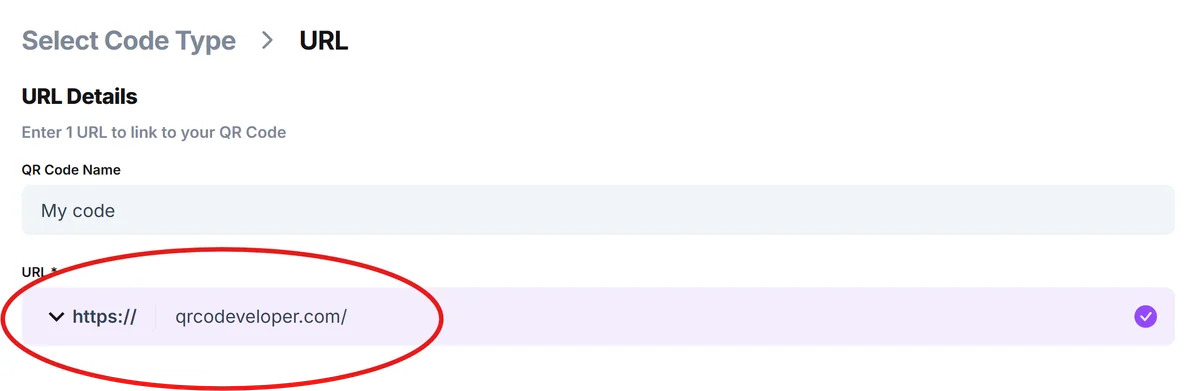
Visit qrcodeveloper.com and select the URL option. This gives you the flexibility to link to any Vimeo content, whether it's a single video, your main channel, or a curated showcase.

Copy your Vimeo link
Navigate to your Vimeo video or channel and copy the URL from your browser. For individual videos, use the direct video URL. For channels, copy your main profile link. Ensure the content is set to public or has appropriate privacy settings for your intended audience.
Customize for professional appearance
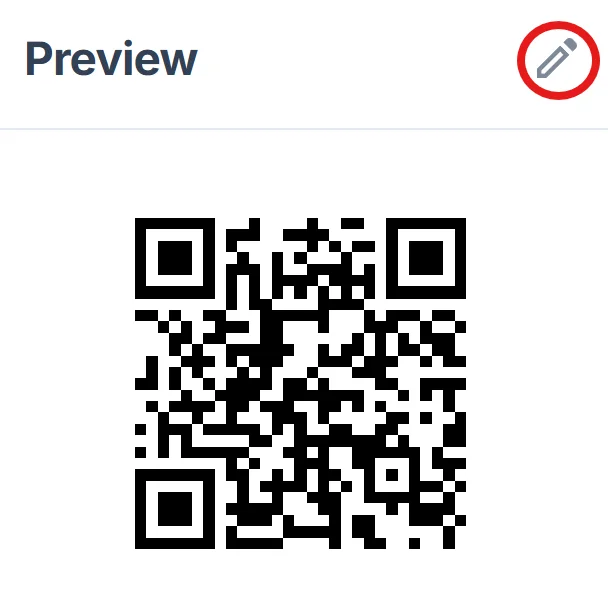
Add your brand colors and logo to match your existing marketing materials. Consider the final size and placement - codes on business cards need different sizing than those on large posters or banners. For design inspiration, check out our QR code design tips to create visually appealing codes.
Test across multiple devices
Scan your code with different phones and QR apps to ensure it works consistently. Test both iOS and Android devices, as some scanning behaviors vary between platforms.
Download and integrate into materials
Save your QR code in high resolution for print materials or appropriate web formats for digital use. Include clear scanning instructions like 'Scan to view portfolio' or 'Scan for video tour' to encourage interaction.
Professional practices for video QR codes
Video professionals who successfully use QR codes follow specific practices that maximize scanning rates and viewer engagement.
Include clear context about what viewers will find when they scan. 'Scan for wedding highlight reel' or 'View property tour' sets proper expectations and increases scanning likelihood.
Test your Vimeo privacy settings before sharing QR codes publicly. Password-protected content should include access instructions, while public content should be optimized for mobile viewing.
Size your QR codes appropriately for the medium - business cards need codes at least 1 inch square, while banners can accommodate larger, more detailed codes with additional branding elements. You can also create QR code stickers for versatile placement on various marketing materials.
Monitor your Vimeo analytics to track which QR code campaigns drive the most engagement. This data helps you understand which content resonates and where to focus future marketing efforts.
Frequently Asked Questions
Yes, but you'll need to provide the password separately or use Vimeo's domain-level privacy settings. The QR code will take viewers to the video page where they can enter the password you've shared.
QR codes work best with direct Vimeo links rather than embedded players. Use the native Vimeo URL for optimal mobile viewing and full feature access.
Use the standard vimeo.com/[video-id] format for individual videos or vimeo.com/[username] for channels. Avoid long URLs with tracking parameters that might cause scanning issues.
Creating basic QR codes is free with most generators. Costs only apply if you need advanced features like detailed analytics, custom branding, or dynamic URL management for updating content.
Related Guides
Ready to create your QR code?
Generate custom QR codes in seconds - free and easy to use.
Create Free QR Code →