Tumblr QR code generator for blog sharing and content promotion

Generate scannable codes that instantly connect audiences to your Tumblr content, posts, and creative portfolio with professional QR code tools.
Connecting audiences to your Tumblr content with QR codes
Everyday, over 518 million Tumblr blogs compete for attention in the creative digital space. Getting people to actually visit your Tumblr profile or specific posts requires more than just dropping a link - you need to make discovery effortless and immediate. That's where QR codes come in!
A Tumblr QR code allows your blog URL, specific post links, or tagged content to be accessed via a scannable code. When someone scans it with their phone, they're taken directly to your Tumblr content without typing complicated URLs or searching through endless feeds. This approach works similarly to Instagram QR codes for social media promotion.
In this guide I'll show you how to create QR codes that work specifically for Tumblr's unique content structure, from individual posts to entire blog portfolios. I'll also go over placement strategies that actually get scanned, plus how to track which codes drive the most traffic to your different types of content.
Creative ways to share your Tumblr blog with QR codes
Tumblr's visual-first platform makes it perfect for QR code integration across multiple touchpoints. These codes work particularly well for creative professionals who want to showcase their portfolio or drive traffic to specific content themes. Consider how QR code business cards can complement your Tumblr promotion strategy.
Art portfolio showcasing
Artists and designers add QR codes to physical artwork labels, linking viewers to their complete Tumblr portfolio or specific art series tags.
Convention and event networking
Creators at comic cons, art fairs, or maker events use QR codes on table displays to instantly share their Tumblr blog with potential followers.
Photography business promotion
Photographers include QR codes in client galleries or on printed materials, directing people to their Tumblr photography blog or specific shoot collections. They can also create QR code stickers for equipment cases or portfolio books.
Small business content marketing
Local businesses running Tumblr blogs for behind-the-scenes content use QR codes on packaging, receipts, or storefront displays to build their online community. This strategy works well alongside QR codes on flyers for comprehensive marketing campaigns.
Building QR codes for your Tumblr content
Creating a Tumblr QR code takes just a few minutes once you know which content you want to promote. The key is choosing the right Tumblr URL format for your specific goals.
Navigate to the QR code generator
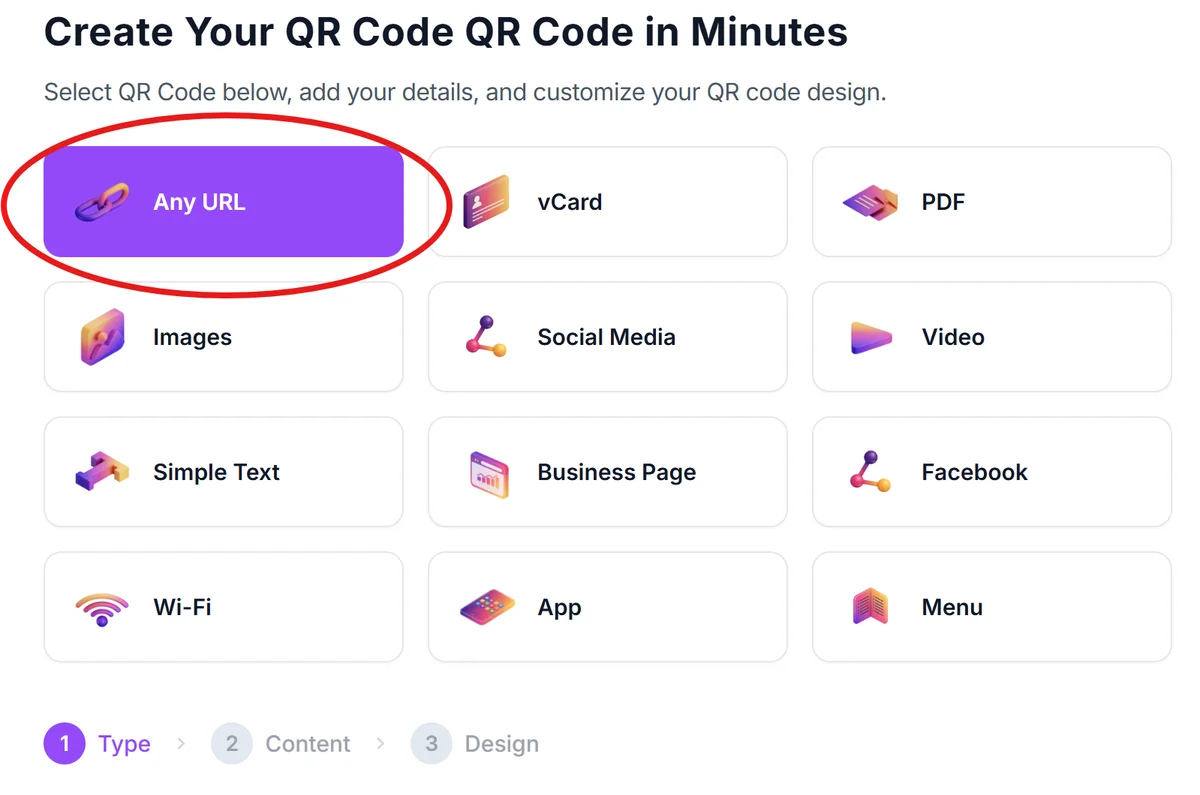
Open qrcodeveloper.com in your browser and select the URL QR code option from the available types.
Copy your Tumblr URL
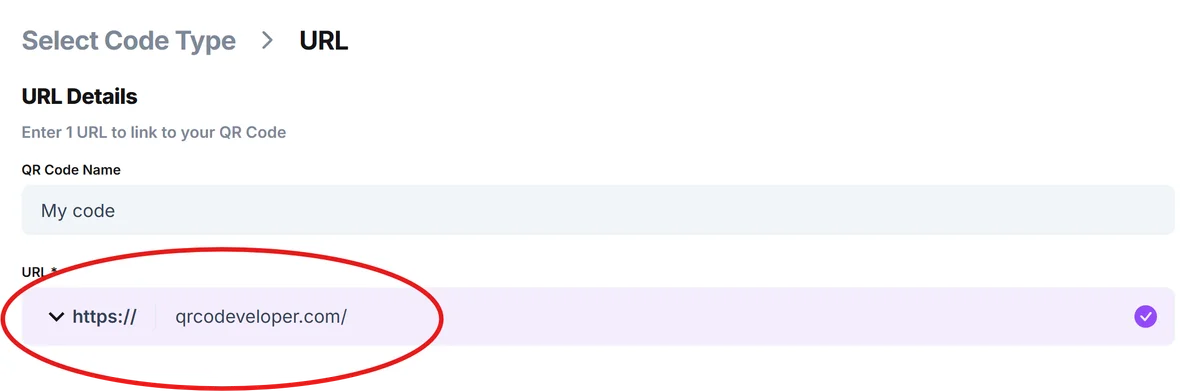
Grab the specific Tumblr link you want to share - this could be your main blog (username.tumblr.com), a specific post URL, or a tagged content page like username.tumblr.com/tagged/photography.
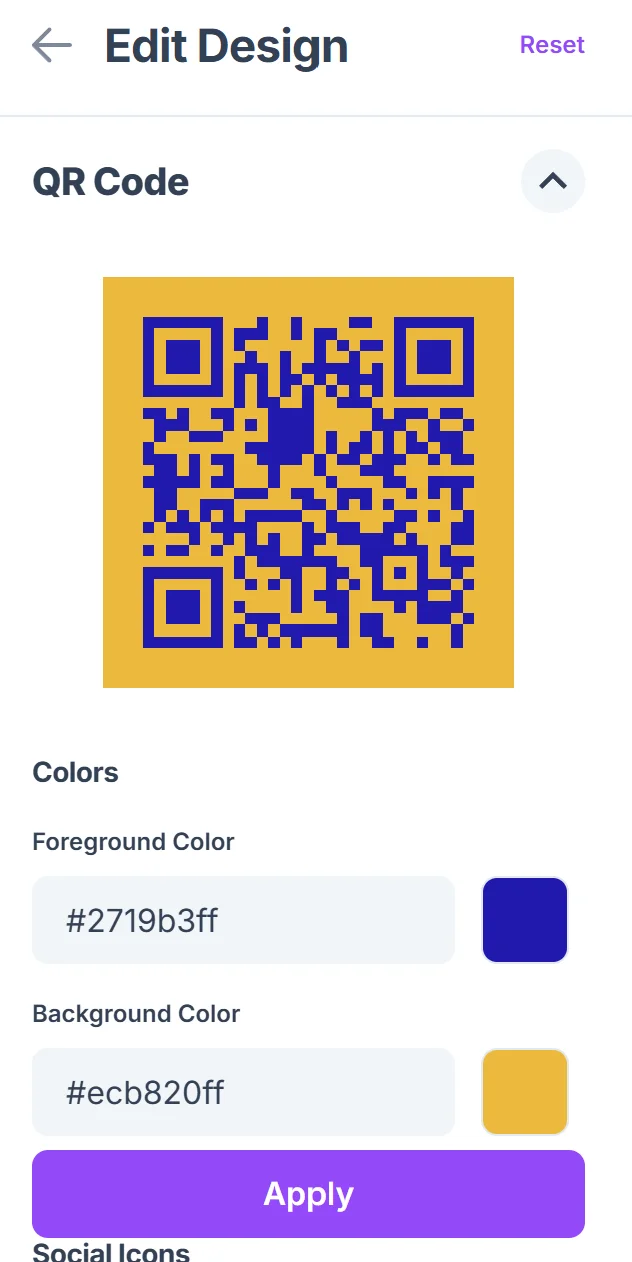
Customize for your brand aesthetic
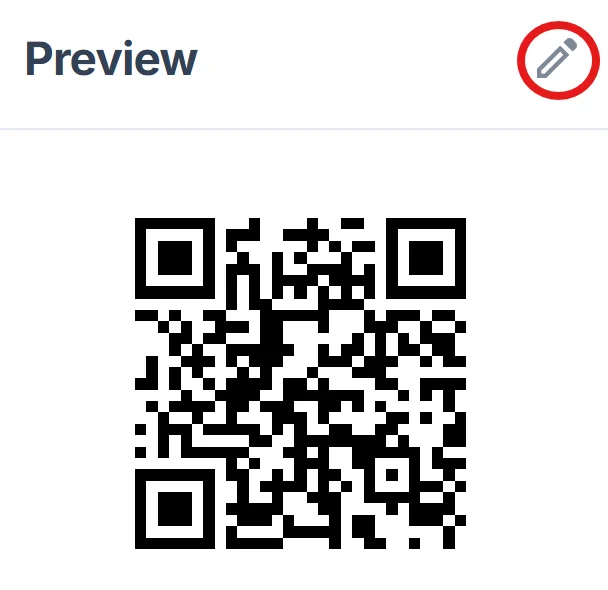
Adjust the QR code colors to match your Tumblr theme or personal brand. Consider using your blog's accent colors to maintain visual consistency across your promotional materials. For best results, follow proven QR code design tips to ensure scannability.
Test the scanning experience
Scan your QR code with multiple devices to ensure it loads quickly and displays your Tumblr content correctly on both mobile and desktop browsers.
Download and implement strategically
Save your QR code in high resolution and place it where your target audience will see it - on business cards, art prints, social media posts, or physical marketing materials.
Best practices for Tumblr QR code promotion
Getting people to actually scan your Tumblr QR codes requires strategic placement and clear communication about what they'll find when they scan.
Include clear context text like 'Scan to see my art portfolio' or 'View behind-the-scenes content' so people know what type of Tumblr content they'll discover
Link to specific tagged content rather than just your main blog when promoting niche interests - tagged URLs like /tagged/digitalart help visitors find exactly what they're looking for
Place QR codes on materials where people have time to scan and browse - avoid high-traffic areas where people are rushing past your content
Create different QR codes for different content types and track which ones get the most engagement to understand what resonates with your audience
Frequently Asked Questions
Can I create QR codes for specific Tumblr posts?
Yes, you can create QR codes for individual Tumblr posts by using the specific post URL. This works great for promoting featured content or driving traffic to your most popular posts.
Do QR codes work with Tumblr's mobile app?
QR codes will open Tumblr content in the user's default browser, which may then prompt them to open in the Tumblr app if they have it installed. The experience works smoothly across devices.
Should I link to my main blog or tagged content?
It depends on your goal. Link to tagged content (like /tagged/photography) when promoting specific themes, or to your main blog when you want people to see your complete range of content.
How can I track QR code performance for my Tumblr content?
Use Tumblr's built-in analytics to monitor traffic spikes that correspond with your QR code campaigns. You can also use URL shorteners with tracking before creating your QR code.
Are there size limits for Tumblr QR codes?
No, QR codes for Tumblr URLs work at any size. Just ensure they're large enough to scan easily - typically at least 1 inch square for print materials.
Related Guides
Ready to create your QR code?
Generate custom QR codes in seconds - free and easy to use.
Create Free QR Code →