QR codes for travel tickets and boarding passes

Replace physical tickets with scannable codes that store boarding passes, seat assignments, and travel details in one convenient digital format.
Digital boarding passes through QR codes
Travel can be a wonderful experience! But it can also be frustrating, especially when you have to deal with paper tickets and boarding passes. However, more and more businesses have transitioned over to using digital QR code tickets which are easier to distribute, can't be ripped or torn, and allow tourists to enjoy their trips without having to worry about paper tickets.

QR codes can be used to store store boarding pass information, seat assignments, baggage claim numbers, connecting flight details, and even special assistance requests, all right in your phone. Airlines, train companies, and event organizers have begun to use them to reduce paper waste while also speeding up the boarding process.
Airlines report that QR code boarding reduces gate processing time by up to 40% compared to traditional paper tickets. Throughout this guide, I'll show you how to create travel ticket QR codes using QR Code Developer and explain the technical considerations that make them work reliably in busy travel environments. Hope you have your passport ready, because our journey begins now!
Travel industry applications for QR ticket systems
Travel companies across different sectors use QR codes to replace traditional paper tickets and improve passenger flow. These digital tickets solve problems ranging from lost boarding passes to language barriers at international terminals. Many companies combine travel QR codes with check-in QR codes for complete digital travel management.
Airline boarding passes
Airlines embed flight numbers, seat assignments, departure gates, and boarding times in QR codes that passengers receive via email or mobile apps. Gate agents scan these codes to verify passenger identity and flight details instantly.
Train and bus tickets
Railway companies and bus operators use QR codes to store route information, seat reservations, and transfer details. Conductors scan passenger phones to validate tickets without handling paper documents.
Event and venue tickets
Concert halls, sports stadiums, and conference centers issue QR code tickets that contain seat locations, event times, and access permissions. Security staff scan codes at entry points to prevent counterfeiting and control capacity, similar to how museums use QR codes for visitor management.
Multi-modal journey tickets
Transportation authorities create QR codes that work across different travel modes - buses, trains, and ferries. Passengers scan the same code throughout their journey, and the system automatically deducts appropriate fares.
Building QR codes for your travel tickets
Creating travel ticket QR codes requires careful planning since they must work reliably in various lighting conditions and on different devices.
Access the QR generator platform
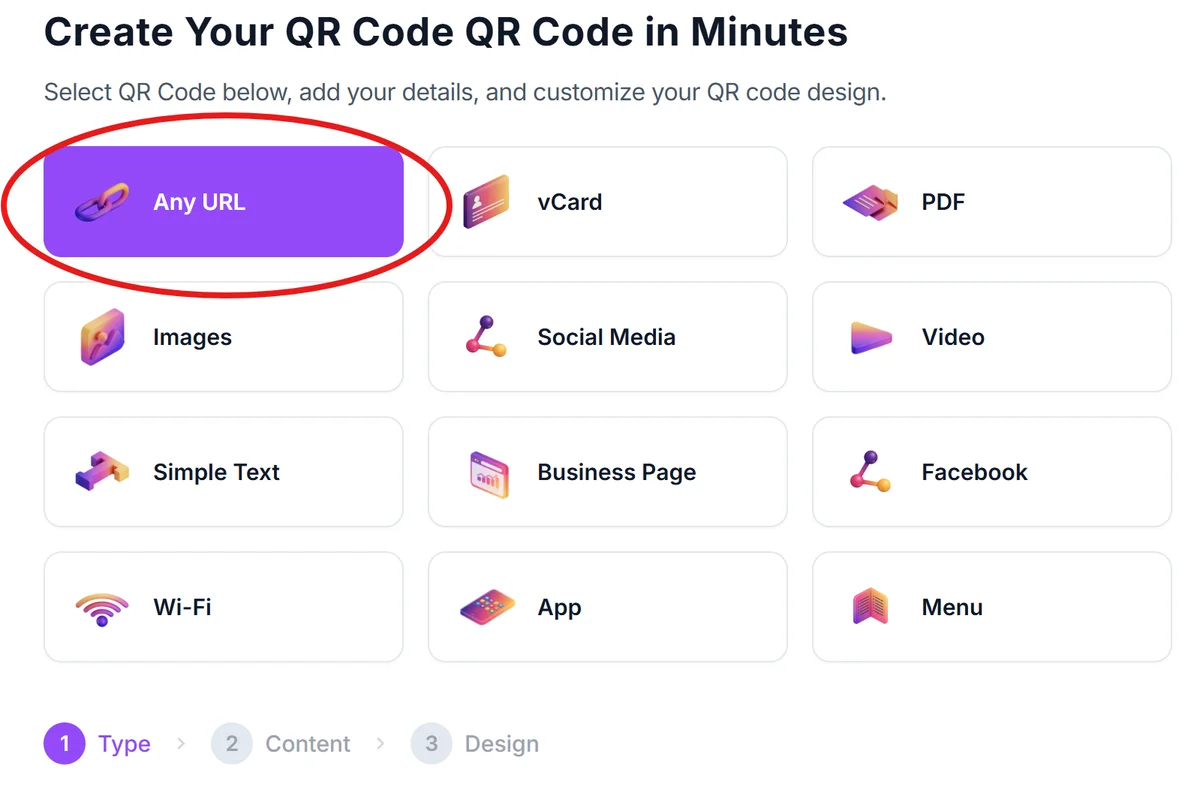
Visit qrcodeveloper.com and select the appropriate QR code type for your ticket system. For simple boarding passes, use URL codes that link to passenger portals. For complex tickets with multiple data points, consider text codes that store information directly.
Structure your ticket information
Organize essential travel details in a clear hierarchy. Include passenger name, flight or route number, departure time, seat assignment, and gate information. For international travel, add booking reference numbers and any special service codes.
Configure for mobile display
Set your QR code size to at least 2cm x 2cm for mobile screens, ensuring gate scanners can read them reliably. Choose high contrast colors - black codes on white backgrounds work best under airport lighting conditions. For more guidance on visual optimization, check our QR code design tips.

Integrate with booking systems
Connect your QR codes to existing reservation databases so that scanning provides real-time access to passenger information, seat changes, and flight updates. Test the integration with your current check-in and boarding software.
Deploy across communication channels
Distribute QR codes through email confirmations, mobile apps, and SMS messages. Provide clear instructions about saving codes to phone galleries and ensuring screen brightness is adequate for scanning at gates.
Best practices for travel QR code implementation
Successful travel QR codes require attention to both technical specifications and passenger experience considerations.
Design codes with sufficient error correction since airport WiFi and mobile data can be unreliable. Higher error correction allows codes to scan successfully even if partially damaged or displayed on cracked phone screens. Understanding static vs dynamic QR codes helps determine the best approach for your ticketing system.
Include backup systems for passengers without smartphones or those experiencing technical difficulties. Train staff to handle alternative verification methods while maintaining efficient boarding processes.
Test QR codes across different mobile operating systems and screen types, including older devices that international travelers might use. Ensure codes remain scannable on various screen brightness settings and under different terminal lighting conditions.
Implement real-time updates so that gate changes, delays, or seat reassignments automatically reflect in the passenger's QR code data. This prevents confusion and reduces the need for manual announcements at boarding gates.
Frequently Asked Questions
What information can I store in a travel ticket QR code?
Travel QR codes can contain passenger names, flight numbers, seat assignments, departure times, gate information, booking references, and special service codes. The amount of data depends on whether you use URL codes (linking to online portals) or text codes (storing information directly).
How do I ensure QR codes work reliably at busy airports?
Use high contrast designs with adequate sizing (minimum 2cm x 2cm), implement strong error correction, and test across different mobile devices and lighting conditions. Train staff on backup verification procedures for technical issues.
Can passengers save travel QR codes offline for areas with poor connectivity?
Yes, text-based QR codes store information directly and work without internet access. URL-based codes require connectivity, so consider hybrid approaches that include essential details in the code while linking to online portals for additional services.
How do I prevent QR code ticket fraud or sharing?
Implement time-sensitive codes that expire after boarding, include passenger verification data that staff can cross-check, and use dynamic codes that change periodically. Consider adding photo verification or biometric checks for high-security environments.
Are there costs associated with implementing QR code ticketing systems?
Basic QR code generation is free through platforms like QR Code Developer. Additional costs may include integration with existing booking systems, staff training, and backup infrastructure. Most airlines report cost savings from reduced paper printing and faster boarding processes.
Related Guides
Ready to create your QR code?
Generate custom QR codes in seconds - free and easy to use.
Create Free QR Code →