QR code generator for ticketing systems and event management

Replace paper tickets with scannable QR codes that guests can store on their phones and present for instant entry validation.
How QR codes transform ticket management for venues
QR code-based ticketing accounted for 46% of the digital ticketing market in 2024, according to Market.us - Digital Ticketing Market Report. This highlights the growing importance of QR codes in today's digital landscape. Now-a-days, if you buy a ticket for a movie, live show, or other event online, you will likely get your ticket in the form of a QR code.

QR codes for ticketing systems make it so that attendees can scan a code and save their ticketing info on their own devices. When someone purchases a ticket, they receive a QR code containing their seat number, event details, and validation data. At the venue, staff scan the code with any smartphone or dedicated scanner to instantly verify the ticket and grant entry. Understanding the different types of QR codes can help you choose the best format for your ticketing needs.
In this guide I will go over everything from generating your first ticket QR codes to managing large-scale events. I'll also show you how QR Code Developer makes it simple to create professional ticketing codes that integrate with your existing systems. So let's get started!
Where ticketing QR codes make the biggest impact
Ticket QR codes work particularly well for venues that need fast entry processing and accurate attendance tracking. They're especially valuable when you need to verify specific seat assignments or access levels. For venues also managing event information sharing, QR codes can serve multiple purposes beyond just entry.
Concert and festival entry
Music venues use QR codes to manage different ticket tiers, VIP access, and merchandise bundling. Fans can store multiple event codes in their phone's wallet app.
Theater and cinema seating
Movie theaters and live performance venues encode seat numbers and showtime information, allowing ushers to quickly direct patrons to their exact locations.
Conference and seminar check-in
Professional events track attendee sessions, meal preferences, and networking access levels through QR codes that update in real-time as people move between activities. Many organizers also integrate QR codes for online surveys to collect feedback throughout the event.
Sports venue access control
Stadiums and arenas manage season ticket holders, single-game purchases, and restricted area access using QR codes that integrate with their security systems.
Building your ticket QR code system
Creating ticket QR codes requires encoding the right information and ensuring your scanning setup can handle your expected volume.
Set up your QR code generator
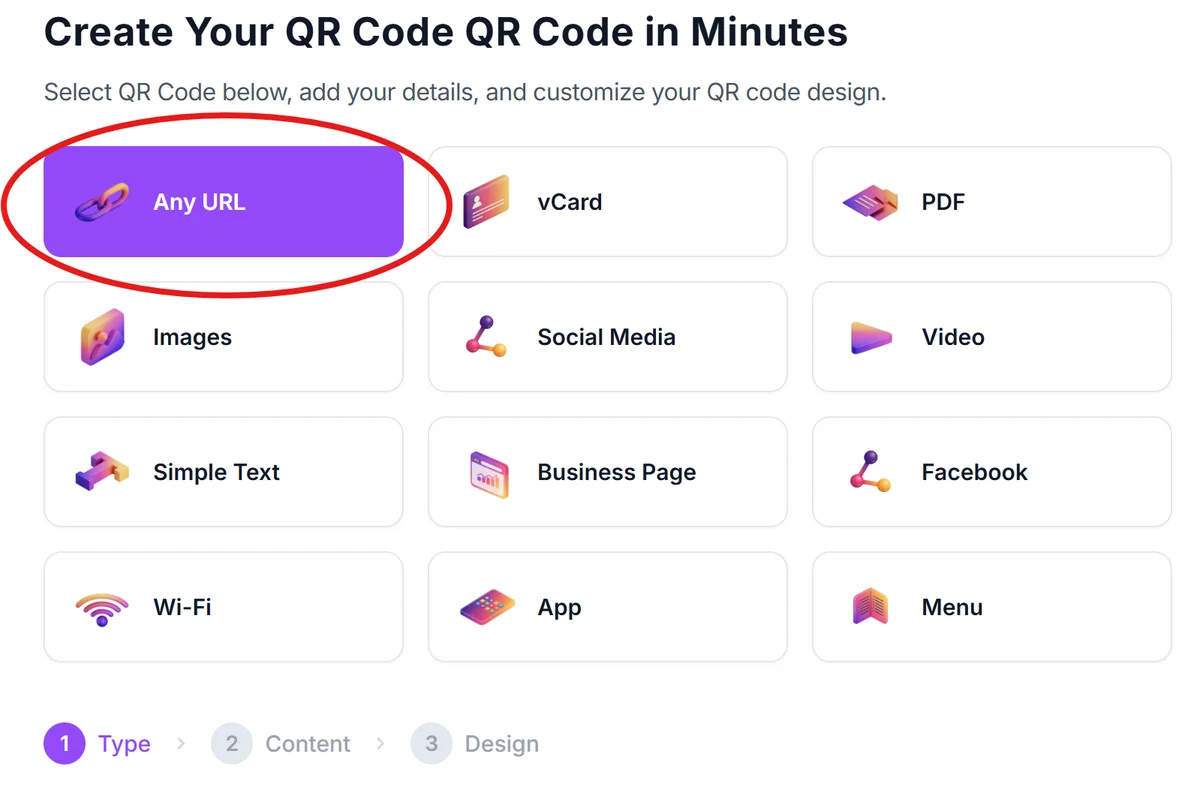
Start at qrcodeveloper.com and select the data type that matches your ticketing system. Most venues use URL codes that link to a verification page with the ticket details.
Encode your ticket validation data
Include the ticket holder's name, seat number, event date/time, and a unique identifier that your system can verify. Create a URL format like 'yoursite.com/verify/ticket123456' for each ticket. Consider using dynamic QR codes if you need to update ticket information after distribution.
Customize for your brand and venue
Click on the pencil icon in the preview window to further customize your code. Add your venue's logo and colors to make the QR codes instantly recognizable. Include high contrast between the code and background for reliable scanning under various lighting conditions. Follow proven QR code design tips to ensure maximum scannability while maintaining your brand identity.

Test your scanning workflow
Print sample tickets and test the scanning process with the devices your staff will use. Verify that your validation system responds quickly and handles multiple simultaneous scans.
Distribute tickets with clear instructions
Send QR codes via email or text with simple instructions for saving to phone wallets. Include backup options like PDF downloads for attendees who prefer printed tickets.
Best practices for ticket QR code implementation
Successful ticket QR code systems balance security, convenience, and reliability. These practices help you avoid common pitfalls:
Generate unique codes for each ticket and implement one-time use validation to prevent ticket sharing or counterfeiting. Learn about QR code security best practices to protect your ticketing system from fraud and ensure attendee data privacy.
Size QR codes at least 1 inch square on printed materials and ensure they display clearly on mobile screens without pixelation
Create a backup verification system using confirmation numbers in case attendees have phone issues or QR codes won't scan
Train staff to handle scanning failures gracefully and have manual lookup procedures ready for busy entry periods
Frequently Asked Questions
Can ticket QR codes prevent counterfeiting and duplicate entries?
Yes, when each QR code contains a unique identifier that your system validates against a database. Once scanned and used, the system can mark that ticket as redeemed and reject future scans of the same code.
What happens if someone's phone battery dies or their QR code won't display?
Always provide backup verification methods like confirmation numbers or photo ID matching. Many venues also offer will-call services where staff can look up purchases and print replacement tickets on-site.
How do I handle refunds and transfers with QR code tickets?
Your ticketing system should allow you to deactivate original QR codes and generate new ones for transferred tickets. This ensures the original purchaser can't use their code after selling or gifting the ticket.
Do QR code tickets work in areas with poor cell service?
QR codes stored in phone wallet apps work offline once saved. However, your validation system may need internet connectivity to verify tickets against your database, so consider offline backup procedures.
Is there a cost to generate QR codes for my ticketing system?
Basic QR code generation is free, but you'll need a backend system to handle validation and prevent fraud. Many ticketing platforms include QR code generation in their service fees.
Related Guides
Ready to create your QR code?
Generate custom QR codes in seconds - free and easy to use.
Create Free QR Code →