QR code generator for Telegram channels and groups

Share Telegram channels, groups, and profiles with a single scan. No usernames to type, no links to copy.
How QR codes simplify Telegram connections
What if you could eliminate the frustration of sharing long Telegram usernames or explaining how to find your channel? Well, you can! With QR codes. A Telegram QR code can turn complex connection processes into one simple scan, whether you're promoting a business channel, organizing a community group, or sharing your personal chat.
A Telegram QR code contains your channel, group, or personal chat link. When someone scans it with their phone's camera, they're taken directly to your Telegram presence where they can join with a single tap. No more spelling out usernames, no more confusion about which channel is yours.
This guide will cover how to create your first Telegram QR code to strategic placement for maximum engagement. I'll show you how QR Code Developer makes this process straightforward, plus share insights from successful Telegram communities that have grown their membership through smart QR code placement.
Real-world applications for Telegram QR codes
Whether you're building a community or sharing updates, these codes work across industries and use cases. Learn more about creating effective contact information QR codes for broader networking strategies.
Business customer support channels
Companies can place QR codes on packaging, receipts, and websites to direct customers to their Telegram support channels for instant help and order updates.
Event coordination and updates
Conference organizers and event planners can use QR codes on badges, posters, and programs to connect attendees to real-time updates and networking groups. Similar to event QR codes, these provide instant access to important information.
Educational course communities
Teachers and trainers can add QR codes to course materials, connecting students to study groups and assignment channels for collaborative learning.
Local business promotions
Restaurants, shops, and service providers can use QR codes on storefront signs and marketing materials to build subscriber lists for deals and announcements. Many restaurants also implement QR code menus alongside their Telegram channels for a complete digital experience.
Creating your Telegram QR code
Building a Telegram QR code takes just a few minutes once you have your channel or group link ready. The process works the same whether you're creating codes for public channels or private groups.
Open your QR code generator
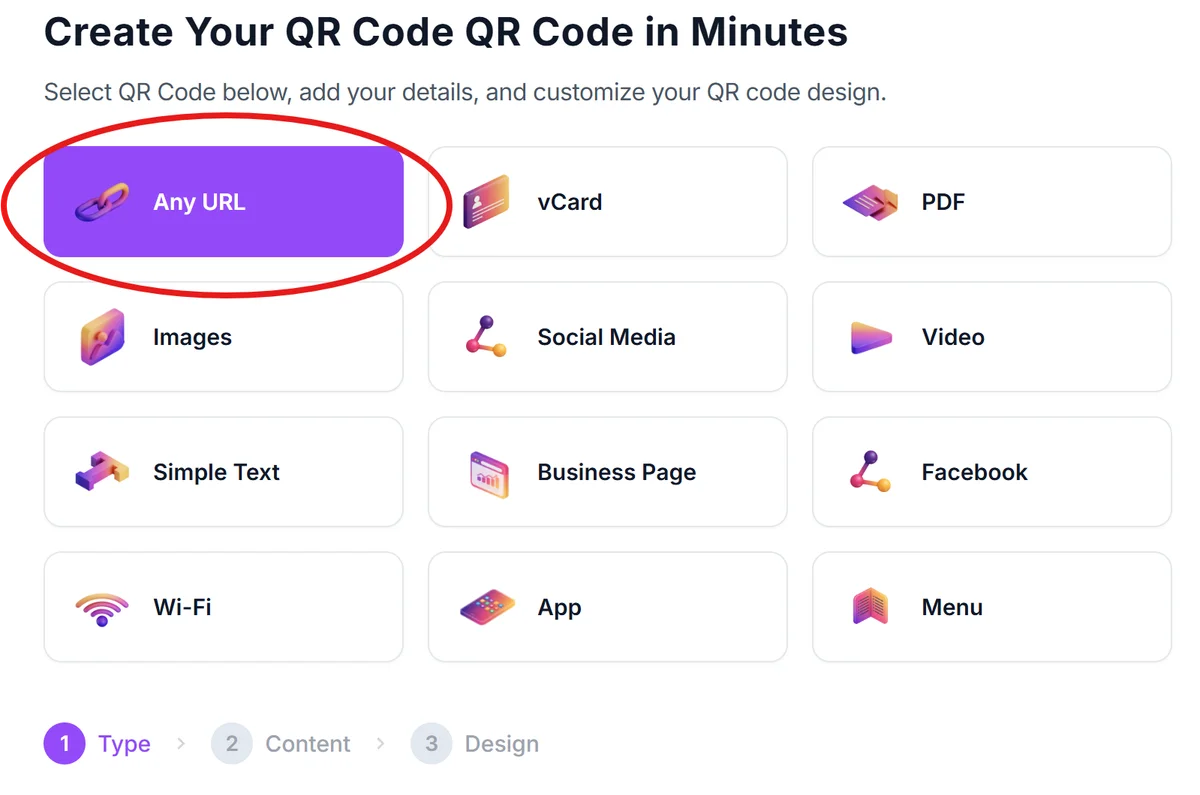
Visit qrcodeveloper.com and select the URL/Link option since Telegram links work as standard web URLs.
Get your Telegram link
In Telegram, go to your channel or group settings, tap 'Invite Links' or 'Share', then copy the t.me link (like t.me/yourchannel or t.me/joinchat/xyz).
Customize for Telegram branding
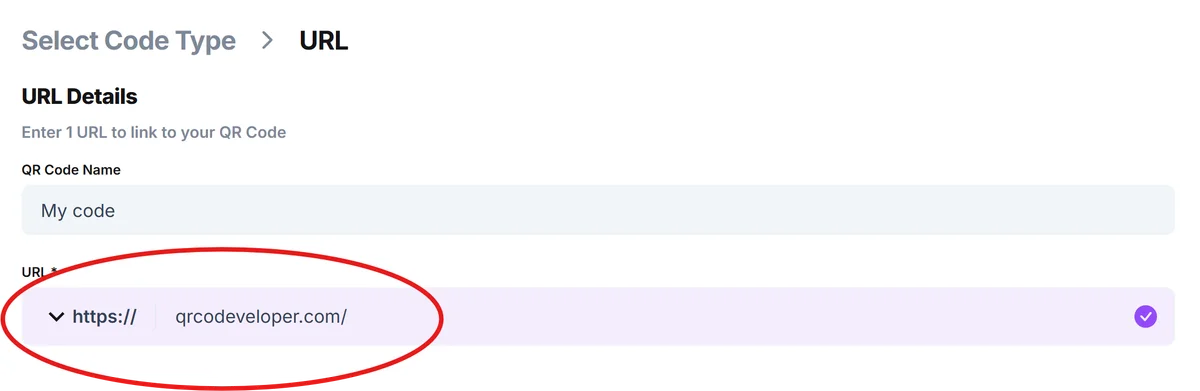
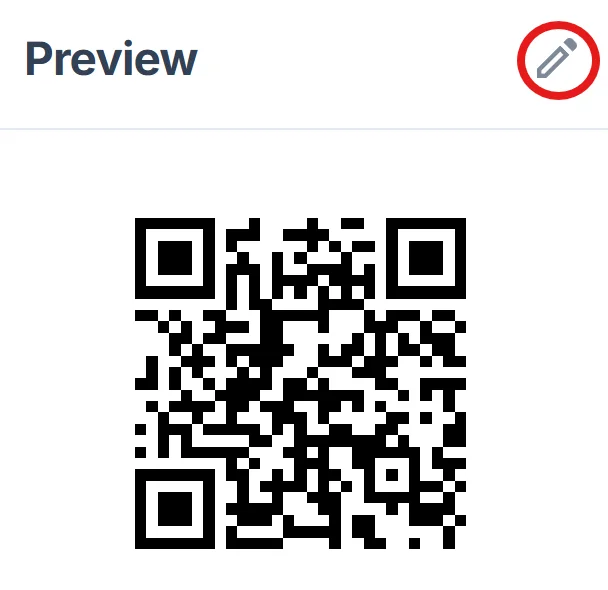
Paste your link and customize the QR code with Telegram's blue color scheme. Add your channel name or logo to make it recognizable to your audience.
Test with different devices
Download your QR code and test it on both iOS and Android devices to ensure it opens Telegram correctly and takes users to the right destination.
Deploy strategically
Place your QR code where your target audience will see it - on business cards, flyers, social media posts, or physical locations where people have time to scan.
Best practices for Telegram QR codes
Smart placement and clear communication make the difference between QR codes that get scanned and ones that get ignored. Here's what works for successful Telegram communities:
Include clear text like 'Scan to join our Telegram channel' near your QR code so people understand what happens when they scan it, especially in mixed-media environments where QR codes might link to anything.
Use high contrast colors and ensure your QR code is at least 1 inch square when printed. Telegram's blue works well as an accent color, but keep the QR code itself black and white for maximum scannability. For more guidance on visual appeal, check out our QR code design tips.
Set your Telegram invite links to never expire if you're using them for ongoing promotion. Check your link settings regularly since some Telegram invites have default expiration times that could break your QR codes.
Test your QR codes in the actual environments where people will scan them. Lighting, distance, and phone angles all affect scanning success, so verify your codes work in real-world conditions before mass distribution.
Frequently Asked Questions
Can I create QR codes for private Telegram groups?
Yes, you can create QR codes for private groups using their invite links. Just remember that anyone who scans the QR code will be able to join, so only share these codes with people you want in your private group.
Do Telegram QR codes work on both iPhone and Android?
Yes, Telegram QR codes work on all devices with camera-based QR code scanning. Both iOS and Android users can scan your code and be taken directly to your Telegram channel or group.
Can I track how many people join through my QR code?
Telegram doesn't provide direct analytics for QR code scans, but you can track new member growth in your channel or group statistics to estimate QR code effectiveness alongside your other promotion methods.
What happens if someone scans my QR code but doesn't have Telegram installed?
They'll be taken to a web page that prompts them to download Telegram or open it in their browser. The web version allows them to preview your channel before deciding to install the app.
Are there any costs for creating Telegram QR codes?
Basic QR code generation is free with most generators. You only pay if you need advanced features like custom designs, analytics tracking, or the ability to update the destination link without reprinting the code.
Related Guides
Ready to create your QR code?
Generate custom QR codes in seconds - free and easy to use.
Create Free QR Code →