Table tent QR codes for restaurants and events

Transform table-top marketing with scannable codes that connect diners directly to menus, promotions, and digital experiences.
How table tents bridge physical and digital dining experiences
In the past, Restaurants would rely on paper menus, printed specials, and verbal descriptions from servers to share information with diners. Now establishments can simply place small QR codes on table tents that instantly connect customers to digital menus, wine lists, loyalty programs, and promotional content all on their own time and with their own devices.
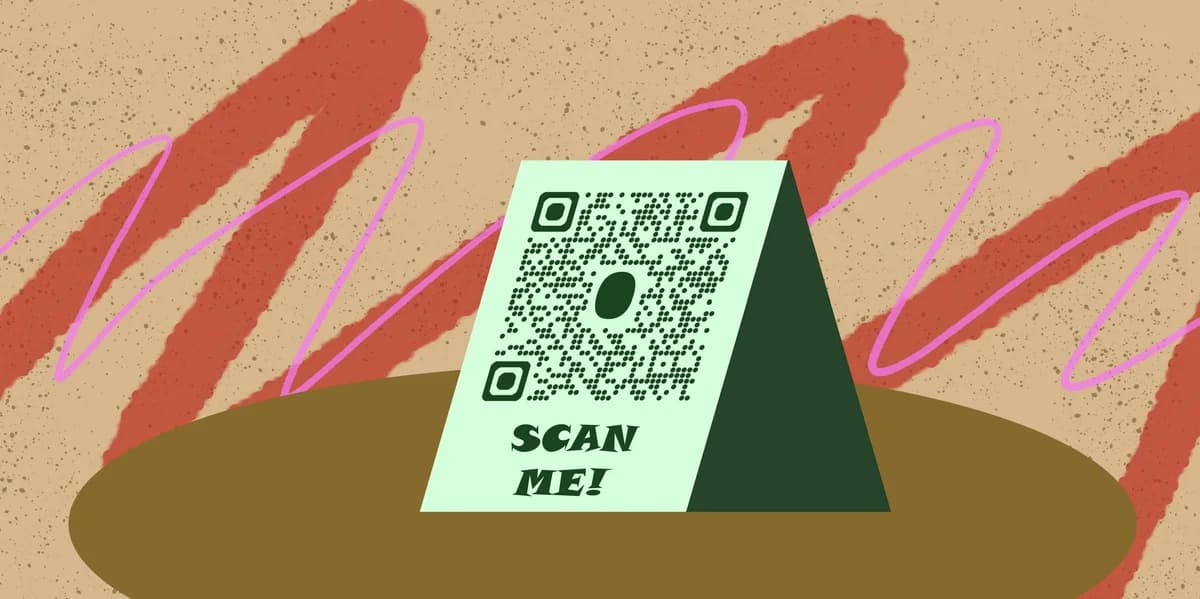
Table tent QR codes turn traditional table-top displays into digital portals to all sorts of content. Instead of cluttering tables with multiple paper materials, restaurants can consolidate everything into a single scannable code that directs customers exactly where they need to go - whether that's today's specials, the full beverage menu, or a feedback survey.
This approach works particularly well because diners are already seated and have their phones readily available. The restaurant menu QR code concept extends naturally to table tents, creating multiple touchpoints for customer engagement throughout the dining experience.
Smart ways restaurants use table tent QR codes
Table tent QR codes solve the challenge of providing timely information without interrupting the dining experience. They work especially well in busy environments where servers can't immediately attend to every table. Event QR codes follow similar principles for engaging attendees with relevant content.
Daily specials and seasonal menus
Restaurants update digital specials boards instantly without reprinting materials. Diners scan to see current offerings, prices, and ingredient details.
Wine and cocktail pairings
Fine dining establishments link to sommelier recommendations, tasting notes, and perfect food pairings for each bottle or cocktail selection.
Loyalty program enrollment
Casual dining chains use table tents to drive app downloads and loyalty sign-ups, offering immediate discounts for new members.
Event venue information
Wedding venues and private dining spaces share event schedules, vendor information, and photo galleries with guests throughout celebrations.
Building your table tent QR code system
Setting up table tent QR codes requires planning both the digital destination and physical placement strategy.
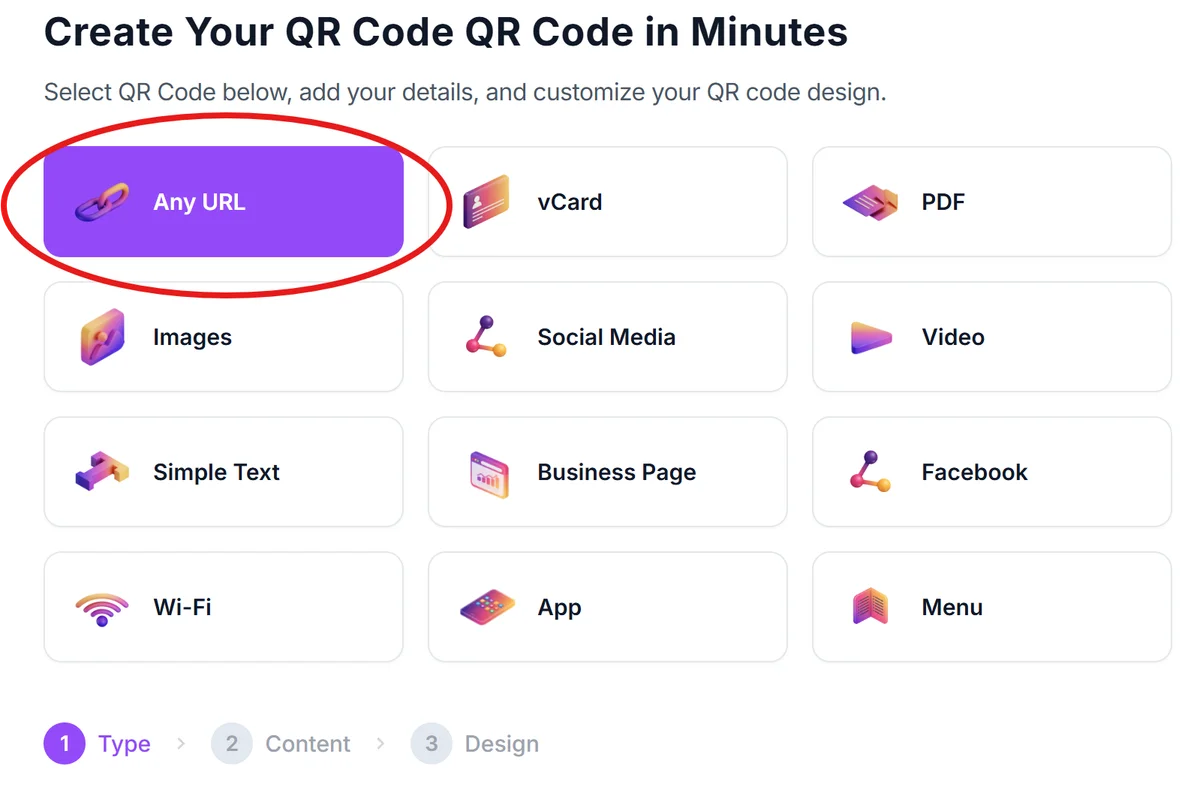
Visit the QR code generator
Go to qrcodeveloper.com and select the URL option to link customers to your digital content.
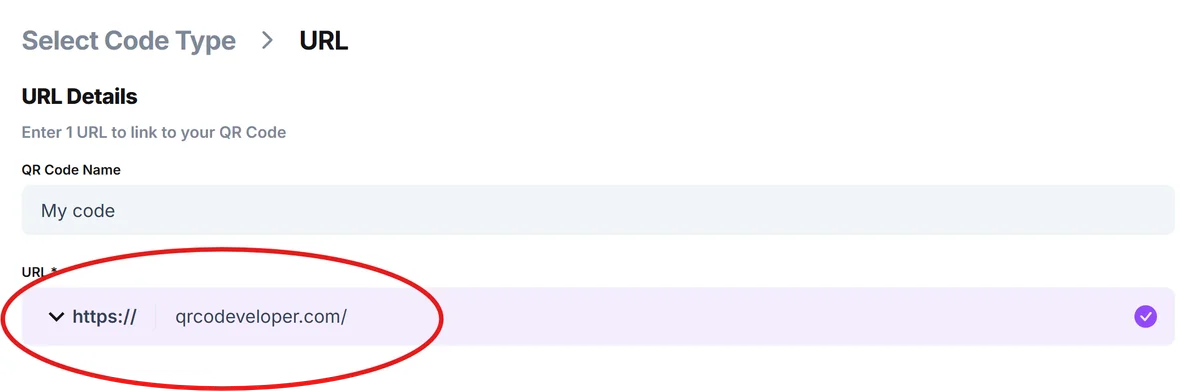
Enter your destination URL
Paste the link to your digital menu, specials page, or landing page. Make sure the URL works properly on mobile devices since most diners will scan with their phones.
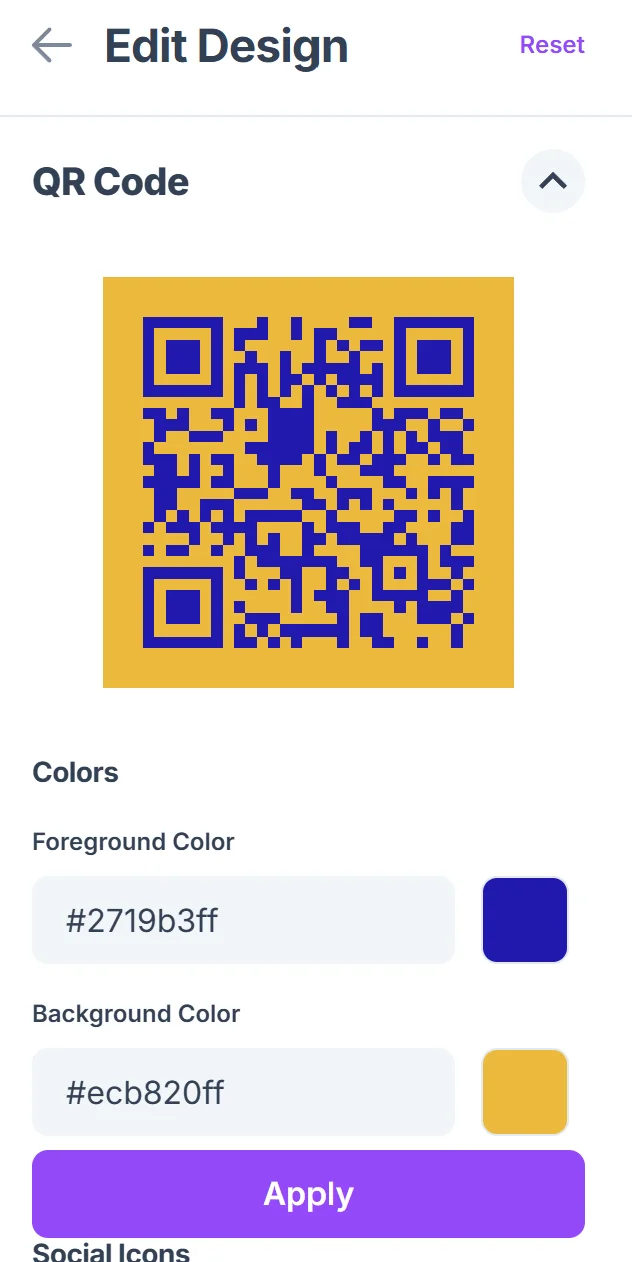
Customize for brand recognition
Add your restaurant colors and logo to make the QR code instantly recognizable as part of your brand. Keep contrast high for reliable scanning in various lighting conditions, following proper QR code design principles.

Size for table tent dimensions
Download the QR code at a size that works well on your table tent design - typically 1-2 inches square. Test scanning distance to ensure customers can scan comfortably while seated.
Print and laminate for durability
Use waterproof materials and protective coating since table tents face spills, cleaning, and constant handling. Consider double-sided printing with different QR codes for varied content, similar to how QR code stickers require durable materials for longevity.
Design and placement strategies that work
Successful table tent QR codes balance visibility with aesthetics while encouraging natural scanning behavior.
Position QR codes at eye level when customers are seated - avoid placing them too low where they might be obscured by plates or glasses during the meal
Include clear call-to-action text like 'Scan for Today's Specials' or 'View Our Wine List' so diners understand exactly what they'll find when scanning
Use different QR codes on each side of the table tent to offer varied content - one side for menus, another for loyalty programs or social media
Test your QR codes regularly to ensure linked content stays current, especially for daily specials or time-sensitive promotions that change frequently
Frequently Asked Questions
What content works best for table tent QR codes?
Digital menus, daily specials, wine lists, and loyalty program sign-ups perform best. Content should provide immediate value to seated diners.
How big should the QR code be on a table tent?
Aim for 1-2 inches square minimum. The code needs to be large enough for comfortable scanning from a seated position, typically 18-24 inches away.
Can I use different QR codes on each side of the table tent?
Yes, this is an excellent strategy. Use one side for menus and another for promotions, social media, or feedback surveys to maximize engagement opportunities.
What materials work best for restaurant table tents with QR codes?
Laminated cardstock or plastic materials resist spills and frequent cleaning. Avoid glossy finishes that might create glare and interfere with QR code scanning.
Do I need to pay for QR codes on table tents?
Basic QR codes are free to generate and use. You only pay for premium features like analytics tracking or the ability to change the destination URL later.
Related Guides
Ready to create your QR code?
Generate custom QR codes in seconds - free and easy to use.
Create Free QR Code →