QR codes for software downloads and app distribution

Skip the typing and searching - get users directly to your software with a simple scan.
How QR codes simplify software distribution
What if you could shorten the time it takes between showing someone your app and getting them to actually download it? Traditional software distribution often relies on users remembering app names, finding the right version in app stores, or typing long URLs correctly. QR codes for software downloads remove every step of this process.

A software download QR code contains a direct link to your application - whether that's an App Store listing, Google Play page, direct download file, or beta testing platform. Users simply scan the code with their phone camera and get taken straight to the download page without any typing or searching required.
Throughout this guide I will cover everything you need to know about creating effective download QR codes. I'll also go over how to set them up properly, where to place them for maximum impact, and how to track their performance. I'll also show you how QR Code Developer makes the entire process straightforward, even if you're managing multiple software versions or platforms. So let's dive right in!
Where software QR codes make the biggest impact
Software QR codes work best when you need to bridge the gap between offline promotion and digital downloads. Here's where I see them making the biggest difference for developers and companies. For more complex distribution strategies, check out our guide on different types of QR codes.
Conference and trade show booths
Attendees can instantly download your demo app or full software without stopping to exchange business cards or remember URLs later.
Print advertising and flyers
Magazine ads, brochures, and flyers can include QR codes that take readers directly to app store listings or trial downloads.
Beta testing programs
Share QR codes with beta testers to give them immediate access to TestFlight, Google Play Console, or direct APK downloads.
Product packaging and manuals
Include QR codes on physical products that need companion apps, or in user manuals that reference downloadable tools and utilities.
Setting up QR codes for your software
Creating download QR codes requires more planning than basic URL codes since you're dealing with different platforms and user devices. Here's my step-by-step approach:
Gather your download URLs
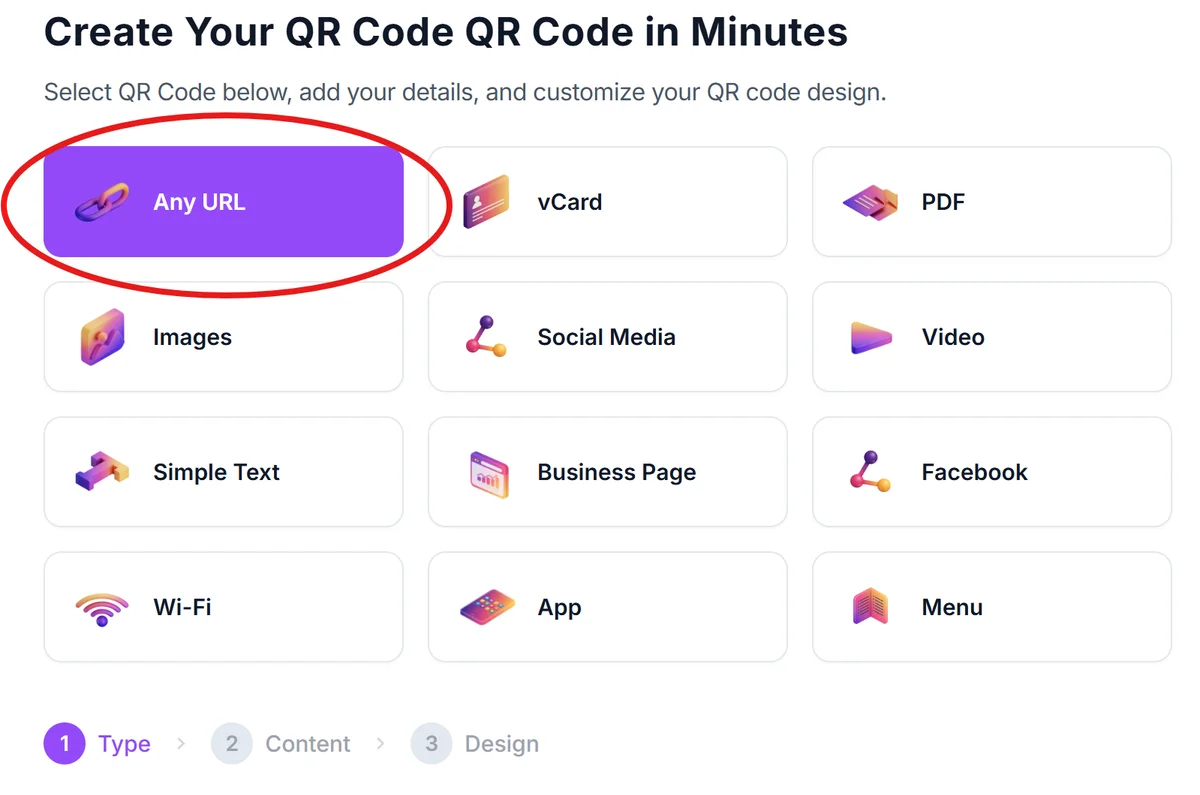
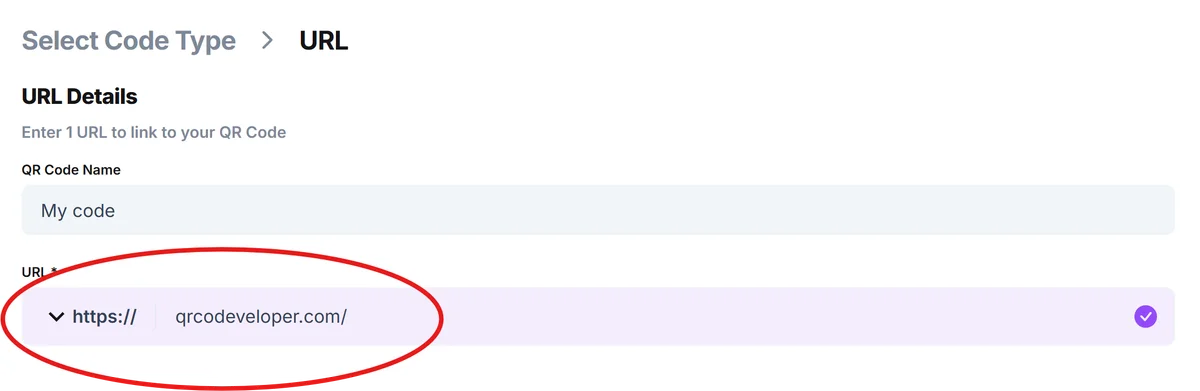
Collect the direct links to your software on each platform - App Store, Google Play, Microsoft Store, or your own download server. Visit qrcodeveloper.com once you have these URLs ready.
Choose your distribution strategy
Decide whether to create separate QR codes for each platform or use a universal link that detects the user's device and redirects appropriately.
Configure the QR code appearance
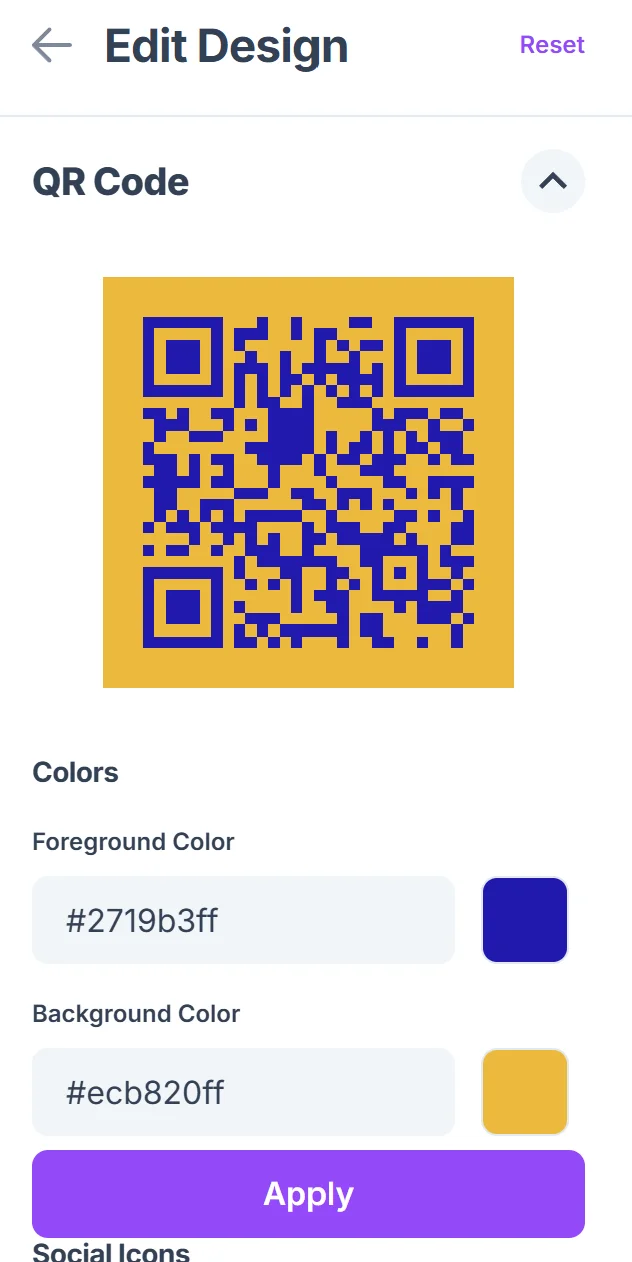
Design your QR code to match your software's branding. Add your app icon in the center and use colors that align with your brand identity. For more detailed guidance, explore our QR code design tips.

Test across different devices
Scan your QR code with various phones and tablets to ensure it works correctly and takes users to the right download page for their device.
Prepare for offline use
Download high-resolution versions of your QR code for print materials, and create different sizes for various marketing contexts. Consider creating QR code stickers for easy distribution at events and conferences.
Best practices for download QR codes
Getting people to scan is just the first step. Here's how to make sure your software QR codes actually convert scans into successful downloads:
Use universal links or smart redirects that automatically detect the user's device type and send them to the appropriate app store or download page
Include clear call-to-action text near your QR code like 'Scan to download our iOS app' or 'Get the beta version' so users know exactly what they're getting. For additional security considerations, review our guide on how to check if a QR code is safe.
Test your download links regularly, especially for beta versions or direct downloads that might change URLs or expire over time
Consider the context where people will scan - conference attendees might be on cellular data, so ensure your download pages load quickly and don't require large initial downloads
Frequently Asked Questions
Yes, by using a universal link or landing page that detects the user's device and redirects them to the appropriate app store. This is often better than creating separate QR codes for each platform.
Use trackable links in your QR codes and monitor analytics from your app store listings or download server. You can also create unique QR codes for different campaigns to see which placements perform best.
Create QR codes that link directly to TestFlight invitations, Google Play Console testing tracks, or secure download pages. Include expiration dates and access instructions to keep your beta program organized.
It depends on the context. For print ads or flyers, including a brief description helps set expectations. For conference booths or demos, the QR code can stand alone since you're there to explain the software.
Always use official app store links when possible, and clearly label what the QR code downloads. For direct downloads, use HTTPS links and consider adding verification information to build trust with users.
Related Guides
Ready to create your QR code?
Generate custom QR codes in seconds - free and easy to use.
Create Free QR Code →