QR code generator for Snapchat profiles and content sharing

Share your Snapchat profile instantly without typing usernames or searching through endless friend lists using scannable QR codes.
How QR codes work with Snapchat profiles and content
What if it was easier to share your Snapchat account with others? Traditional methods of sharing Snapchat profiles often involve spelling out usernames, dealing with autocorrect mistakes, or hoping people remember your handle correctly. However, there is a better way.
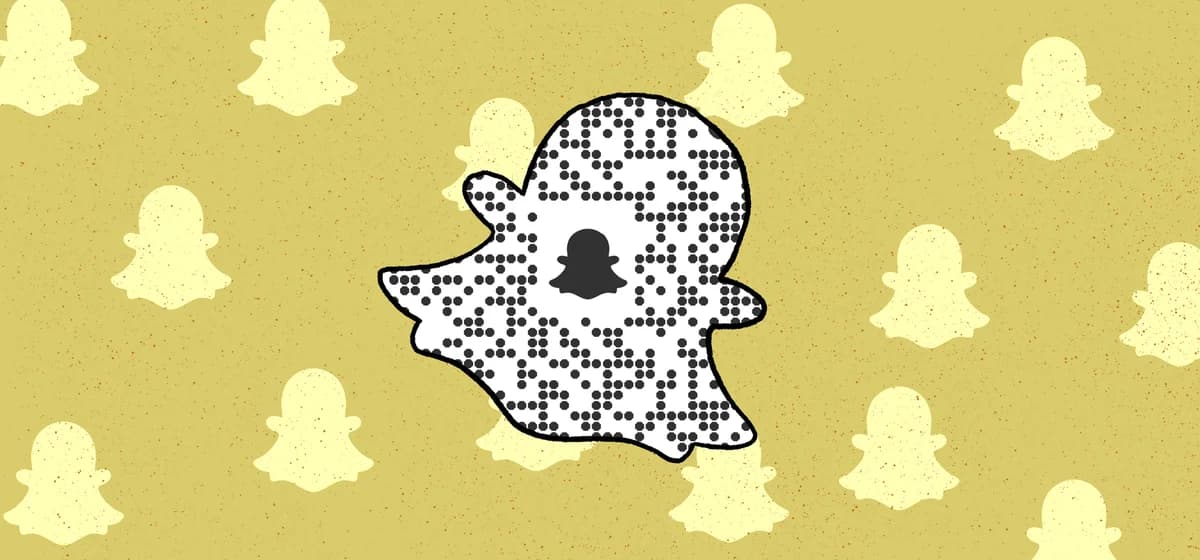
A Snapchat QR code transforms your profile link into a scannable square that instantly opens your Snapchat profile when scanned. Users can add you as a friend, view your public stories, or access your content without any typing or searching. The QR code works with any smartphone camera or QR code scanner app.
Creating these QR codes is straightforward with QR Code Developer. You can also explore other social media QR solutions in our Instagram QR codes guide for a complete social media strategy.
Smart ways to share your Snapchat using QR codes
Snapchat QR codes solve real connection problems across different contexts. Whether you're networking, promoting content, or building your following, these codes eliminate barriers between you and potential connections. Check out our QR code business cards guide for professional networking applications.
Business networking events
Add QR codes to business cards or name tags so new contacts can instantly connect with your professional Snapchat content without fumbling with usernames.
Content creator promotion
Include QR codes in YouTube videos, Instagram posts, or TikTok descriptions to drive traffic to your Snapchat stories and exclusive content.
Event marketing and meetups
Display QR codes on event flyers, conference materials, or venue screens so attendees can follow your event updates and behind-the-scenes content.
Retail and restaurant engagement
Place QR codes on receipts, table tents, or product packaging to encourage customers to follow your brand's Snapchat for deals and exclusive content.
Building your custom Snapchat QR code
Creating a Snapchat QR code takes just a few minutes and works with both personal profiles and business accounts.
Access the QR code generator
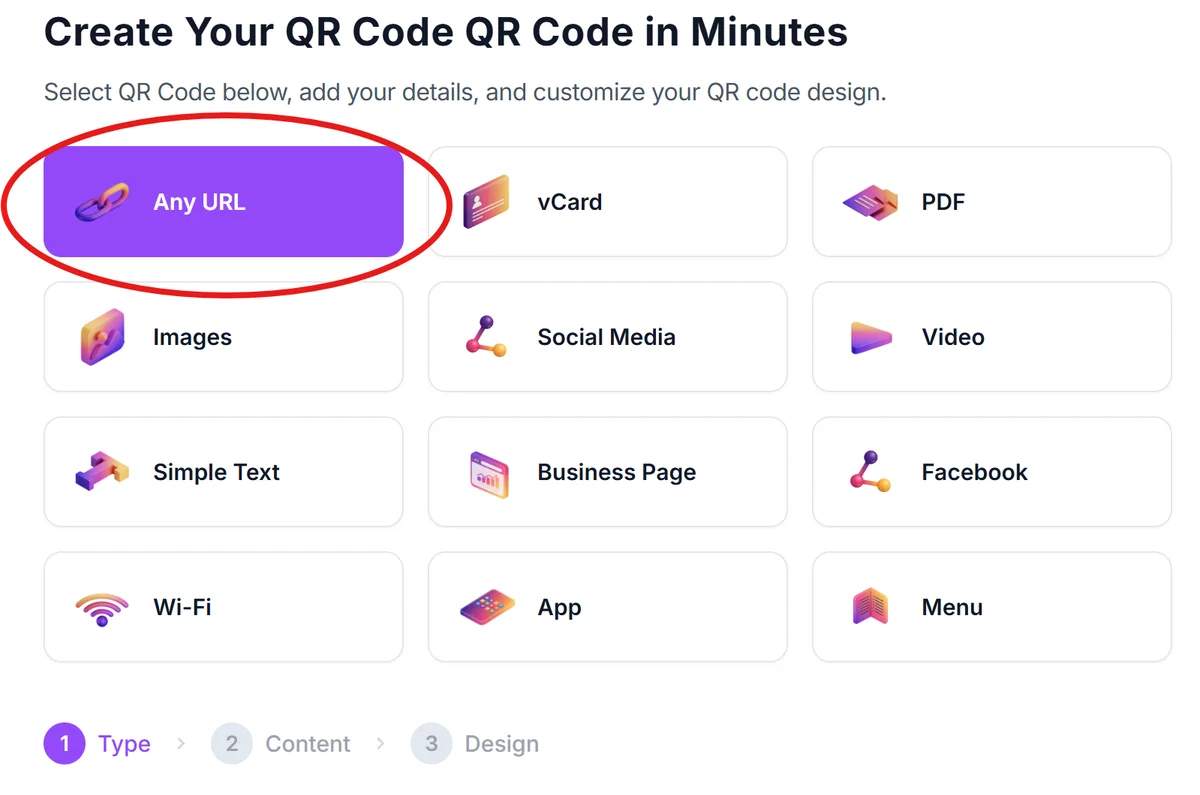
Visit qrcodeveloper.com and select the URL option since you'll be linking to your Snapchat profile URL.
Get your Snapchat profile URL
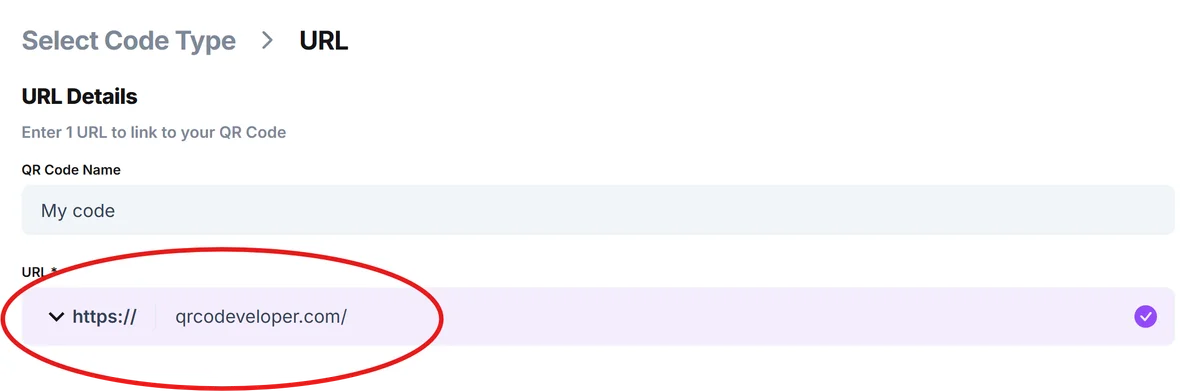
Open Snapchat, go to your profile, tap the share icon, and copy your profile link. This URL will look like snapchat.com/add/yourusername.
Customize your QR design
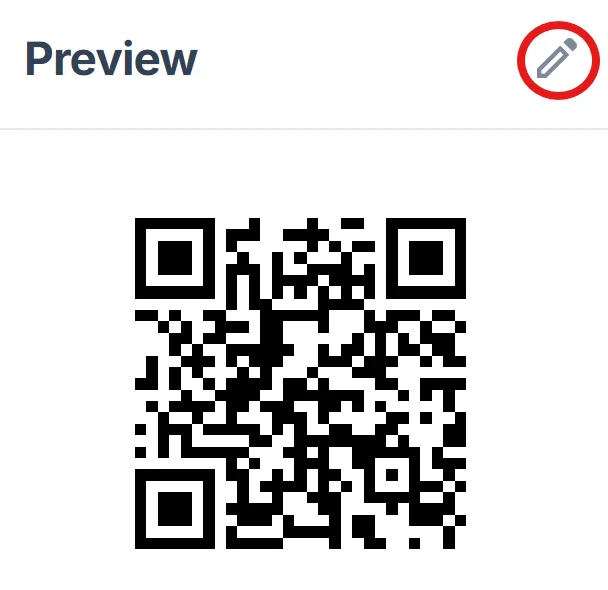
Paste your Snapchat URL and customize the QR code with Snapchat's signature yellow color or your brand colors to make it instantly recognizable. Learn more about effective QR code design tips for better visual appeal.
Test across different devices
Scan your QR code with different smartphones to ensure it properly opens Snapchat or prompts users to install the app if they don't have it.
Download and deploy strategically
Save your QR code in high resolution and add it to your marketing materials, ensuring it's large enough to scan from the intended viewing distance.
Best practices for Snapchat QR code success
These proven strategies will help your Snapchat QR codes perform better and create more meaningful connections with your audience.
Include clear instructions like 'Scan to follow on Snapchat' near your QR code - not everyone immediately understands what QR codes do
Size your QR code appropriately for the context - business cards need smaller, high-contrast codes while posters can use larger, more decorative versions
Test your QR code regularly and on multiple devices to ensure your Snapchat URL hasn't changed and the code still works properly across different devices
Consider the placement carefully - QR codes work best where people have time to scan them, not in high-traffic areas where people are rushing past
Frequently Asked Questions
Do Snapchat QR codes work if someone doesn't have the app installed?
Yes, the QR code will open your Snapchat profile in a web browser and prompt users to download the app if they don't have it installed.
Should I use Snapchat's built-in QR code or create a custom one?
Custom QR codes offer more design flexibility and branding opportunities, while Snapchat's built-in codes integrate directly with the app's features.
What's the best file format for printing Snapchat QR codes?
Use PNG or SVG formats for the highest quality, especially when printing on business cards or promotional materials where clarity is essential.
Are there any costs involved in creating Snapchat QR codes?
Basic QR code generation is typically free, though some platforms offer premium features like analytics or advanced customization for a fee.
Related Guides
Ready to create your QR code?
Generate custom QR codes in seconds - free and easy to use.
Create Free QR Code →