Smart home control QR codes for instant device access

Skip the password sharing and app downloads by giving visitors instant access to your smart home controls through scannable codes.
How QR codes simplify smart home access
What if you could eliminate the awkward moment when guests ask for your WiFi password, or when house sitters need to figure out how to control your smart thermostat? Smart home technology has made our lives more convenient, but sharing access with others often creates friction. Between downloading specific apps, creating accounts, and explaining complex control interfaces, what should be simple becomes complicated. This is where WiFi QR codes can transform the guest experience.

Smart home control QR codes bridge this gap by providing instant access to your connected devices and systems. When someone scans your code, they can immediately connect to your WiFi network, access specific device controls, or view your home automation dashboard without downloading apps or memorizing passwords. These codes work with any smartphone camera and can link to web-based control panels, WiFi credentials, or simplified control interfaces.
The beauty of this approach lies in its universality and speed. I'll walk you through creating different types of smart home QR codes that work for various scenarios, from basic WiFi access to more sophisticated device control systems. Using QR Code Developer, you can create these codes in minutes and place them strategically around your home.
Smart home scenarios where QR codes excel
Smart home QR codes solve real problems that arise when multiple people need to interact with your connected systems. These codes work particularly well in situations where temporary access is needed or when you want to simplify complex controls. Check out our guide on check-in QR codes for related hospitality applications.
Guest WiFi and device access
House guests can instantly connect to your network and access basic controls like lights, temperature, and entertainment systems without needing your personal passwords or downloading multiple apps.
Vacation rental automation
Airbnb hosts provide QR codes that give renters immediate access to WiFi, smart lock codes, thermostat controls, and house rules, reducing the need for lengthy instruction manuals. This approach works similarly to check-in QR codes for hotels but adapted for home rentals.
Elderly family member assistance
Simplify smart home controls for older relatives by creating QR codes that link to large-button web interfaces for essential functions like lighting, security cameras, or emergency contacts.
House sitter instructions
Pet sitters and house watchers scan codes to access specific device controls, security system information, and emergency procedures without compromising your main accounts or passwords.
Setting up your smart home QR codes
Creating smart home control QR codes depends on what type of access you want to provide. The process varies whether you're sharing WiFi credentials, device controls, or custom dashboards.
Visit the QR code generator
Go to qrcodeveloper.com and select the appropriate QR code type. For WiFi access, choose WiFi QR code. For device controls or dashboards, select URL QR code.
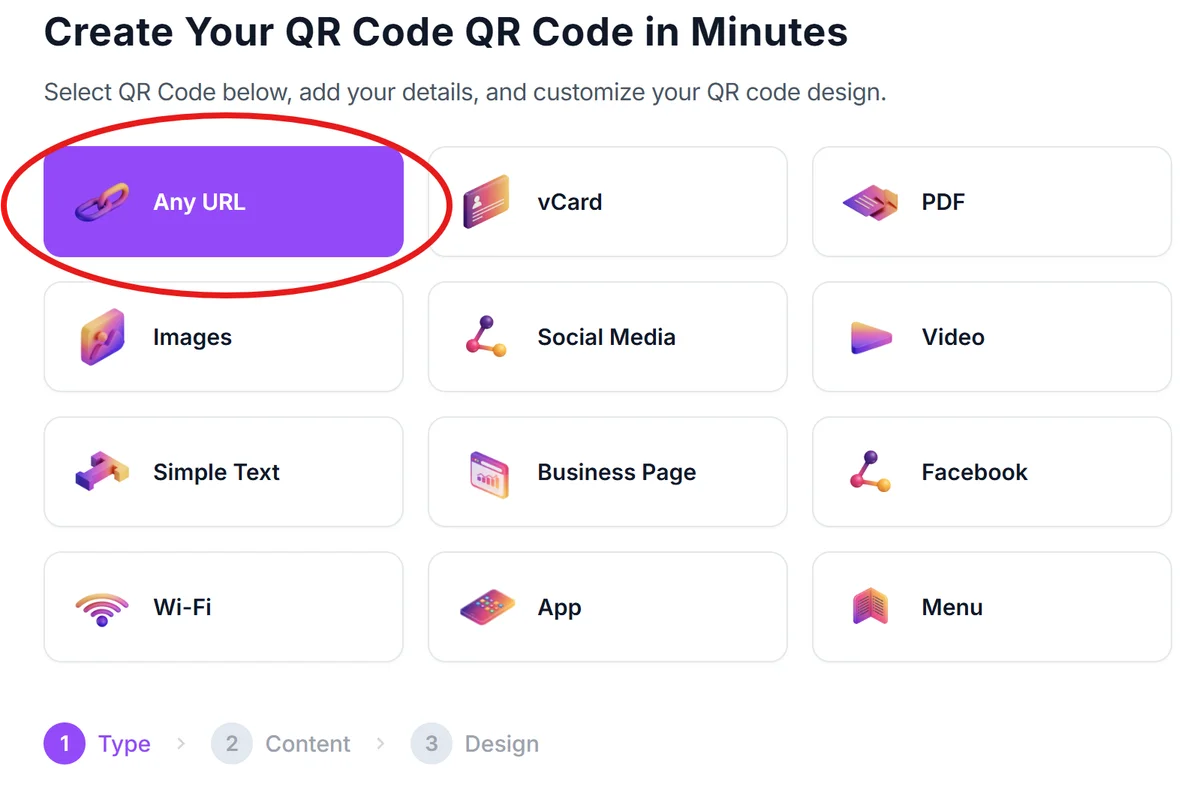
Configure your smart home access method
For WiFi codes, enter your network name and password. For device controls, input the URL of your smart home hub's web interface, a custom dashboard you've created, or a simplified control page.
Design for your home environment
Choose colors and designs that match your home decor. Consider using your home's color scheme or creating different colored codes for different areas (blue for living room controls, green for outdoor systems). Learn more about effective visual design in our QR code design guide.


Test with multiple devices and users
Verify your QR codes work on both iOS and Android devices. Test that WiFi codes automatically connect devices and that control URLs load properly on different screen sizes and browsers.
Place codes strategically throughout your home
Position QR codes near relevant devices or in central locations. Consider laminating codes or using weatherproof materials for outdoor smart home controls like garden irrigation or security cameras. For permanent placement options, explore QR code stickers that can withstand various environments.
Maximizing your smart home QR code effectiveness
Smart home QR codes work best when they're thoughtfully implemented and regularly maintained. These strategies will help you create a system that actually gets used.
Create separate QR codes for different access levels - one for basic guest WiFi, another for device controls, and a third for full system access when needed
Include simple text instructions near each code like 'Scan for WiFi' or 'Scan to control living room lights' since not everyone immediately understands what QR codes do. For more guidance on user education, check our understanding QR codes article.
Update codes when you change WiFi passwords or smart home system configurations, and consider using dynamic QR codes if you frequently modify your setup
Test your codes regularly to ensure linked dashboards or control interfaces still work, especially after smart home system updates or changes to device configurations
Frequently Asked Questions
QR codes can link to web-based interfaces for most smart home systems. While they can't directly control voice assistants, they can connect people to WiFi networks that enable voice commands or link to manufacturer web apps and dashboards.
Use separate guest networks for visitor access, create limited-permission accounts for shared controls, or link to simplified web interfaces that only show essential functions rather than full administrative access.
Yes, if you link to web-based control interfaces rather than app-specific URLs. Most smart home manufacturers offer web versions of their controls that work in any browser without requiring app downloads.
Absolutely. You can create separate codes for each room's controls, outdoor systems, entertainment devices, or any logical grouping that makes sense for your home layout and guest needs.
Basic QR code creation is free. You only need paid features if you want to track scanning analytics, update codes remotely, or use advanced customization options for your smart home access system.
Related Guides
Ready to create your QR code?
Generate custom QR codes in seconds - free and easy to use.
Create Free QR Code →