Recycling information QR codes for waste management and education

Connect your community to proper recycling guidelines and waste sorting instructions with scannable codes that educate and reduce contamination.
Making recycling guidance accessible through QR codes
Have you ever stood at a recycling bin, holding an item and not known whether it belongs in recycling, compost, or trash? You're not alone - contamination rates in recycling streams hover around 25% nationwide, largely due to confusion about what can actually be recycled in different municipalities. We've all been there!

Recycling information QR codes can instantly connect people to specific waste sorting guidelines, recycling instructions, and environmental education resources. Instead of just guessing or defaulting to throwing everything in the trash, residents and visitors can scan a code to access current, location-specific recycling rules and proper disposal methods.
In this guide I'll show you how to create codes that can link to simple sorting guides to comprehensive environmental education portals, making it easier for people to make environmentally responsible choices. You can also explore our PDF QR code guide if you want to share downloadable recycling reference sheets. So let's dive right in!
Where recycling QR codes make the biggest impact
Recycling QR codes work best in locations where people are actively making waste disposal decisions or learning about environmental practices. These codes reduce contamination and increase proper sorting by providing instant access to accurate information. Check out our QR code stickers guide for durable placement options in high-traffic areas.
Public waste stations and recycling centers
Municipal recycling centers and public waste stations use these codes to provide real-time sorting instructions and accepted materials lists, reducing contamination and processing delays.
Office buildings and corporate campuses
Companies place recycling QR codes near waste stations to help employees properly sort materials and track their environmental impact as part of sustainability initiatives.
Schools and educational institutions
Educational facilities use these codes to connect students and staff to recycling programs, environmental curriculum resources, and campus sustainability goals.
Apartment complexes and residential communities
Property managers use recycling QR codes to share building-specific waste guidelines, pickup schedules, and local recycling program information with residents and visitors.
Building your recycling information QR code
Creating a recycling information QR code takes just a few minutes and can significantly improve waste sorting accuracy in your area.
Access the QR code generator
Visit qrcodeveloper.com and select the URL option to create a code that links to your recycling information resource.
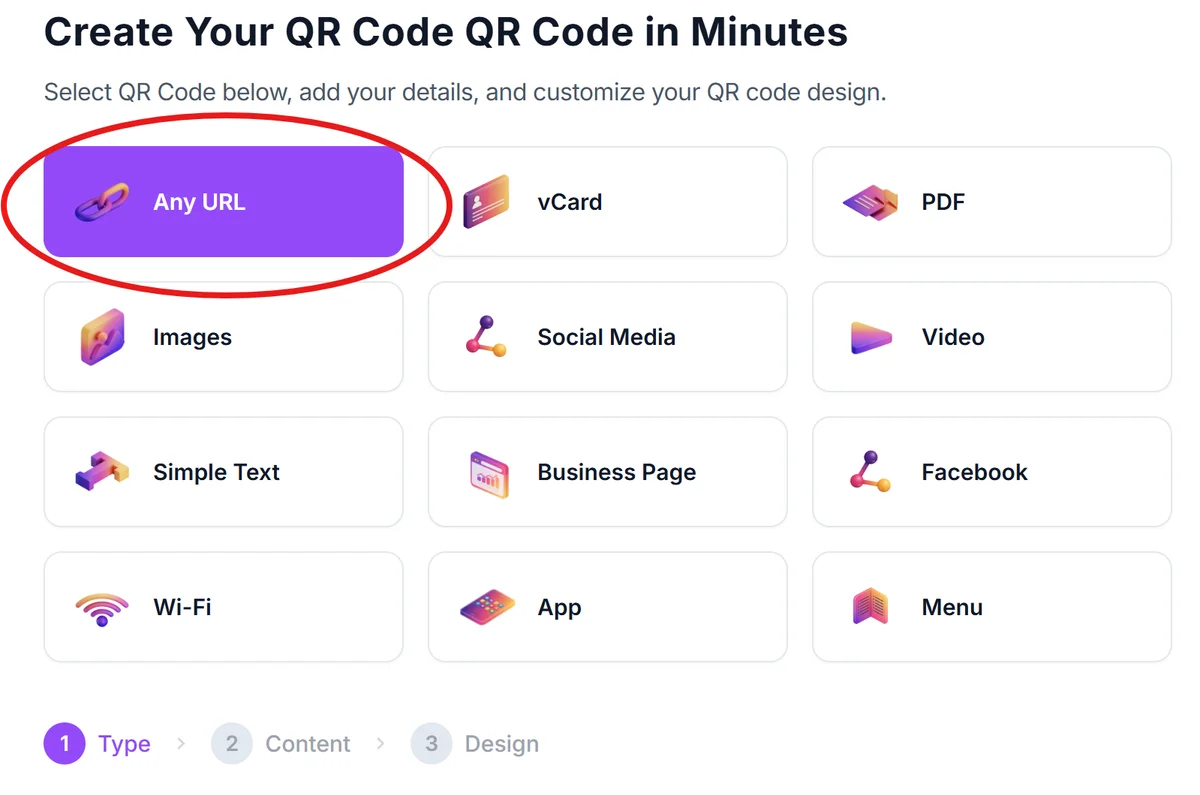
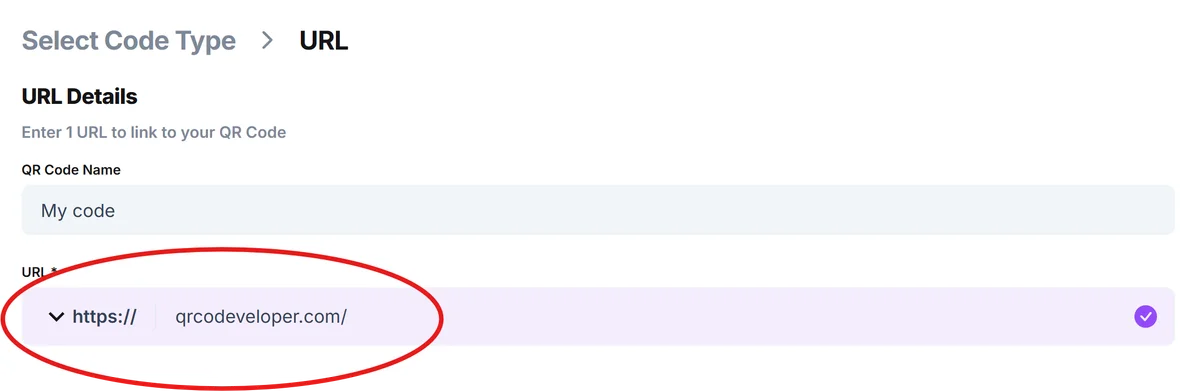
Enter your recycling resource URL
Input the web address of your recycling guidelines page, waste sorting instructions, or environmental education portal. This could be your municipality's recycling page, a custom guide you've created, or an educational resource.
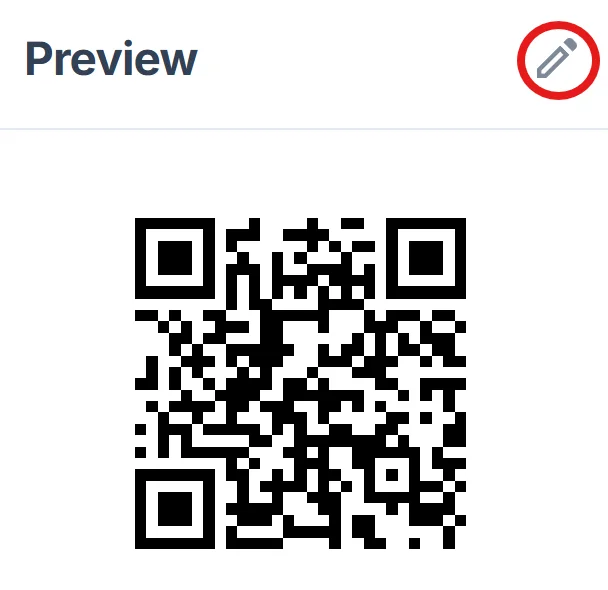
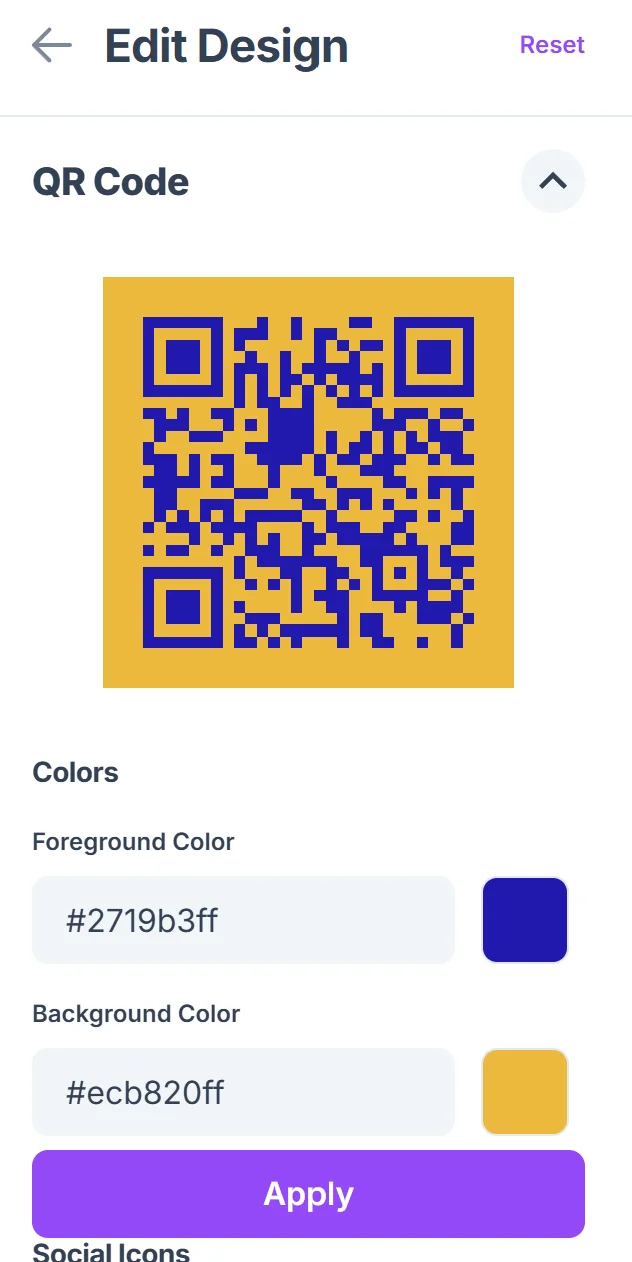
Design with environmental branding
Choose green colors or earth tones for your QR code design to visually connect it with environmental themes. Add your organization's logo or recycling symbols to make the purpose immediately clear.
Size for outdoor visibility
Make your QR code large enough to scan easily from arm's length, especially if placing it near waste bins where people might be wearing gloves or moving quickly.
Test in real conditions
Scan your code in the actual environment where it will be used - outdoor lighting, different angles, and with potentially dirty hands or gloves to ensure it works reliably.
Best practices for environmental education codes
These strategies help ensure your recycling QR codes actually get used and improve waste sorting behavior in your community.
Include clear signage explaining what the QR code contains - 'Scan for recycling guidelines' or 'Get local waste sorting rules' helps people understand the value before scanning
Use weatherproof materials and protective covers for outdoor codes, as recycling stations often face rain, sun, and temperature changes that can damage standard printed codes
Keep your linked content mobile-friendly and fast-loading, since people scanning at waste stations want quick answers and may have limited data or patience for slow-loading pages
Update your recycling information regularly and consider using dynamic QR codes if your waste management rules change frequently or seasonally
Frequently Asked Questions
What type of recycling information works best with QR codes?
Simple, visual guides work best - think sorting charts, accepted materials lists, and step-by-step instructions. People scanning at waste stations want quick, clear answers rather than lengthy environmental articles.
How do I make QR codes durable enough for outdoor recycling stations?
Use waterproof materials like vinyl stickers or laminated prints, and consider protective covers or mounting them under overhangs. Test the codes regularly to ensure they remain scannable after weather exposure.
Can I track how often people use my recycling QR codes?
Yes, most QR code generators provide scan analytics. This data helps you understand which locations get the most use and whether your recycling education efforts are reaching people effectively.
Should I create different QR codes for different types of waste?
That depends on your setup. One comprehensive guide often works better than multiple codes, but if you have separate stations for different materials, specific codes for each can provide more targeted information.
Are recycling information QR codes free to create?
Yes, basic QR codes linking to recycling information are free to generate. You only pay for premium features like custom designs, analytics tracking, or dynamic codes that you can update after printing.
Related Guides
Ready to create your QR code?
Generate custom QR codes in seconds - free and easy to use.
Create Free QR Code →