Rating QR code generator for customer feedback collection

Direct customers to your review platforms instantly with QR codes that make leaving feedback as simple as scanning and rating.
How QR codes connect customers to rating platforms
Bank in the day, asking customers for reviews used to involve lengthy explanations about finding your business on Google, creating accounts, and navigating review platforms. Now businesses can simply place QR codes on receipts, tables, or packaging that instantly take customers to their preferred rating platform all with one scan.
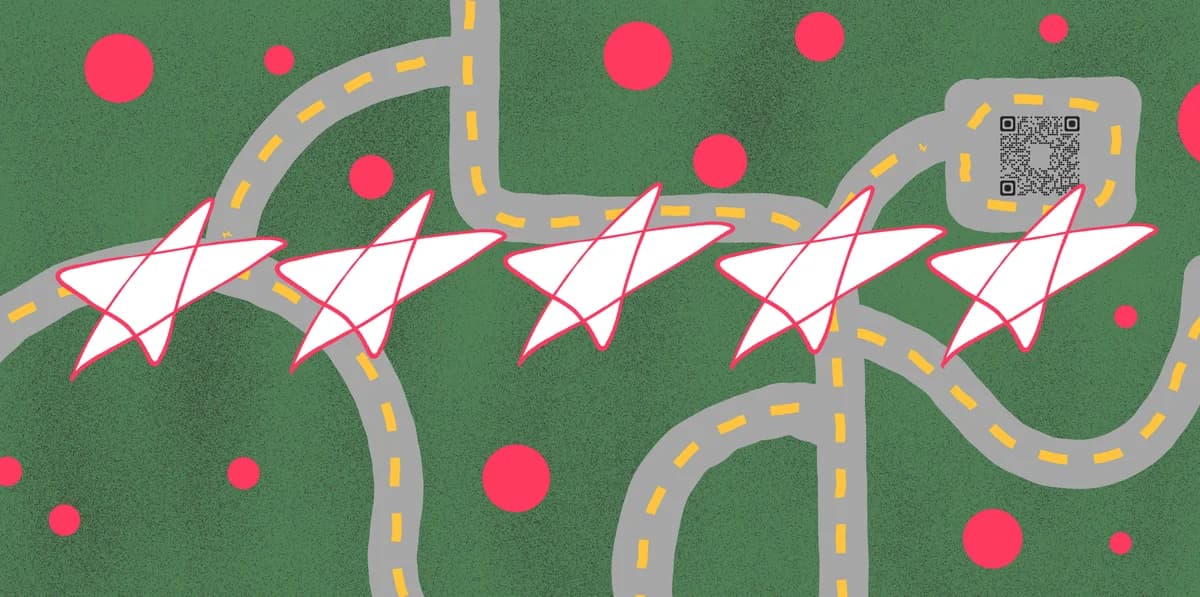
A rating QR code connects directly to review platforms like Google Reviews, Yelp, Facebook, or custom feedback forms. When customers scan the code with their phone camera, they can find your business's review page right away - no searching, no typing business names, no confusion about which platform to use.
The convenience factor makes all the difference in whether customers actually follow through. Throughout this guide, I'll show you how to create effective rating QR codes using QR Code Developer and position them for maximum response rates. So let's get right into it!
Business applications for rating QR codes
Rating QR codes work across industries where customer feedback drives business success. The key is placing them at the moment when customers feel most satisfied with your service. Consider pairing rating codes with Google Reviews QR codes for broader feedback collection strategies.
Restaurant table tents and receipts
Place codes on tables or print them on receipts so diners can rate their experience while the meal is fresh in their memory. Many restaurants also integrate these with QR code menus for a seamless digital experience.
Retail checkout and packaging
Add codes to shopping bags, product packaging, or checkout counters to capture feedback about products and service quality.
Service appointment follow-ups
Hair salons, auto shops, and healthcare providers use codes on appointment cards or service summaries to gather immediate feedback.
Event and conference materials
Conference organizers and event planners include rating codes on programs, badges, or exit materials to collect attendee satisfaction data. These work particularly well when combined with event QR codes for comprehensive event management.
Building your customer feedback QR code
Creating a rating QR code starts with choosing your review platform and getting the direct link that bypasses navigation steps for customers.
Access your QR code generator
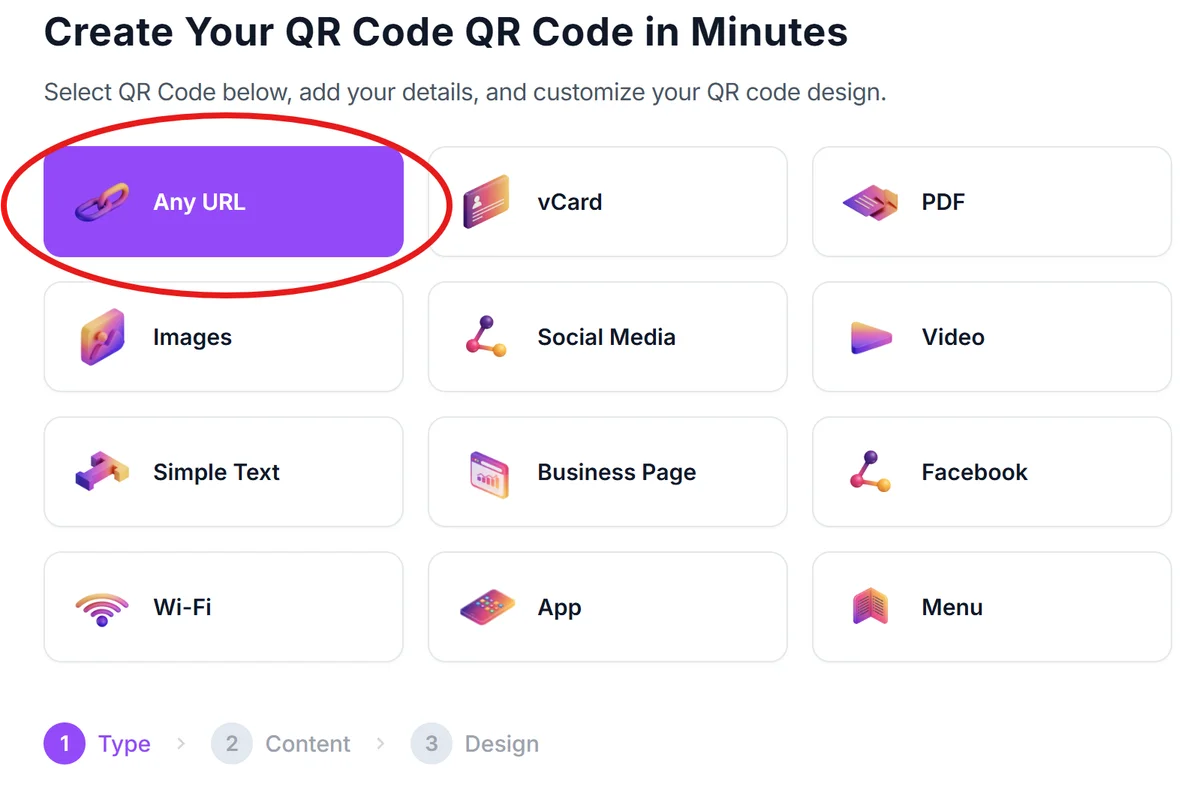
Visit qrcodeveloper.com and select the URL option to create a link-based QR code that will direct customers to your rating platform.
Gather your review platform URL
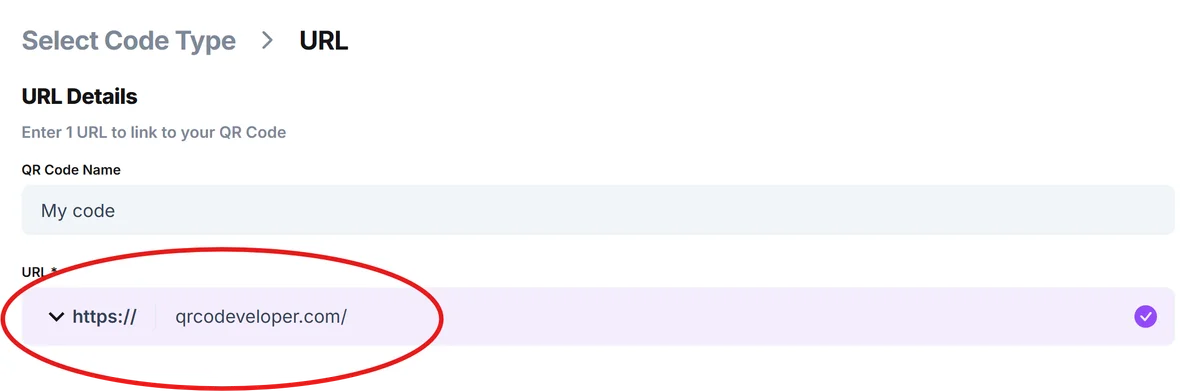
Copy the direct link to your Google My Business review page, Yelp listing, Facebook reviews section, or custom feedback form. Make sure the link takes customers straight to the rating interface, not your general business page.
Design for your brand context
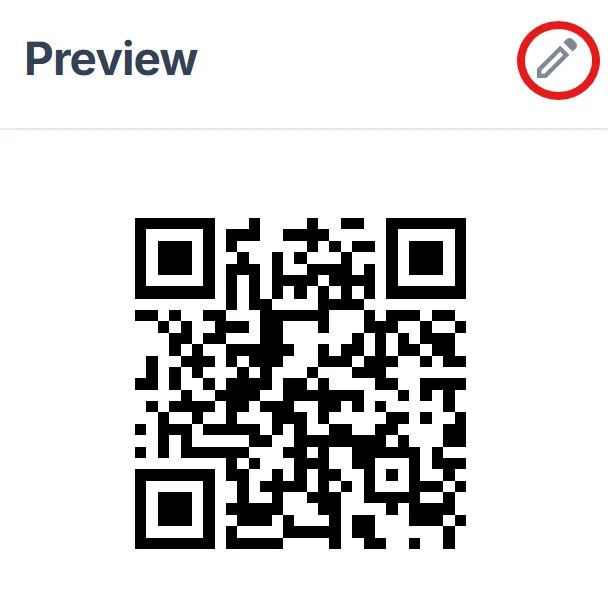
Choose colors that match your business branding and select an appropriate size - smaller codes work for receipts and business cards, while larger codes are better for table displays and signage.
Test the customer experience
Scan your code with different devices to ensure it takes customers directly to the rating interface without extra steps. Test on both iOS and Android to verify compatibility.
Add clear call-to-action text
Include text near your code like 'Scan to rate your experience' or 'Share your feedback' so customers understand exactly what scanning will do.
Maximizing response rates with rating codes
The placement and presentation of your rating QR code significantly impacts how many customers actually scan and leave reviews.
Place codes where customers interact with them immediately after a positive experience, like on receipts after a good meal or on packaging after unboxing a product
Make scanning obvious with clear instructions and visual cues - use phrases like 'Quick 30-second review' to set expectations about the time commitment. Consider following QR code design best practices to ensure maximum scannability and visual appeal.
Size your codes appropriately for the viewing distance and surface - codes on business cards need to be at least 1 inch square, while wall displays should be much larger
Consider offering incentives for reviews, but check platform policies first - some review sites prohibit incentivized feedback while others allow small discounts for honest reviews
Frequently Asked Questions
Can I create one QR code that links to multiple review platforms?
Yes, you can create a landing page with links to all your review platforms (Google, Yelp, Facebook) and generate a QR code for that page, giving customers choice in where they leave feedback.
How do I get the direct link to my Google Reviews page?
Search for your business on Google, click on your listing, scroll to reviews, and copy the URL. You can also use Google My Business to generate a direct review link.
Should I use the same rating QR code across all locations?
No, create separate codes for each location so reviews go to the correct business listing. This helps with local SEO and ensures customers rate the specific location they visited.
What's the best size for rating QR codes on receipts?
Aim for at least 0.8 inches square on receipts. This ensures the code remains scannable even if the receipt paper is slightly wrinkled or faded.
Are rating QR codes free to create and use?
Yes, basic rating QR codes are free to generate. You can create unlimited codes linking to review platforms without any subscription fees.
Related Guides
Ready to create your QR code?
Generate custom QR codes in seconds - free and easy to use.
Create Free QR Code →