Product info QR codes for packaging and customer information

Bridge physical products with digital information through scannable codes that deliver instant access to specifications, manuals, and support resources.
Connecting products to digital information with QR codes
Have you ever seen a QR code on a bottle of soda or a box of cereal? Have you ever wondered what it's for? Well, as it turns out, it might be worth it to give it a scan. These small codes can give you much more information than could ever be printed on a label, and allow consumers to make more connections with their favorite brands.
Product info QR codes can connect physical items directly to comprehensive digital resources. When customers scan the code on packaging, labels, or displays, they instantly access user manuals, warranty information, video tutorials, specifications, or customer support portals without typing URLs or searching through websites. This approach works similarly to turning PDFs into QR codes for easy document access.
These codes work particularly well for electronics, appliances, tools, food products, and complex products where customers need ongoing access to information. I'll show you how to create effective product info QR codes and share strategies that help customers find exactly what they need. You can also explore our guide on types of QR codes to understand other ways to connect customers with your brand.
Where product info QR codes make the biggest impact
Product info QR codes work best when they solve real customer problems or provide genuine value beyond basic marketing. Here are the most effective applications I've seen across different industries. Understanding static vs dynamic QR codes can help you choose the right approach for updating product information over time.
Electronics and appliance manuals
Link to downloadable PDFs, video tutorials, and troubleshooting guides. Customers can access information immediately without keeping physical manuals. For enhanced visual appeal, consider creating QR code stickers that can be applied to existing products.
Tool and equipment specifications
Provide detailed specs, safety information, and maintenance schedules. Particularly valuable for professional tools where workers need quick access to technical details.
Furniture assembly and care instructions
Connect to assembly videos, care guides, and replacement part ordering. Reduces customer service calls and improves satisfaction.
Automotive parts and accessories
Link to compatibility charts, installation guides, and warranty registration. Helps customers verify they have the right part and understand installation requirements. This is particularly effective when combined with QR codes on food packaging strategies for comprehensive product information.
Building product information QR codes that deliver value
Creating effective product info QR codes requires organizing your information in a way that serves customers' actual needs. Here's my step-by-step approach:
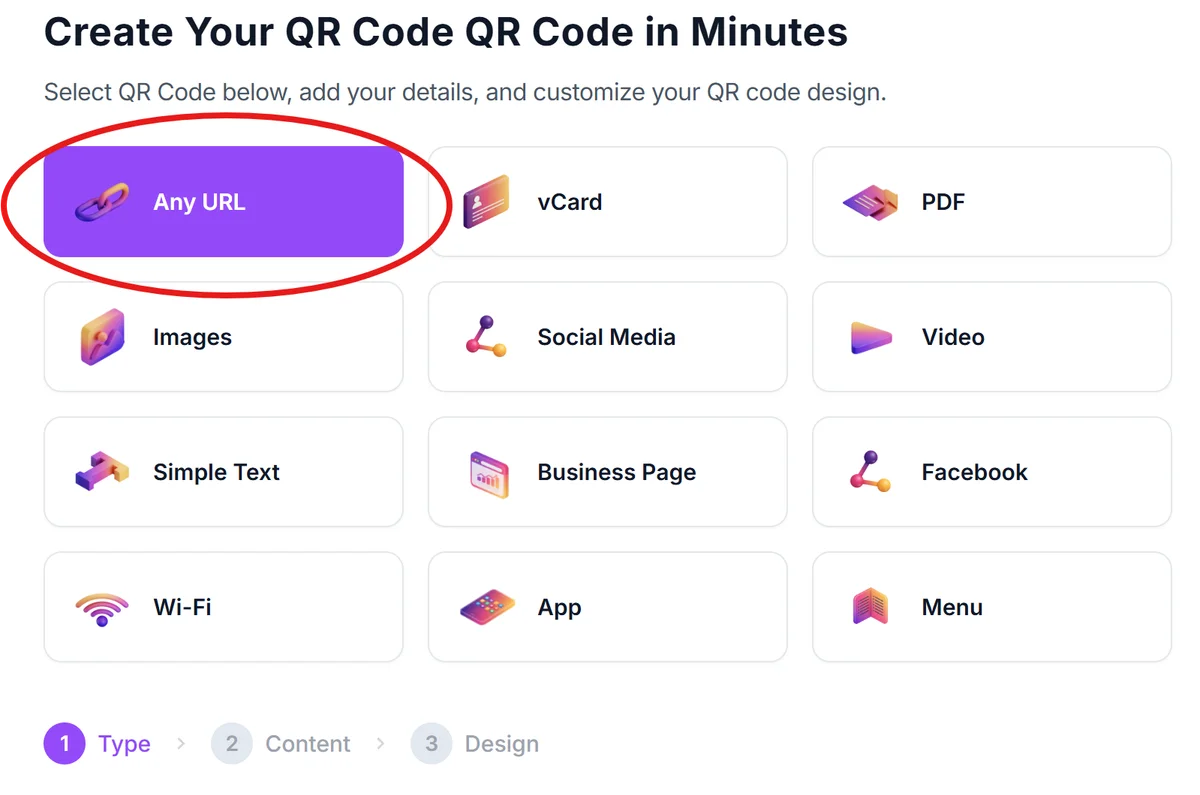
Visit the QR code generator
Head to qrcodeveloper.com and select the URL option to link to your product information page.
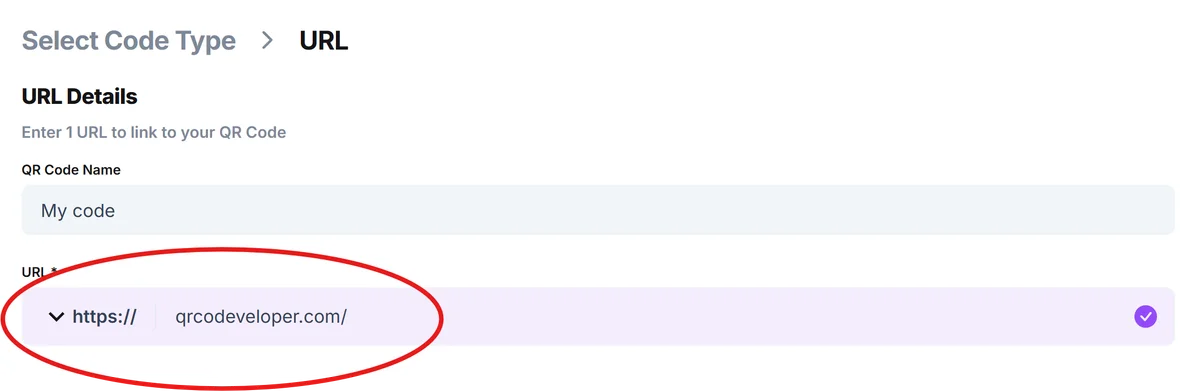
Enter your product information URL
Input the link to your product page, manual repository, or dedicated landing page with all relevant product details and resources.
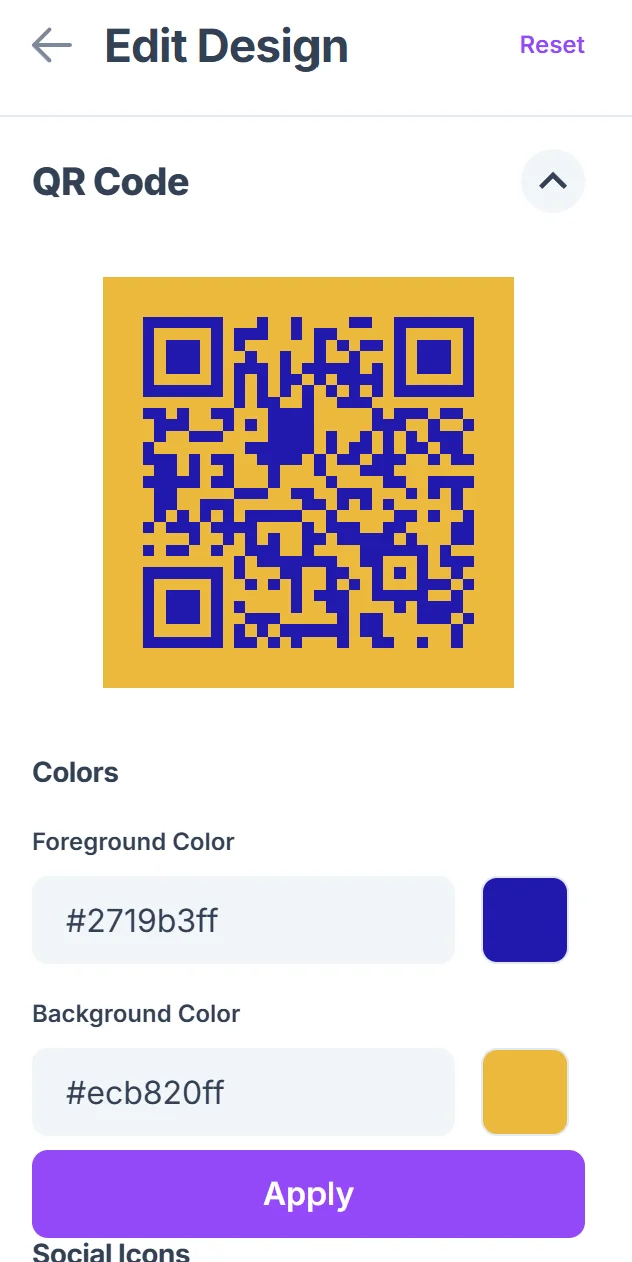
Design for product packaging
Choose colors that complement your packaging design while maintaining good contrast for scanning. Consider your brand colors and packaging materials when selecting the QR code design. Follow our QR code design tips to ensure optimal scanning performance.

Test with actual packaging
Print a test version and scan it under different lighting conditions and from various angles to ensure it works reliably on your actual packaging materials. If you need to test scanning from existing images, learn how to scan a QR code from a photo for quality assurance.
Place strategically on packaging
Position the QR code where customers naturally look for information - often near product names, model numbers, or on the back panel with other technical details.
Best practices for product information QR codes
These strategies help ensure your product info QR codes actually get scanned and provide value to customers:
Include a clear call-to-action near the QR code like 'Scan for manual and support' or 'Get setup instructions.' Customers need to know what they'll find when they scan.
Create mobile-friendly landing pages with organized information. Most scans happen on phones, so ensure your product info displays well on small screens with easy navigation.
Keep information current and accessible. Broken links or outdated information frustrate customers and damage trust in your brand. Regular updates maintain credibility.
Consider multilingual support for global products. If you sell internationally, provide product information in multiple languages or use visual guides that transcend language barriers.
Frequently Asked Questions
What type of product information should I include?
Focus on information customers actually need: user manuals, specifications, warranty details, troubleshooting guides, and customer support contacts. Avoid overwhelming them with marketing content.
Can I update the information without changing the QR code?
Yes, if you use dynamic QR codes or link to a webpage you control. This lets you update product information, add new resources, or fix issues without reprinting packaging.
Where should I place QR codes on product packaging?
Place them near other product information like model numbers or specifications. Avoid areas that might be covered by price stickers or damaged during shipping.
Do customers actually scan QR codes on products?
Yes, especially for complex products or when they need support. Scan rates are highest when customers clearly understand what information they'll access.
Is it free to create product info QR codes?
Basic QR code generation is free. You'll need web hosting for your product information pages, but you can start with simple solutions and expand as needed.
Related Guides
Ready to create your QR code?
Generate custom QR codes in seconds - free and easy to use.
Create Free QR Code →