QR codes for parking lots and contactless payment

Transform parking management with scannable codes that handle payments, share lot details, and guide drivers to available spots.
How parking lots use QR codes for modern management
Fumbling for exact change at a parking meter while rain soaks your jacket used to be part of city life. Not anymore! Now drivers scan a QR code on their phone, pay instantly, and walk away without touching a single button or feeding coins into a slot.
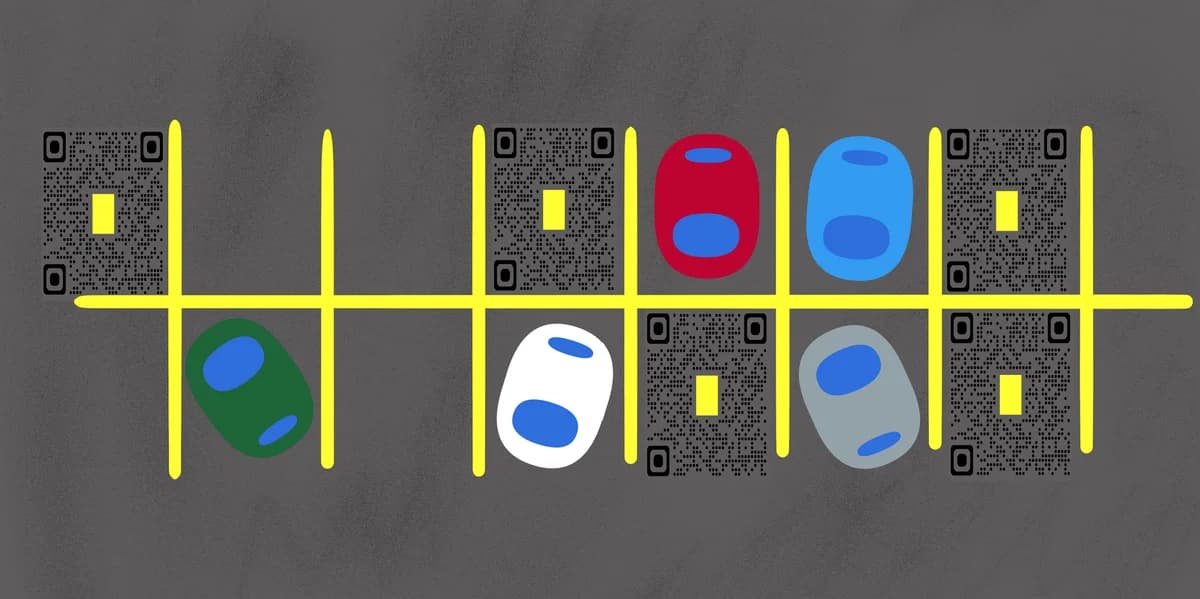
Parking lot QR codes can connect physical parking spaces to digital payment systems, information portals, and management tools. When drivers scan these codes, they can pay for parking, access lot maps, view pricing information, or even reserve specific spots in advance. The codes work on any smartphone and don't require special parking apps that take up storage space, similar to how QR code menus work in restaurants.
Property managers have been placing these codes on entrance signs, individual parking meters, and even directly on parking spaces, all to make the parking experience easier. In this guide I'll show you how to create parking QR codes that work with popular payment processors and provide the information drivers actually need. You can also explore our Google Maps QR codes guide to help drivers find your parking facility in the first place.
Smart parking solutions with QR code technology
Parking facilities face unique challenges that QR codes address directly - from reducing cash handling to providing instant access to lot information. These applications show how different types of parking operations benefit from scannable technology. Learn more about QR code business cards if you manage multiple parking properties and want to share contact information easily.
Contactless parking payments
Municipal lots and private parking facilities use QR codes to accept credit card and mobile payments, eliminating the need for cash collection and reducing maintenance on traditional meters.
Hospital and medical center parking
Healthcare facilities provide QR codes that link to patient parking validation systems, allowing visitors to extend their parking time or receive discounted rates for medical appointments.
Event venue parking management
Concert halls, sports stadiums, and conference centers use QR codes to direct attendees to available parking areas and provide real-time updates on lot capacity during busy events. This approach works particularly well when combined with event QR codes for comprehensive event management.
Apartment complex resident parking
Property management companies place QR codes in parking garages that link to resident portals where tenants can register vehicles, report maintenance issues, or request guest parking passes.
Setting up QR codes for your parking facility
Creating parking QR codes requires connecting your payment system or information portal to a scannable code that works reliably in outdoor conditions.
Visit a QR code generator platform
Go to qrcodeveloper.com and select the URL option to create codes that link to your parking payment system or information page.
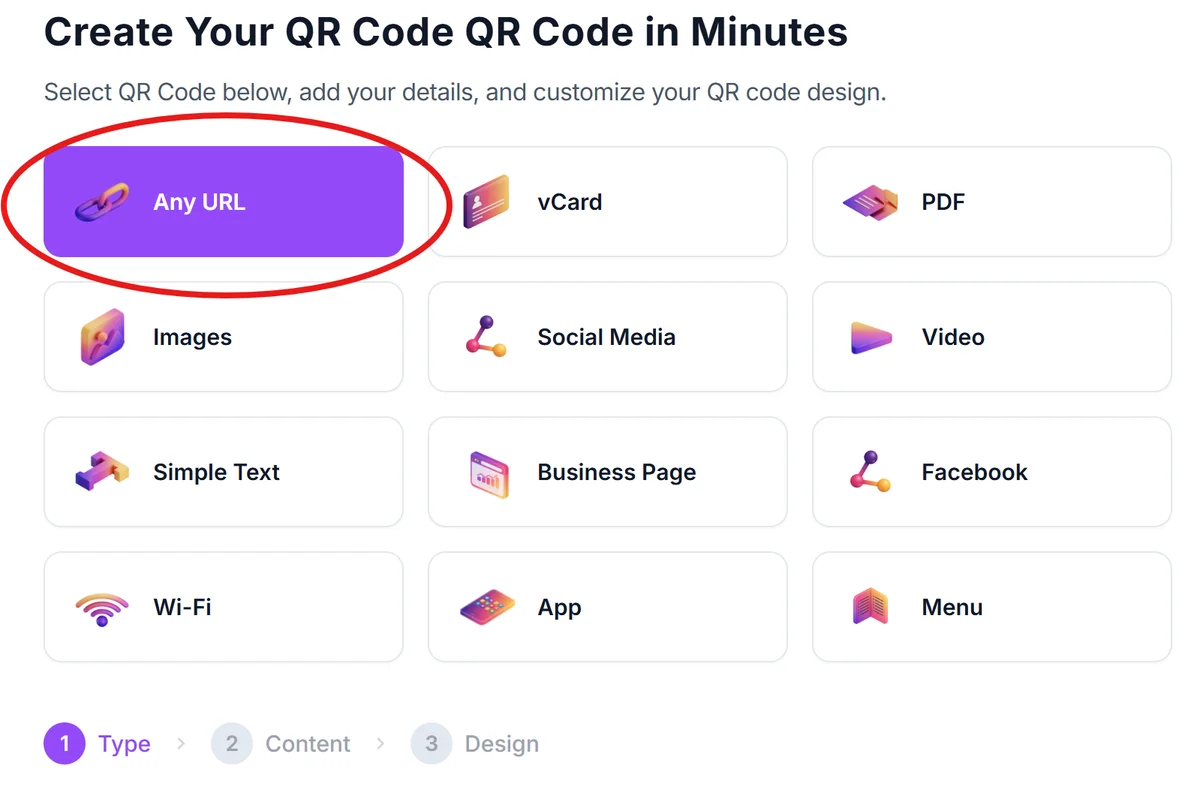
Connect your parking payment URL
Enter the web address for your parking payment processor, lot information page, or mobile-friendly parking portal. Many parking companies provide specific URLs for QR code integration.
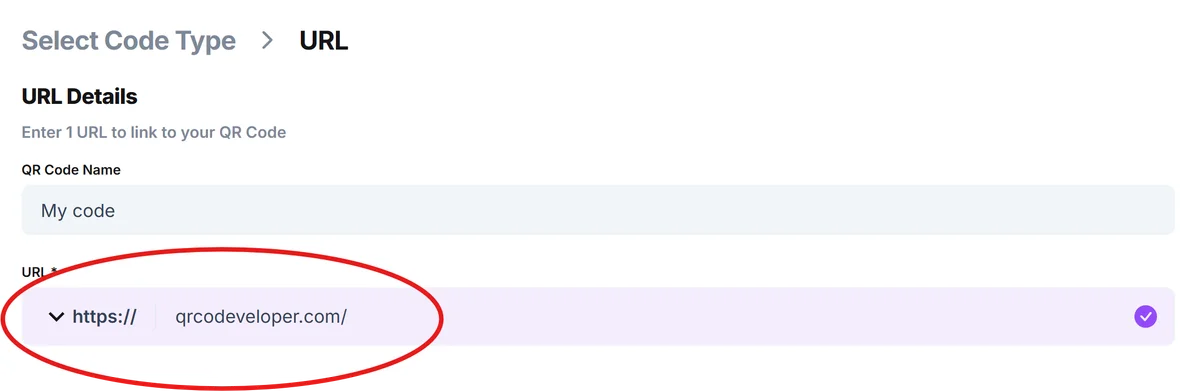
Design for outdoor visibility
Choose high contrast colors and ensure the QR code will be large enough to scan from a car window. Dark codes on white backgrounds work best for parking applications where lighting conditions vary. For more guidance on visual design, check out our QR code design tips.

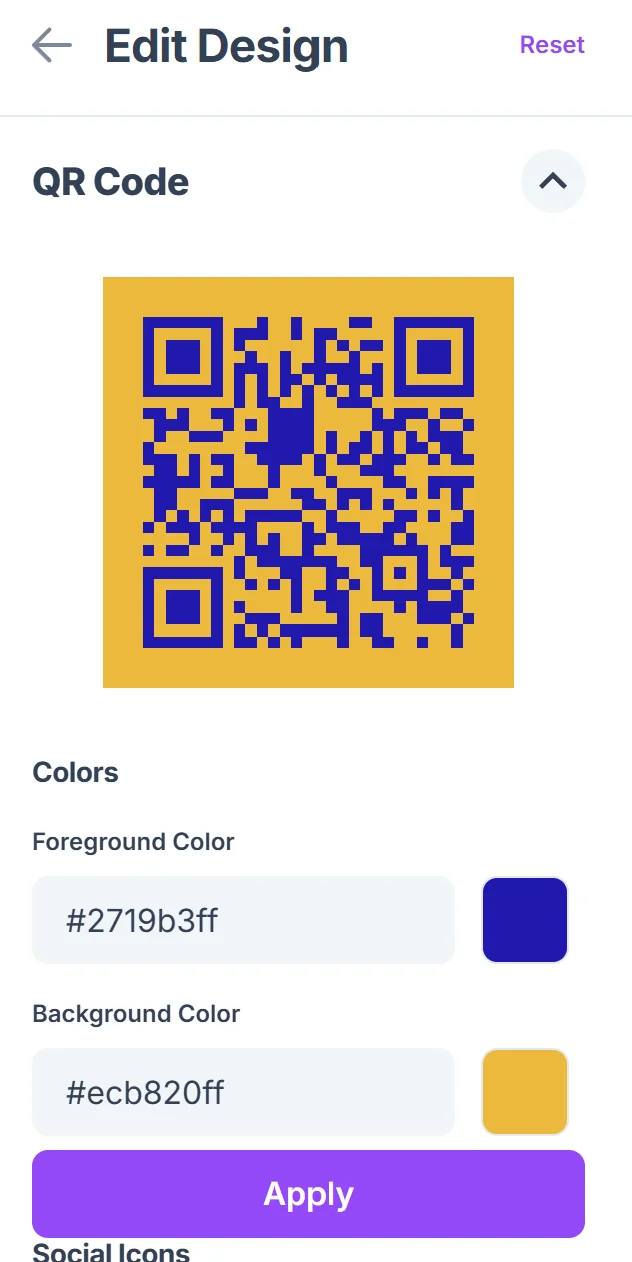
Test scanning from different angles
Print a test version and scan it from inside a vehicle at the same distance and angle drivers will encounter. Make sure the code works even when viewed through a car windshield.
Install with weather protection
Mount the QR codes on weather-resistant materials or use laminated signage that won't fade or become unreadable after exposure to sun, rain, and temperature changes. Consider using durable QR code stickers designed for outdoor applications.
Best practices for parking lot QR implementation
Successful parking QR codes need to work reliably in challenging outdoor environments while providing a smooth user experience for drivers who may be in a hurry.
Place QR codes at eye level for drivers sitting in vehicles - typically 4-5 feet high on entrance signs or parking meter displays where they're easily visible through car windows
Include brief text instructions like 'Scan to Pay' or 'Scan for Lot Info' since not all drivers immediately recognize QR codes as payment methods in parking contexts
Ensure your linked payment or information page loads quickly on mobile networks, as parking lots often have poor cellular coverage that can slow down page loading times
Provide alternative payment methods alongside QR codes since some drivers may have older phones or prefer traditional payment options during the transition period
Frequently Asked Questions
Do parking QR codes work with all payment processors?
Most modern parking payment systems support QR code integration. Check with your payment processor about mobile-friendly payment pages that work well with QR codes.
Can I track how many people use the QR codes versus traditional payment methods?
Yes, most QR code generators provide scan analytics, and your payment processor can track transactions initiated through QR code links versus other payment methods.
How large should parking lot QR codes be for easy scanning?
For parking applications, QR codes should be at least 2x2 inches and preferably larger to ensure drivers can scan them from inside their vehicles without getting out.
What happens if the QR code gets damaged by weather?
Weather-damaged QR codes may become unscannable. Use UV-resistant materials and protective coatings, and regularly inspect codes for fading or damage that affects scanning reliability.
Are QR code parking payments secure for drivers?
QR codes themselves are secure when they link to legitimate payment processors with proper encryption. Always use reputable payment systems and clearly identify your parking facility on payment pages.
Related Guides
Ready to create your QR code?
Generate custom QR codes in seconds - free and easy to use.
Create Free QR Code →