QR codes for health and safety information sharing

Share emergency contacts, medical alerts, and safety protocols instantly through scannable codes that work when every second counts.
How QR codes transform health and safety communication
According to the Occupational Safety and Health Administration, over 2.8 million workplace injuries occur annually in the United States alone. Many of these incidents could be prevented or better managed with immediate access to safety protocols, emergency contacts, and medical information. This is where QR codes can come in to help!
Health and safety QR codes can store critical information that can be accessed instantly during emergencies or routine safety checks. These codes can link to digital safety data sheets, emergency response procedures, medical alert information, or contact details for safety personnel. When someone scans the code with their smartphone, they immediately access the information they need without searching through filing cabinets or waiting for someone to locate printed materials. For comprehensive safety information, you can even turn your PDF into a QR code to make safety manuals instantly accessible.
In this guide I will go over practical ways to implement QR codes for health and safety purposes, from workplace hazard warnings to personal medical alerts. I'll also show you how to create these codes using QR Code Developer and share best practices for making them work reliably in emergency situations. So let's get down to business!
Essential health and safety applications for QR codes
Health and safety QR codes bridge the gap between having critical information and accessing it quickly when needed. These applications span from personal medical alerts to comprehensive workplace safety systems. Learn more about different types of QR codes for various safety scenarios.
Emergency medical information
Store medical conditions, allergies, medications, and emergency contacts on medical ID bracelets, cards, or phone cases for first responders and medical personnel.
Workplace safety protocols
Link to safety data sheets, equipment operating procedures, or emergency evacuation plans directly from machinery, chemical storage areas, or safety stations. These codes work particularly well when printed on durable QR code stickers that can withstand industrial environments.
Construction site hazard warnings
Provide instant access to site-specific safety requirements, protective equipment guidelines, and hazard reports for workers entering different zones.
Laboratory safety information
Connect to chemical handling procedures, spill response protocols, and safety equipment locations for research facilities, schools, and industrial labs.
Building your health and safety information QR code
Creating effective health and safety QR codes requires careful planning of the information you'll share and how people will access it during different situations.
Access the QR code generator
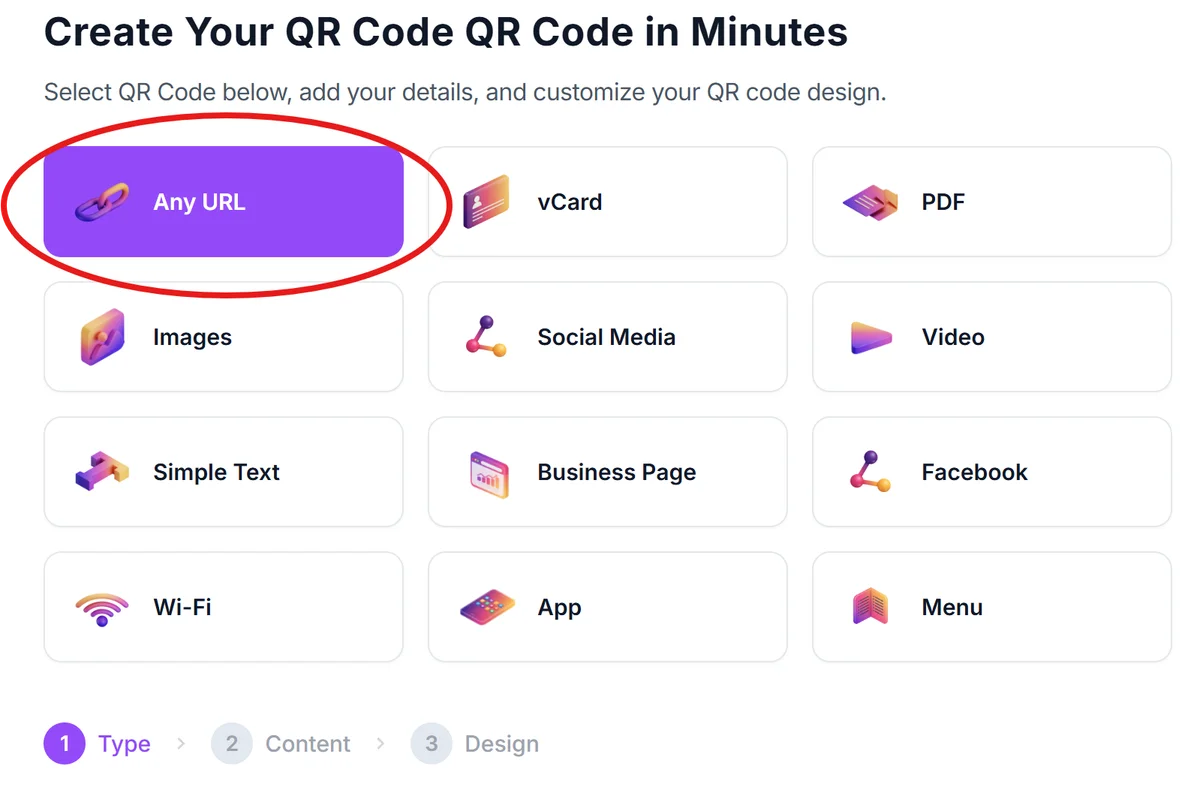
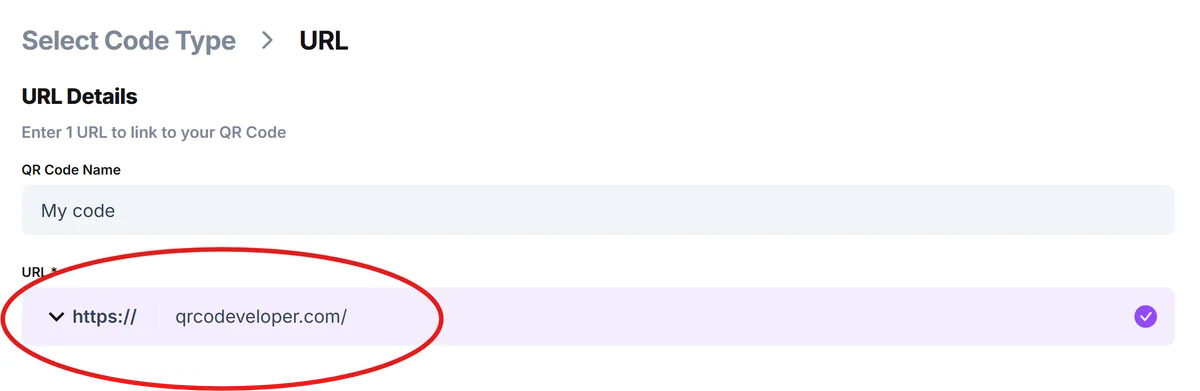
Go to qrcodeveloper.com and select the URL option if linking to a webpage, or choose text for simple information like contact numbers.
Prepare your safety information
Organize your health or safety data into a clear format. For medical information, include conditions, medications, and emergency contacts. For workplace safety, link to your safety management system or create a simple webpage with protocols.
Configure for emergency accessibility
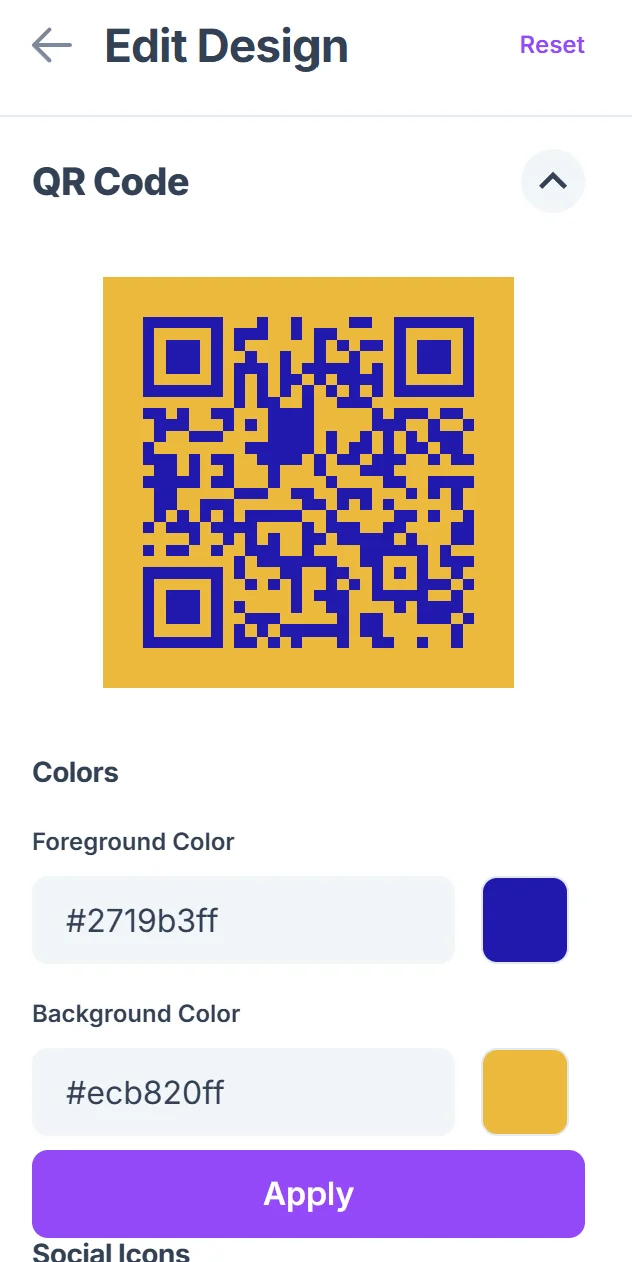
Choose high contrast colors (black on white works best for emergency situations) and ensure the QR code will be large enough to scan quickly, even in poor lighting conditions. Follow proper QR code design principles to maximize readability in emergency scenarios.

Test across multiple devices
Verify that your QR code scans reliably on different smartphones and that the information displays clearly on various screen sizes, especially for emergency responders who may use different devices. Understanding how to check if a QR code is safe is also crucial for maintaining security in healthcare environments.
Implement with backup systems
Place your QR codes alongside traditional safety signage or printed backup information. Include clear instructions about what the code contains and ensure it remains scannable in your specific environment.
Best practices for emergency-ready QR codes
Health and safety QR codes need to work perfectly when people need them most. These practices ensure your codes remain functional and accessible during emergencies. Consider whether you need static or dynamic QR codes based on how frequently your safety information changes.
Use waterproof materials and protective covers for QR codes in industrial environments, outdoor locations, or areas where they might be exposed to chemicals or weather conditions
Keep information current by regularly updating linked content, especially for medical information, emergency contacts, or safety protocols that change frequently
Size QR codes appropriately for scanning distance - codes on medical bracelets can be smaller, while those on machinery or walls should be large enough to scan from arm's length
Include multilingual options for workplaces with diverse populations, ensuring safety information is accessible to all employees regardless of their primary language
Frequently Asked Questions
Can QR codes work offline for emergency medical information?
QR codes themselves work offline, but if they link to online content, you'll need internet access. For critical medical information, consider using text-based QR codes that display information directly without requiring a connection.
How do I protect sensitive medical information in QR codes?
Use password-protected links or medical ID services that require authentication to view detailed information. You can also create codes that show only essential emergency information while keeping detailed records private.
What size should safety QR codes be for workplace use?
For workplace safety applications, QR codes should be at least 1 inch (2.5 cm) square for close-up scanning, or larger for codes that need to be scanned from a distance. Test scanning distance in your specific environment.
Do emergency responders know how to use QR codes?
Many emergency responders are familiar with QR codes, especially for medical information. However, always include backup information or clear instructions about what the code contains and how to scan it.
Are there any costs for creating health and safety QR codes?
Basic QR code generation is free, including for health and safety applications. You may need to pay for hosting if you're linking to detailed safety documents or medical information systems.
Related Guides
Ready to create your QR code?
Generate custom QR codes in seconds - free and easy to use.
Create Free QR Code →