GoFundMe QR codes for easier donation sharing

Connect supporters directly to your fundraising campaign with scannable codes that work anywhere you share them.
How QR codes boost GoFundMe campaign visibility
What if you could turn any physical space into a donation opportunity? Whether someone sees your fundraiser story on a flyer at their local coffee shop, on a t-shirt at a community event, or shared in a Facebook post, they could instantly access your GoFundMe page with a simple phone scan. Well you can! All through the use of QR codes!
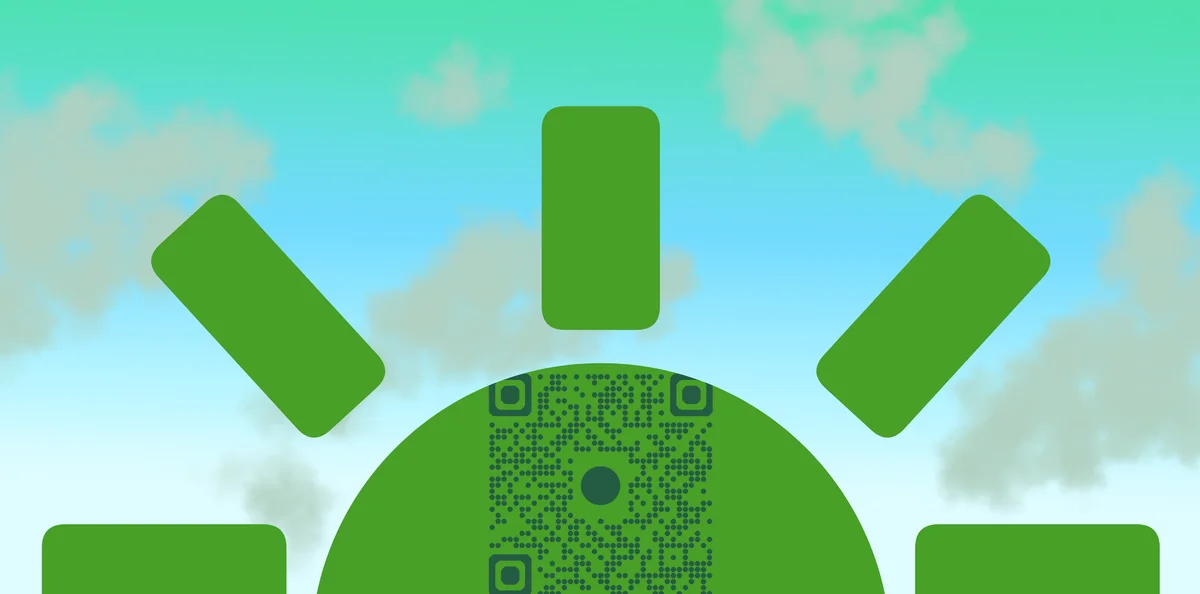
A GoFundMe QR code is a scannable square that links directly to your fundraising page. When someone scans it with their phone camera, they're taken straight to your campaign where they can read your story, see your progress, and make a donation, all without needing to type anything in or go through a search engine. This removes the friction that often prevents people from following through on their intention to contribute.
Throughout this guide, I'll show you how to create effective QR codes for your campaign, share proven strategies for placement and promotion, and help you avoid common mistakes that limit donation potential. You'll also discover how QR Code Developer makes it simple to generate professional codes that work reliably across all devices. So let's get learning!
Where fundraisers use QR codes effectively
Smart fundraisers place QR codes wherever their story might resonate with potential supporters. The key is thinking beyond digital spaces and considering every touchpoint where someone might want to help. Here are the most effective placement strategies I've seen work for fundraising events and campaigns.
Printed materials and signage
Add QR codes to flyers, posters, business cards, and yard signs. People can scan immediately instead of trying to remember your campaign name later.
Wearable fundraising items
Print codes on t-shirts, buttons, or wristbands that supporters wear to spread awareness. Every person they encounter becomes a potential donor.
Social media and digital sharing
Include QR codes in Instagram stories, Facebook posts, and email signatures. Even in digital formats, codes make donating faster than clicking links.
Community event displays
Set up QR codes at fundraising events, charity walks, or community gatherings where people are already in a giving mindset and have their phones ready.
Creating your GoFundMe QR code
Building a QR code for your GoFundMe campaign takes just a few minutes and works with any campaign type, whether you're raising funds for medical expenses, community projects, or personal emergencies.
Visit the QR code generator
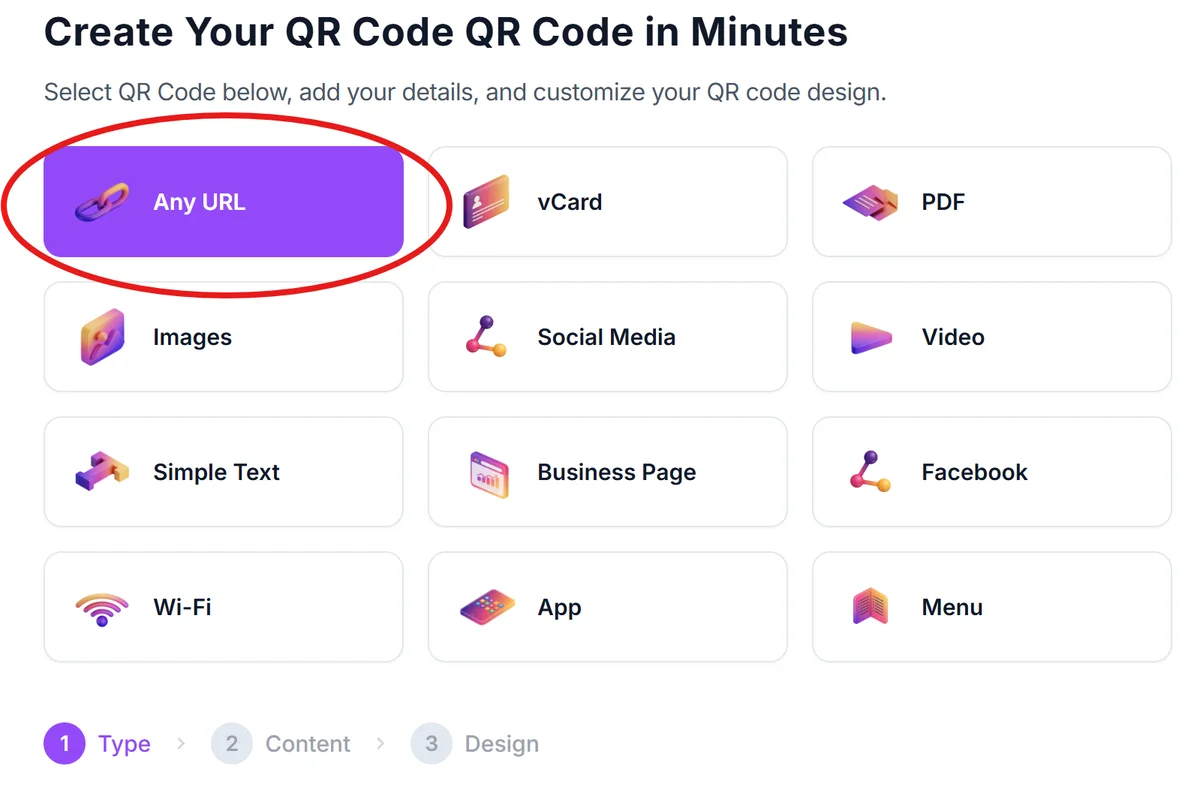
Go to qrcodeveloper.com and select URL as your QR code type since you'll be linking to your GoFundMe page.
Copy your GoFundMe campaign link
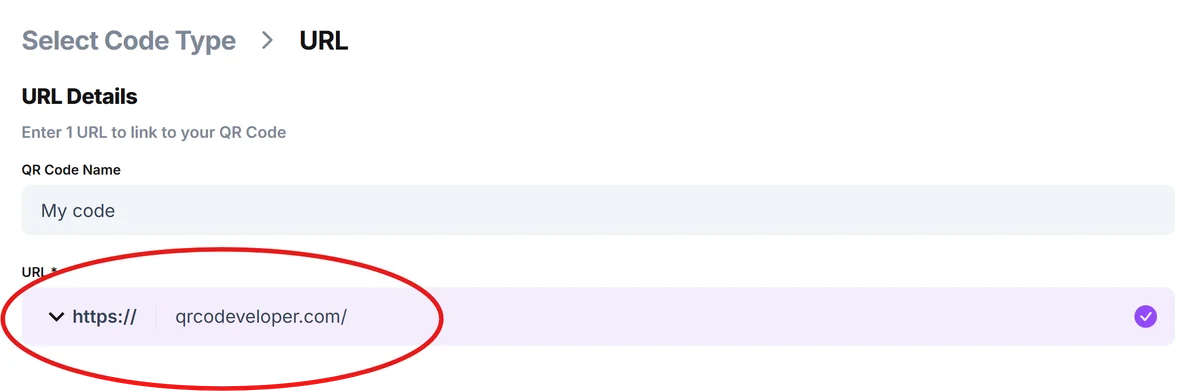
Open your GoFundMe page and copy the full URL from your browser's address bar. This ensures the QR code will take people to the exact page with your story and donation button.
Customize your code design
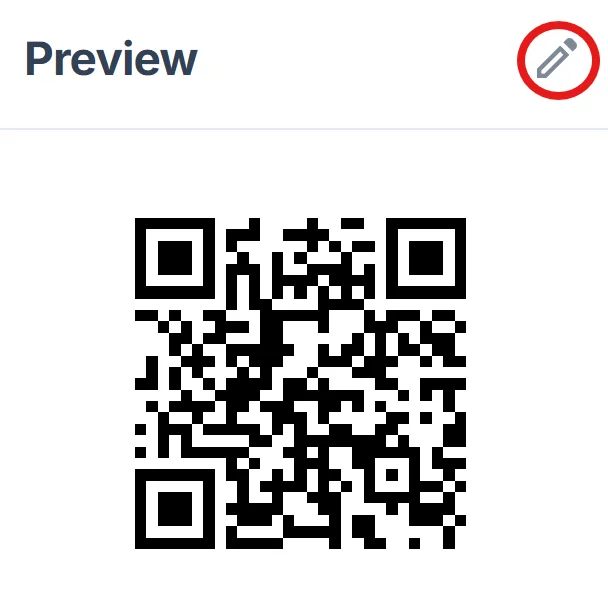
Choose colors that match your campaign theme or personal branding. Consider adding your campaign logo or a small image that relates to your cause to make the code more recognizable, following QR code design best practices.
Test the scanning experience
Before sharing widely, scan your QR code with different phones to ensure it loads your GoFundMe page quickly and displays properly on various screen sizes.
Download and start sharing
Save your QR code in high resolution for printing and lower resolution for digital use. Keep both versions organized so you can quickly add them to new materials as your campaign grows.
Maximizing donations through smart QR code placement
The difference between a successful fundraising QR code and one that gets ignored often comes down to strategic placement and clear messaging about what happens when people scan. Understanding different types of QR codes can also help you choose the right approach for your campaign.
Add context near your QR code with phrases like 'Scan to support [cause name]' or 'Quick donate via phone' so people know exactly what they're scanning for
Size your codes appropriately for the viewing distance - at least 1 inch square for handheld materials and much larger for signs that people will see from across a room
Place QR codes at eye level whenever possible and ensure good lighting for outdoor displays since phone cameras need clear visibility to scan effectively
Track which placements generate the most scans by creating separate QR codes for different locations, then focus your efforts on the highest-performing spots
Frequently Asked Questions
Do I need to pay for a QR code for my GoFundMe campaign?
No, you can create QR codes for your GoFundMe page completely free. Basic QR codes work perfectly for fundraising and don't require any ongoing fees.
Can I track how many people scan my GoFundMe QR code?
GoFundMe provides analytics on page views and donations, which will show increased activity when people scan your QR code. For detailed scan tracking, you'd need a premium QR code service.
Will my QR code still work if I update my GoFundMe campaign?
Yes, as long as your GoFundMe URL stays the same, your QR code will continue working even when you update your campaign story, photos, or fundraising goal.
What's the best size for printing GoFundMe QR codes?
For flyers and handouts, make QR codes at least 1 inch square. For posters or signs viewed from a distance, go larger - typically 3-4 inches square works well.
Can I add my campaign logo to the QR code?
Yes, you can customize QR codes with logos or images related to your cause. Just ensure the code remains scannable by not covering too much of the pattern with your design.
Related Guides
Ready to create your QR code?
Generate custom QR codes in seconds - free and easy to use.
Create Free QR Code →


