Experience QR code generator for immersive digital interactions

Bridge physical and digital worlds with QR codes that launch interactive experiences, virtual tours, and multimedia content.
Connecting physical spaces to digital experiences
Interactive experiences are changing the landscape of entertainment everyday. A seemingly passive activity can instantly become an active and more memorable one by adding these interactive elements. One of the easiest ways to make any experience and interactive one is by implementing QR codes. Learn more about implementing QR codes in museums for enhanced visitor engagement.

Experience QR codes transform any physical location into a gateway for rich digital content. These codes can launch virtual reality tours, interactive timelines, audio guides, video demonstrations, or gamified learning experiences that engage visitors far beyond traditional signage.
In this guide I will cover everything you need to know about creating experience QR codes that captivate audiences and enhance real-world interactions. I'll show you how to build memorable digital experiences using QR Code Developer and share strategies that keep visitors engaged long after they've left your space. So let's get started!
Real-world applications for experience QR codes
Experience QR codes work best when they add genuine value to physical interactions. Whether you're creating educational content or marketing experiences, these codes should feel like natural extensions of the real world. Learn more about creating engaging QR codes for museums and cultural spaces.
Museum and gallery exhibitions
Visitors scan codes next to artifacts to access 360-degree views, historical context videos, or augmented reality overlays showing how items were originally used.
Self-guided tours and walking trails
Tourism boards and parks place QR codes at points of interest, launching audio narratives, historical photos, or interactive maps with additional nearby attractions. These codes can also provide Google Maps directions to nearby points of interest.
Real estate virtual showings
Property signs include QR codes that launch virtual tours, neighborhood information videos, or interactive floor plans with room-by-room details.
Product demonstrations and tutorials
Retailers use QR codes on packaging or displays to show assembly videos, styling tips, or behind-the-scenes content about how products are made. Many businesses also integrate these with QR codes on food packaging for ingredient information and recipes.
Building your interactive experience QR code
Creating an experience QR code starts with planning your digital content, then connecting it through a scannable code that feels natural to use.
Design your digital experience first
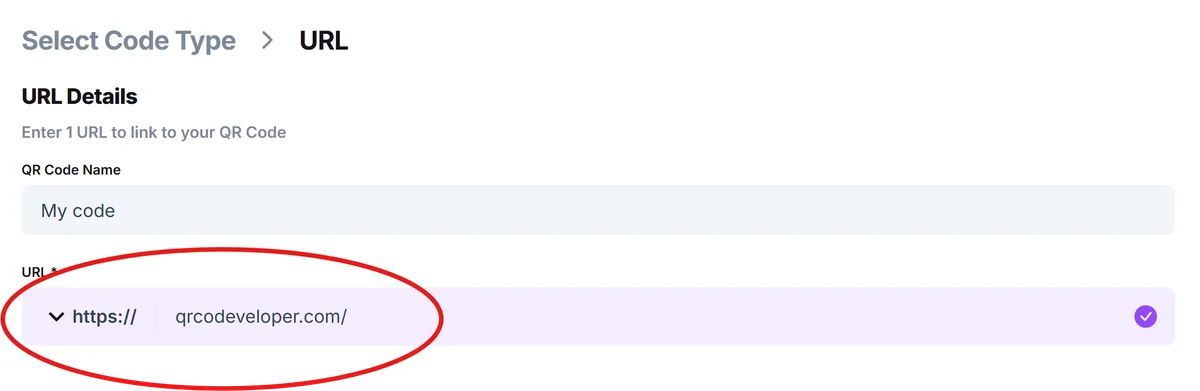
Before creating the QR code, build your digital content - whether it's a virtual tour, interactive timeline, or multimedia presentation. Host this content on a reliable platform with mobile-friendly design. Visit qrcodeveloper.com when your experience is ready to launch.
Enter your experience URL
Copy the direct link to your digital experience and paste it into the URL field. Make sure the link works on both smartphones and tablets, as visitors will access it from various devices.

Customize for your brand and location
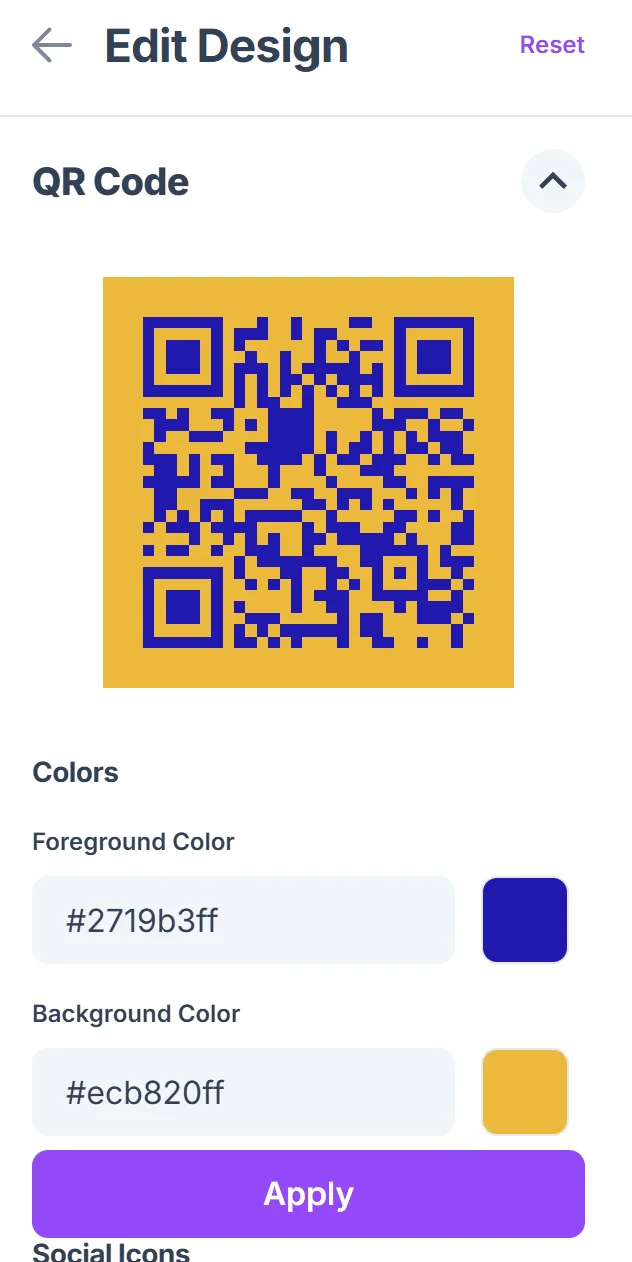
Choose colors that match your organization's branding or the physical space where the code will appear. Add a logo if it helps visitors recognize the source of the experience. For more guidance, check out our QR code design tips for creating visually appealing codes.

Test across different devices and lighting
Print a test version and scan it with various smartphones in the actual lighting conditions where it will be displayed. Outdoor codes need higher contrast than indoor ones.
Add clear context and instructions
Include brief text near your QR code explaining what visitors will discover when they scan. Something like 'Scan to explore the virtual reconstruction' works better than generic 'Scan here' instructions.
Best practices for engaging QR experiences
The most successful experience QR codes feel like natural extensions of the physical space rather than digital distractions.
Keep loading times under 3 seconds - visitors lose interest quickly when experiences take too long to launch, especially in crowded spaces
Design for vertical phone viewing since most people hold phones upright when scanning QR codes, rather than rotating to landscape mode
Include offline fallback options like shortened URLs for visitors without QR scanners or in areas with poor cellular coverage
Track engagement metrics to understand which parts of your experience resonate most with visitors and refine content accordingly
Frequently Asked Questions
Interactive content that enhances the physical location performs best - virtual tours, audio guides, 3D models, historical timelines, and behind-the-scenes videos. Avoid experiences that completely remove visitors from their current environment.
Use web-based experiences rather than requiring app downloads. Test on both iOS and Android devices, ensure fast loading times, and design for touch interactions rather than precise clicking.
Yes, most web hosting platforms provide analytics showing visitor numbers, time spent, and interaction patterns. This data helps you understand which content resonates most with your audience.
For museum displays, 2-3 inches works well. Outdoor installations need larger codes (4-6 inches) to account for scanning distance and varying lighting conditions.
The QR code itself is free to generate. Costs come from hosting your digital experience content, which varies depending on the platform and features you choose for your interactive content.
Related Guides
Ready to create your QR code?
Generate custom QR codes in seconds - free and easy to use.
Create Free QR Code →