Eventcube QR code generator for event management

Bridge digital ticketing with physical events through scannable codes that connect attendees to your Eventcube platform instantly.
Connecting Eventcube events with QR code technology
What if you could instantly find out everything you need to know about a certain event? It would be nice, right. Well, with QR codes and Eventcube, you can!
Eventcube QR codes make it so that you can view event listings, ticket purchasing pages, or attendee check-in systems all from one simple scan. When someone scans a QR code for Eventcube, they'll be immediately taken to the Eventcube event page where they can view details, purchase tickets, or complete their check-in process without typing URLs or searching through platforms.
In this guide I will go over how to create effective QR codes for your Eventcube events, from initial promotion through post-event engagement. I'll also show you how QR Code Developer makes it simple to generate professional codes that integrate perfectly with your event management workflow. So let's get the party started!
Practical applications for Eventcube QR codes
Event organizers use QR codes to solve common challenges like slow check-ins, missed ticket sales, and poor attendee engagement. These codes work particularly well for event management scenarios where quick access to information makes the difference between a smooth experience and frustrated participants.
Promotional materials and marketing
Add QR codes to flyers, posters, and social media posts that link directly to your Eventcube ticket purchasing page, eliminating the need for people to remember or type complex URLs.
On-site event check-ins
Display QR codes at venue entrances that connect to your Eventcube check-in system, allowing attendees to verify their tickets quickly without long registration lines.
Vendor and sponsor integration
Provide sponsors with QR codes linking to their Eventcube exhibitor pages or special offers, giving them trackable engagement metrics for their event investment.
Post-event feedback collection
Share QR codes during event wrap-up that connect to Eventcube survey forms or feedback systems, capturing attendee insights while the experience is still fresh.
Setting up QR codes for your Eventcube events
Creating QR codes for your Eventcube events takes just a few minutes and requires only your event URL from the platform.
Open your QR code generator
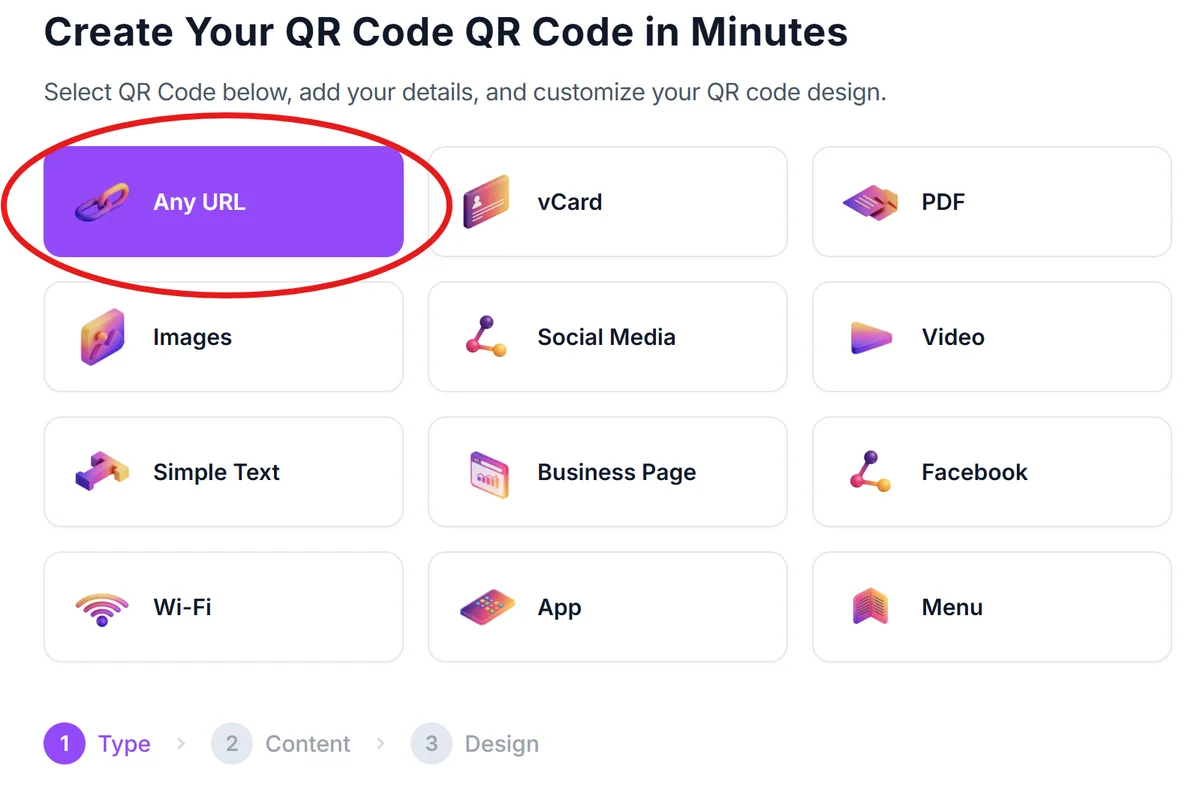
Navigate to qrcodeveloper.com and select the URL option since you'll be linking to your Eventcube event page.
Copy your Eventcube event URL
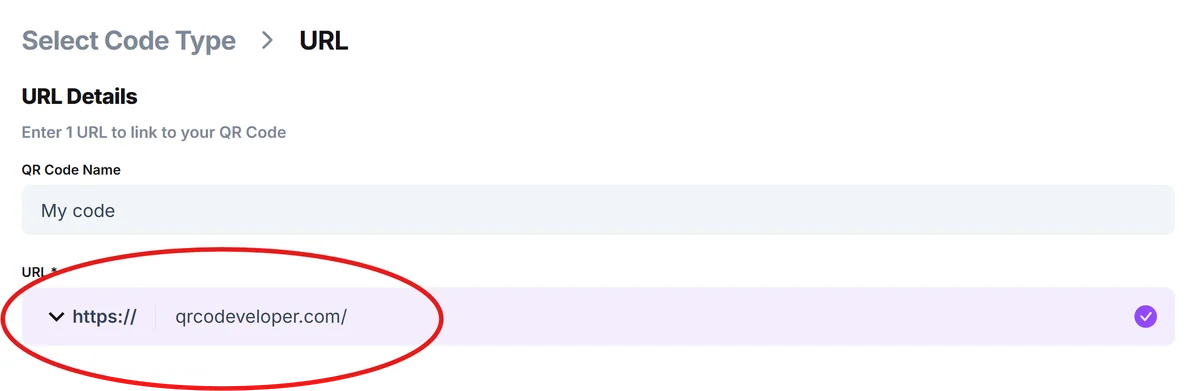
Go to your event page on Eventcube and copy the full URL from your browser's address bar. This ensures the QR code leads directly to your specific event listing.
Customize your QR code design
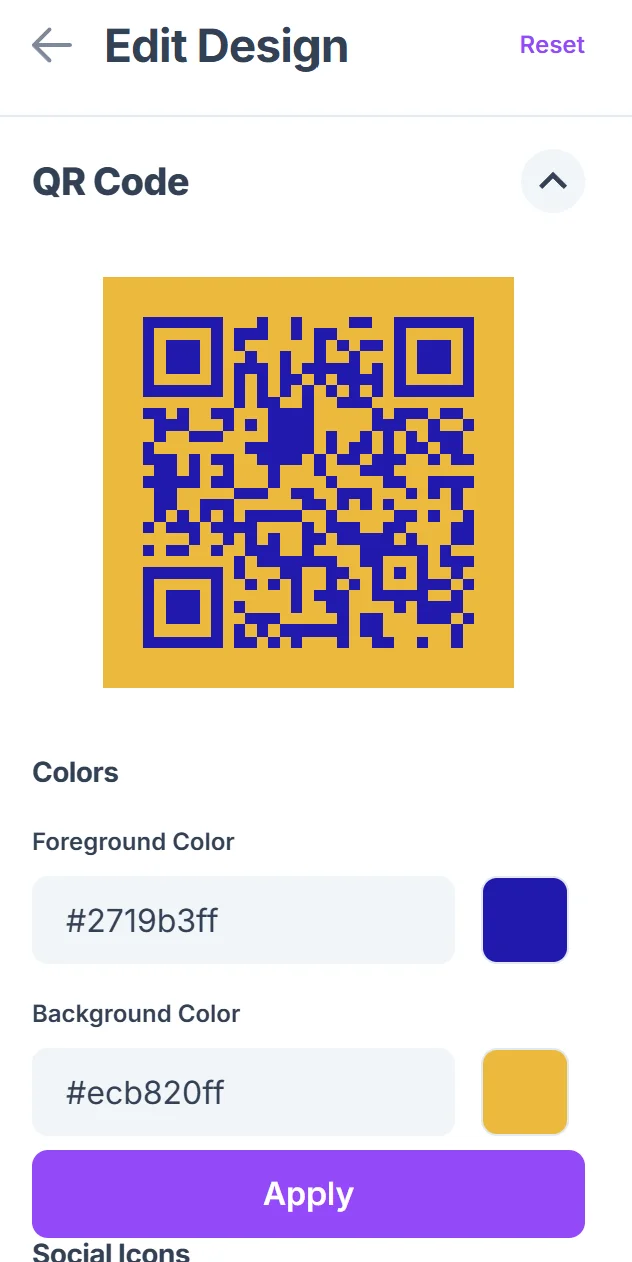
Choose colors and styling that match your event branding. Consider using your event's primary colors to maintain visual consistency across all marketing materials.

Test the QR code functionality
Before printing or sharing, scan your QR code with multiple devices to verify it correctly opens your Eventcube page and displays properly on different screen sizes.
Deploy across your marketing channels
Add your QR code to promotional materials, social media posts, email signatures, and physical signage to create multiple touchpoints for potential attendees.
Best practices for event QR code implementation
Successful event QR codes require strategic placement and clear communication about what attendees will find when they scan.
Include clear instructions like 'Scan to register' or 'Scan for event details' near your QR code so people understand exactly what action they're taking and what to expect. This follows QR code design best practices for user clarity.
Size your QR codes appropriately for the viewing distance - codes on posters should be larger than those on business cards, with a minimum size of 1 inch for reliable scanning.
Test your Eventcube page's mobile loading speed since most QR code scans happen on smartphones, and slow pages cause immediate abandonment before registration.
Place QR codes in high-traffic areas where people have time to scan, such as coffee shops, community boards, or waiting areas rather than on moving vehicles or crowded walkways.
Frequently Asked Questions
Can I track how many people scan my Eventcube QR code?
Yes, QR Code Developer provides scan analytics that show you how many times your code was scanned, when, and from which locations, helping you measure your marketing effectiveness.
Will my QR code still work if I update my Eventcube event details?
As long as your Eventcube event URL stays the same, your QR code will continue working even when you update event details, pricing, or descriptions on the platform.
What's the best file format for printing Eventcube QR codes?
Download your QR code as a PNG or SVG file for the clearest print quality. SVG files work best for large format printing like posters or banners.
Can I use the same QR code for multiple Eventcube events?
Each QR code should link to a specific Eventcube event URL. For multiple events, create separate QR codes or link to your main Eventcube organizer page that lists all your events.
Do I need to pay extra to create QR codes for my Eventcube events?
No, you can generate QR codes for your Eventcube events for free using QR Code Developer. Premium features like detailed analytics and custom branding are available if needed.
Related Guides
Ready to create your QR code?
Generate custom QR codes in seconds - free and easy to use.
Create Free QR Code →