QR codes for donation drop-off points and information tracking

Organize donation drop-offs with scannable codes that display guidelines, track items, and capture donor information automatically.
How QR codes organize donation collection points
What if every donation box, bin, and collection point could instantly tell donors exactly what to contribute, where items go, and how their generosity makes an impact? Well, with QR codes, they actually can! QR codes placed at donation drop-off points can provide all this information and more, while also allowing patrons to donate directly through a digital payment service.

These QR codes link to information sheets that can include accepted items lists, donation guidelines, current urgent needs, impact stories, and even live inventory updates. Donors can scan the code with their smartphones to access a mobile-friendly page with everything they need to know about making their contribution count.
In this guide I'll show you how nonprofits, community centers, and charitable organizations can use QR codes and QR Code Developer to create organized donation systems and reduce confusion, increase appropriate donations, keeping contributors engaged with their mission.
Smart applications for donation center QR codes
Donation centers face constant challenges with inappropriate items, confused donors, and tracking contributions. QR codes solve these problems by providing instant access to information. Learn more about creating organized systems in our types of QR codes guide.
Clothing donation bins with size and season needs
Place QR codes on clothing bins that link to current size needs, seasonal requests, and condition requirements to reduce unusable donations.
Food pantry collection points with dietary guidelines
Food banks can use QR codes to share approved food lists, expiration date requirements, and nutritional priorities for their community.
Toy and book drives with age-appropriate lists
Children's charities can post QR codes linking to age ranges, educational priorities, and safety standards for donated items.
Emergency supply centers with real-time inventory
Disaster relief organizations can use QR codes to show current urgent needs, surplus items, and distribution schedules to maximize donation effectiveness, similar to how event organizers manage real-time information updates.
Setting up your donation tracking system
Creating an effective donation information system takes just a few steps. Start with your most active collection points and expand from there.
Build your donation information page
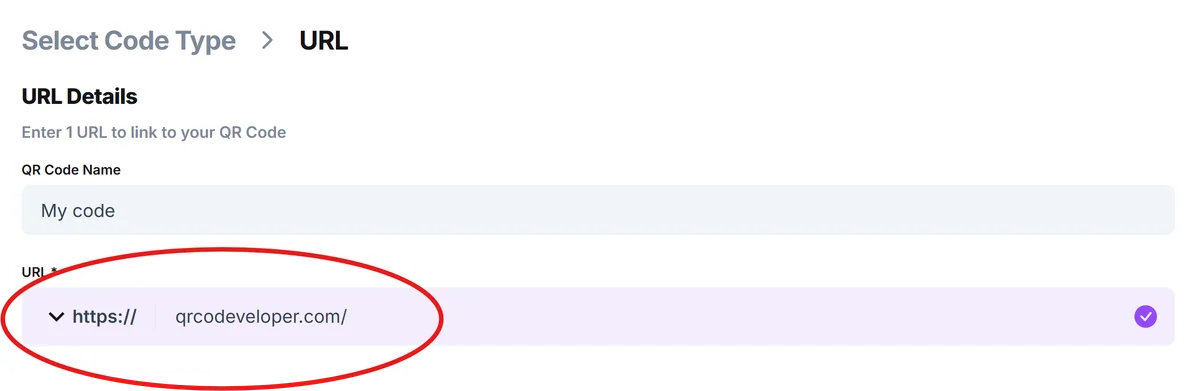
Create a mobile-friendly webpage or document containing your donation guidelines, current needs, contact information, and impact stories. Host this on your website or use qrcodeveloper.com to get started.
Input your information page URL
Copy the web address of your donation information page and paste it into the URL field of your QR code generator.
Design for outdoor visibility
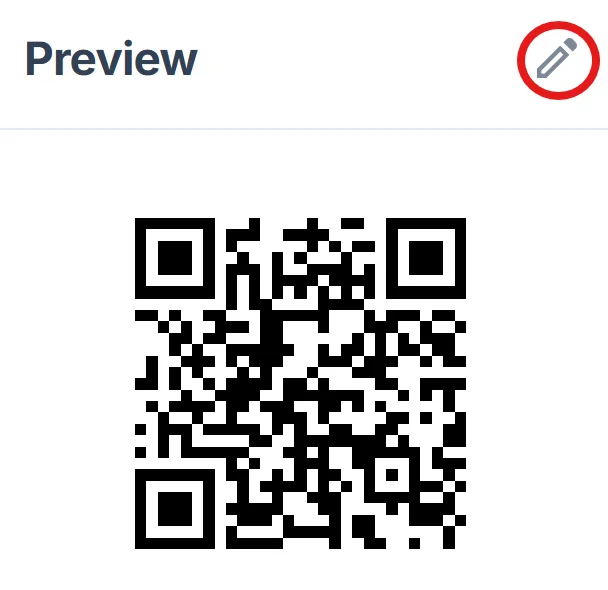
Choose high-contrast colors and add your organization's logo using proper QR code design principles. Make the QR code large enough to scan from 3-4 feet away since donors may be carrying items.
Create weatherproof information sheets
Print QR codes on laminated sheets or weather-resistant materials, or consider durable QR code stickers for outdoor collection points. Include a brief text description like 'Scan for donation guidelines' below each code.
Monitor and update content regularly
Check your information page weekly to update current needs, remove fulfilled requests, and add new impact stories to keep donors engaged.
Maximizing donor engagement and organization efficiency
Smart placement and content strategy can significantly improve both donation quality and donor satisfaction with your organization.
Position QR codes at eye level next to each collection point, with backup text instructions for donors who prefer not to scan or need guidance on how to scan QR codes
Update your linked content monthly with photos of recent distributions, thank you messages from recipients, and current community needs
Include specific impact statements like 'Last month, your clothing donations helped 127 families prepare for winter' to show concrete results
Create separate QR codes for different donation categories (clothing, food, household items) to provide targeted guidelines and reduce sorting time
Frequently Asked Questions
What information should I include on my donation guideline page?
Include accepted and prohibited items, condition requirements, current urgent needs, drop-off hours, contact information, and recent impact stories to help donors make informed contributions.
How often should I update the content linked to my QR codes?
Update at least monthly, or more frequently during seasonal drives or emergency campaigns. Fresh content keeps donors engaged and ensures accurate information.
Can I track how many people scan my donation QR codes?
Yes, most QR code generators provide scan analytics. This data helps you understand which collection points are most active and when to update content.
What if donors don't have smartphones to scan the codes?
Always include basic text information on your signs as backup. List your website URL and phone number for donors who prefer traditional contact methods.
Are QR codes free to create for nonprofit donation centers?
Yes, basic QR codes linking to your information pages are free to create and use. You only need to host your donation guidelines on a website or document platform.
Related Guides
Ready to create your QR code?
Generate custom QR codes in seconds - free and easy to use.
Create Free QR Code →