QR codes for clinic appointment scheduling and patient bookings

Let patients book appointments instantly by scanning a code - no phone calls, no waiting on hold, no scheduling hassles.
How QR codes transform clinic appointment booking
Everyday, more and more sectors of healthcare are transitioning to digital communication, including through QR codes. 72% of healthcare organizations are either utilizing or planning to utilize QR codes within their operations, according to Healthcare Information and Management Systems Society (HIMSS).
Clinic appointment QR codes can connect patients directly to your online booking system with a simple scan. Patients point their smartphone camera at the code and immediately access your scheduling platform - whether that's your practice management software, a booking widget on your website, or a dedicated appointment portal.
These codes can reduce administrative workload while improving patient satisfaction. Throughout this guide, I'll go over how to implement appointment QR codes in your practice, from waiting rooms to marketing materials. I'll also touch on contact information QR codes that can complement your booking system. So let's dive right in!
Where clinics use appointment QR codes effectively
Medical practices are placing appointment QR codes in strategic locations to capture patients when they're most likely to book. These codes work particularly well when integrated with QR code business cards for referral networks and professional outreach.
Waiting room displays
Patients scan codes while waiting to book their next appointment, follow-up visits, or routine screenings without interrupting staff.
Prescription pickup areas
Pharmacies and clinic pickup windows use codes so patients can schedule their next visit while collecting medications.
Marketing materials and flyers
Health fairs, community events, and promotional materials include booking codes that turn interest into scheduled appointments immediately. Consider adding these codes to promotional flyers for maximum reach.
Referral coordination
Specialists and primary care providers share booking codes with referring physicians to simplify the patient handoff process.
Setting up your clinic's appointment QR code system
Creating appointment QR codes requires connecting your scheduling system to a scannable code that patients can access anywhere.
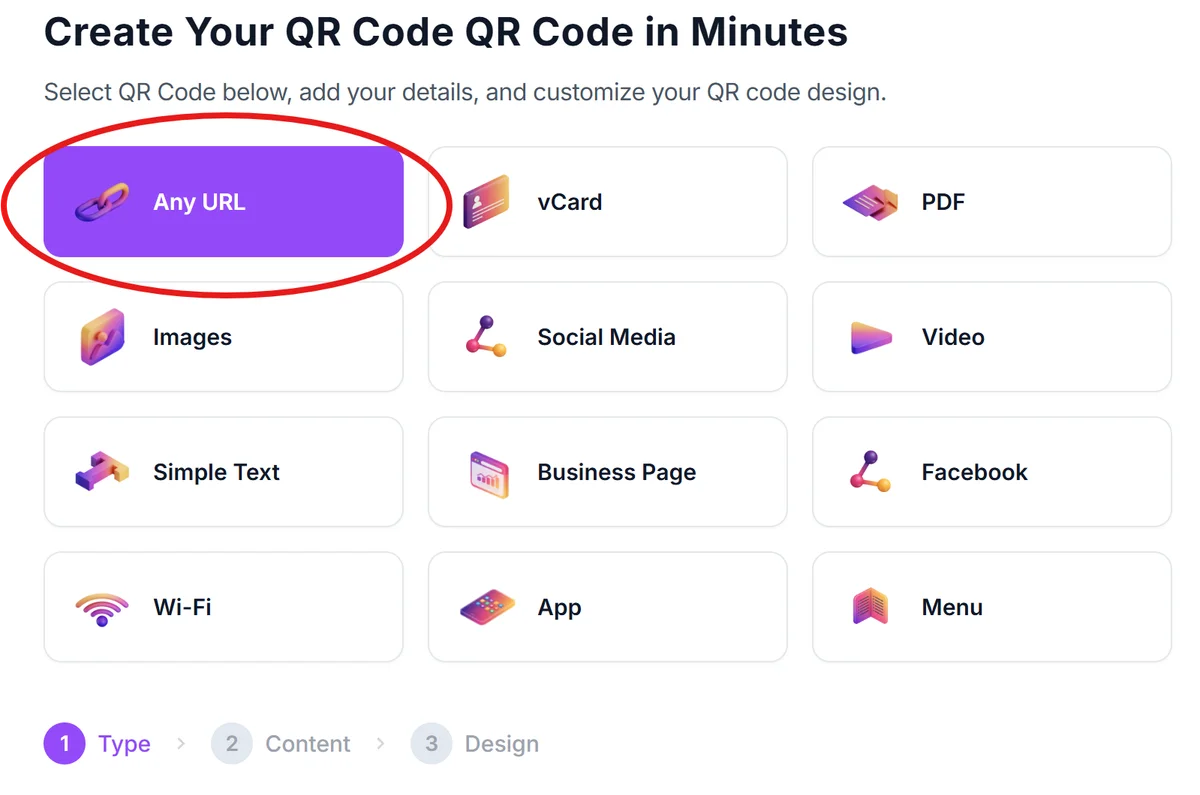
Access your online booking platform
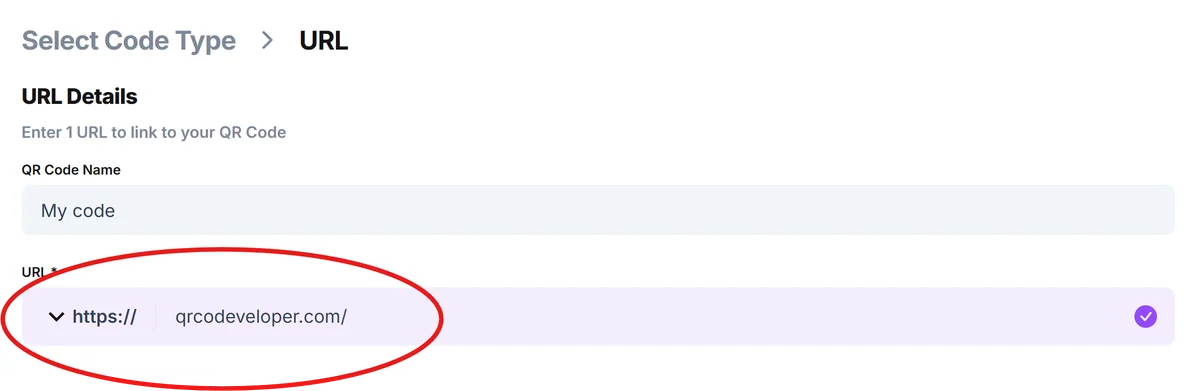
Open qrcodeveloper.com and gather the direct URL to your appointment scheduling system - this could be your practice management portal, website booking widget, or third-party scheduling service.
Configure your booking link parameters
Add URL parameters to pre-fill appointment types, provider selections, or location details so patients skip unnecessary steps in your booking flow.
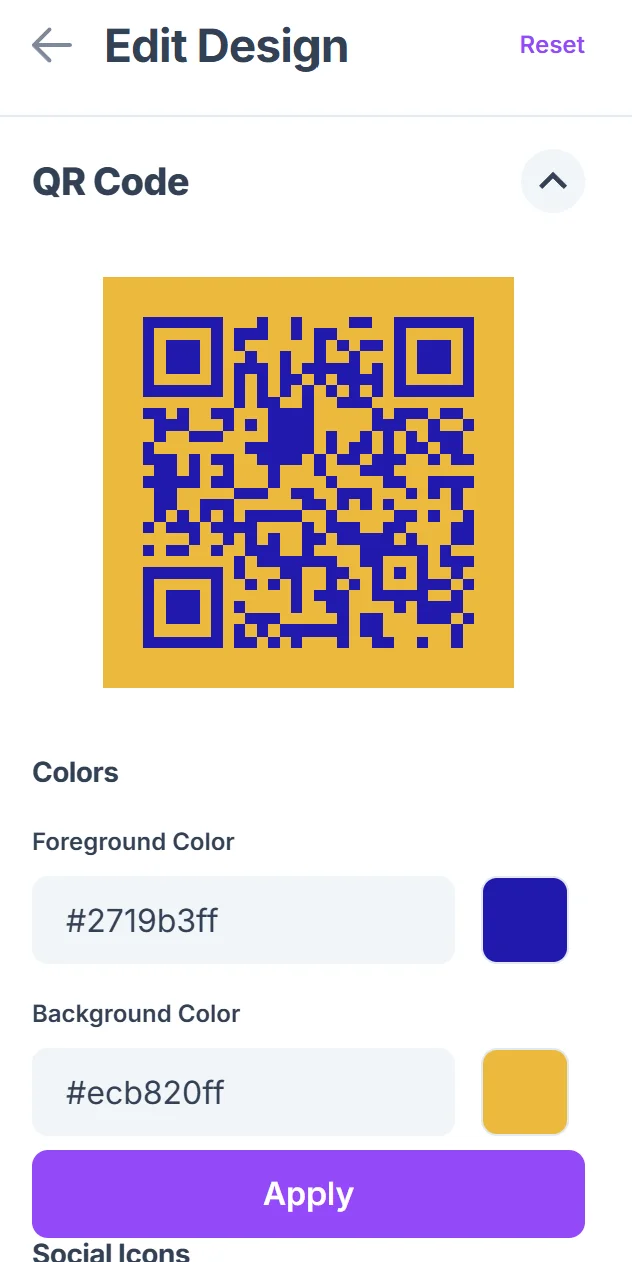
Brand your QR code for medical use
Choose colors that match your clinic's branding and add your logo to build trust - patients are more likely to scan codes that look professional and official.

Test the patient booking experience
Scan your code on different devices to ensure the booking process works smoothly on both iOS and Android smartphones, checking that forms load properly.
Deploy across patient touchpoints
Print codes for waiting rooms, exam rooms, and reception areas, then train staff to mention the QR code option when patients ask about scheduling.
Best practices for medical appointment QR codes
Healthcare environments have unique requirements for QR code implementation, from HIPAA compliance to patient accessibility considerations. Understanding QR code safety is particularly important in medical settings where patient data protection is paramount.
Include clear instructions like 'Scan to book your next appointment' since many patients, especially older adults, may be unfamiliar with QR code technology
Place codes at eye level in well-lit areas where patients naturally pause - reception desks, waiting room walls, and exam room doors work better than floors or ceilings
Monitor which appointment types get booked through QR codes versus phone calls to identify patterns and optimize your scheduling workflow
Ensure your booking system is mobile-optimized since patients will access it through smartphones - complicated forms or tiny text create abandonment
Frequently Asked Questions
Can appointment QR codes integrate with existing practice management software?
Yes, most modern practice management systems provide booking URLs that work perfectly with QR codes. Popular platforms like Epic MyChart, Cerner, and athenahealth all support direct linking.
How do I ensure HIPAA compliance with appointment QR codes?
QR codes themselves don't store patient data - they simply link to your existing booking system. As long as your scheduling platform is HIPAA-compliant, the QR codes maintain the same security standards.
What happens if patients don't have smartphones to scan the codes?
Always provide alternative booking methods alongside QR codes. Include phone numbers and website URLs so patients can choose their preferred way to schedule appointments.
Can I track which QR code locations generate the most appointments?
Yes, use different URLs with tracking parameters for each location. This lets you see whether waiting room codes, marketing materials, or referral cards drive more bookings.
Are there any costs associated with using QR codes for appointments?
Creating QR codes is free with most generators. Your main costs come from your existing appointment scheduling system and any printing for physical displays.
Related Guides
Ready to create your QR code?
Generate custom QR codes in seconds - free and easy to use.
Create Free QR Code →