QR codes for business directories and local listings

Bridge the gap between offline networking and online business profiles with scannable directory access.
Connecting customers to business directories through QR codes
Have you ever needed to find a specific business but got frustrated trying to find them in a newspaper, phone book, or even online? It can be exhausting, and it hurts the businesses too, since they can serve customers who can't find them. Luckily, QR codes are here to help!
A business directory QR code can link directly to your online directory listing, company profile, or specific section within a larger business directory platform. When scanned, it instantly opens your business information, contact details, services, and any additional resources you've included in your directory profile.
In this guide I will cover how to create directory QR codes that connect customers to your business profiles efficiently. I'll also go over how QR Code Developer makes it simple to generate these codes for any directory platform or business listing service. So let's get down to business!
Practical applications for directory QR codes
Business directory QR codes solve the problem of customers struggling to find your online presence when they encounter your business offline. These codes work particularly well for business cards and networking situations where you want to share comprehensive business information quickly.
Chamber of Commerce networking events
Print QR codes on name tags or business cards that link directly to your chamber directory profile. Attendees can quickly access your full business information and services.
Local business association directories
Shopping centers and business districts use these codes on storefront stickers or promotional materials to connect foot traffic with detailed online business profiles.
Professional service directories
Lawyers, accountants, and consultants include directory QR codes in their marketing materials to showcase credentials, reviews, and detailed service information from professional association listings.
Trade show and conference displays
Exhibitors place directory QR codes on booth displays to share comprehensive company information, case studies, and contact details from industry directory platforms.
Building your business directory QR code
Creating a directory QR code takes just a few minutes once you have your business listing URL ready.
Visit the QR code generator
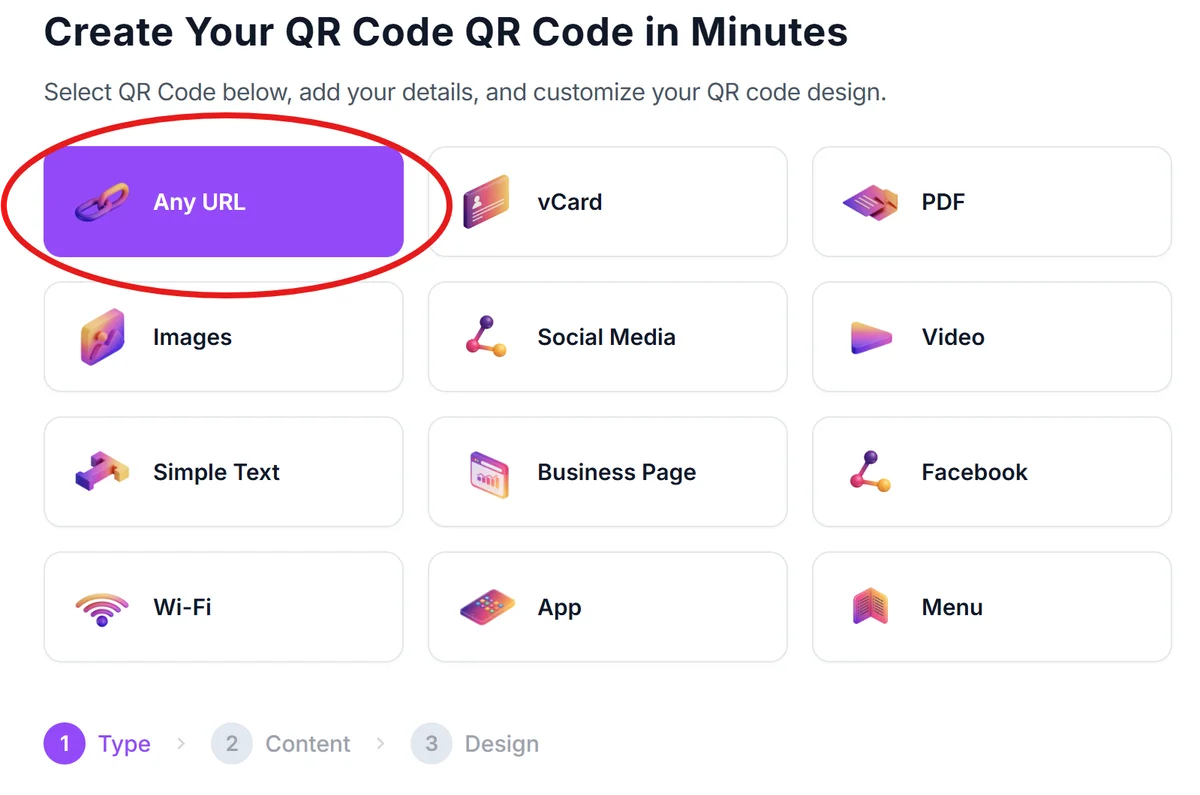
Go to qrcodeveloper.com and select the URL QR code option from the available types.
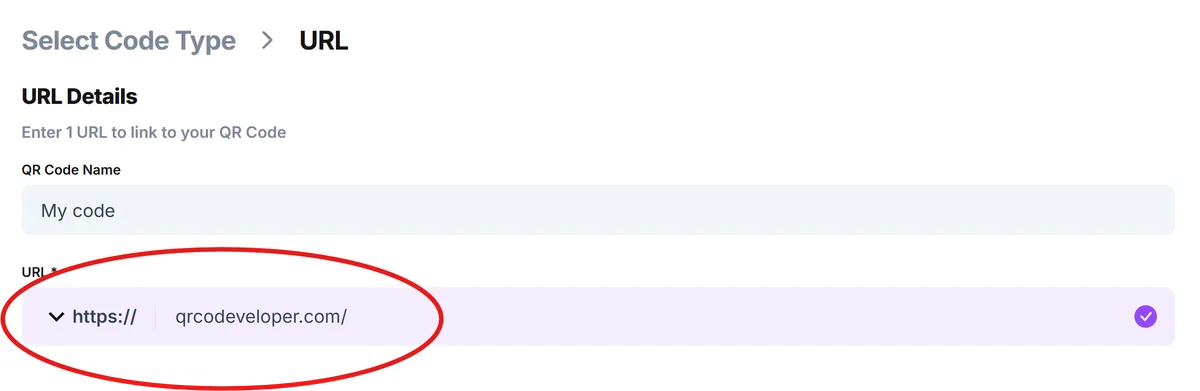
Enter your directory listing URL
Paste the direct link to your business directory profile, whether it's from Google My Business, Yelp, industry-specific directories, or your local chamber of commerce listing.
Customize for professional appearance
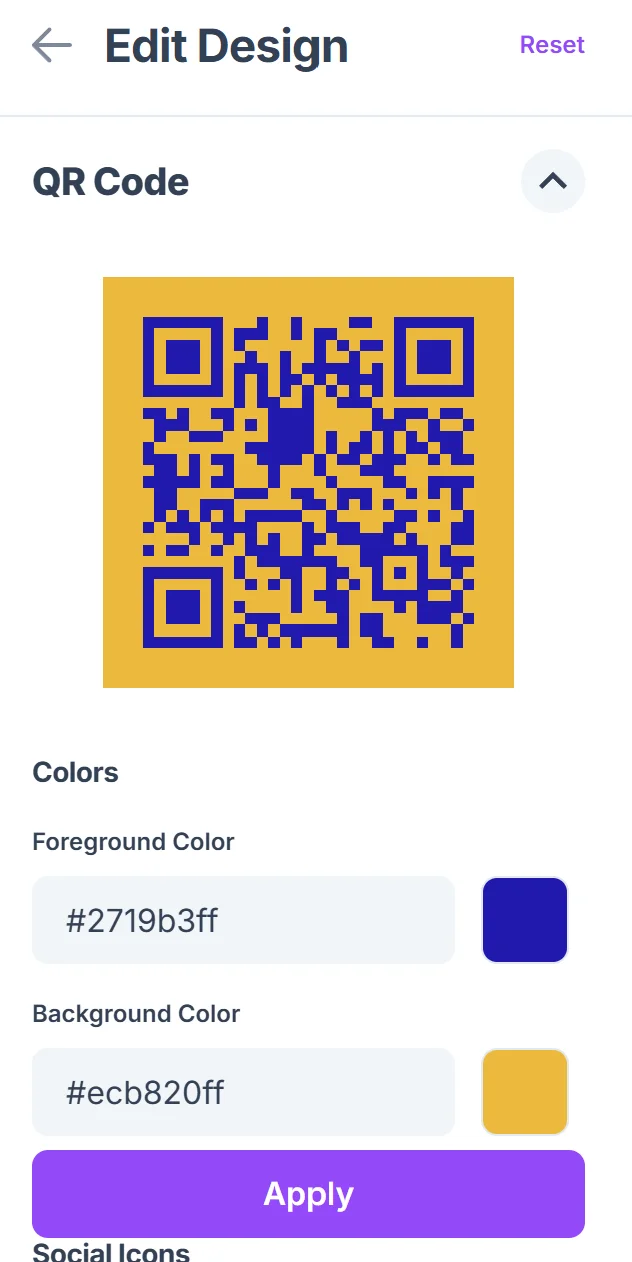
Click on the pencil icon in the Preview window to further customize your code. Choose colors that match your business branding and add your logo if desired. Keep the design clean and professional since these codes often appear on business materials.

Test the directory connection
Scan your QR code with multiple devices to ensure it opens your directory listing correctly and displays properly on both mobile and desktop browsers.
Deploy across marketing materials
Add the QR code to business cards, flyers, storefront displays, or any materials where potential customers might want quick access to your complete business information.
Maximizing directory engagement with QR codes
These strategies help ensure your directory QR codes effectively connect potential customers with your business information.
Use the most comprehensive directory listing as your destination - choose the platform where you have the most complete business information, photos, and positive reviews
Keep your directory profiles updated regularly since the QR code will always lead to the current version of your listing
Include a brief call-to-action near your QR code like 'Scan for full business details' or 'View our complete services' to encourage scanning
Test that your directory listing loads quickly on mobile devices since most people will scan with smartphones and expect fast access to your information
Frequently Asked Questions
Can I link to multiple directory listings with one QR code?
While a single QR code can only link to one URL directly, you can create a landing page that includes links to all your directory profiles, then link your QR code to that page.
What happens if I change my directory listing URL?
You'll need to generate a new QR code with the updated URL. To avoid this issue, consider using a URL shortener that you can redirect if your directory URL changes.
Which business directories work best with QR codes?
Any directory with a direct URL to your business profile works well. Popular options include Google My Business, Yelp, industry-specific directories, and local chamber of commerce listings.
How do I track how many people scan my directory QR code?
Many directory platforms provide analytics on profile views. You can also use URL shorteners with tracking features to monitor QR code scans before they reach your directory listing.
Are business directory QR codes free to create?
Yes, you can create basic directory QR codes for free. The cost comes from maintaining your directory listings on various platforms, not from generating the QR codes themselves.
Related Guides
Ready to create your QR code?
Generate custom QR codes in seconds - free and easy to use.
Create Free QR Code →


