QR Code Generator for Airbnb hosts and guests

Give guests instant access to WiFi passwords, house rules, local recommendations, and property instructions with a single scan.
How QR codes enhance your Airbnb hosting
Superhosts respond to guest messages 50% faster than average hosts, but even they have to spend hours answering the same questions about WiFi passwords, checkout procedures, and local dining spots. QR codes can help out by making all essential information accessible on guests' own devices.

An Airbnb QR code connects guests to any digital resources they may need instantly. All they have to do is point their phone camera at a code and instantly they will have the WiFi password, house rules, emergency contacts, and a curated list of nearby restaurants. No more hunting through message threads or calling hosts at midnight. Learn more about understanding QR codes and how they work.
Smart ways Airbnb hosts use QR codes
The most successful hosts I work with use QR codes strategically throughout their properties. These aren't just random codes stuck on walls – they solve specific guest pain points. Here's how top hosts implement WiFi QR codes and other property solutions.
Instant WiFi connection
Skip the password hunt. Guests can scan a code near the entrance and connect automatically to your network.
Digital house manual
Replace that thick binder with a scannable code linking to appliance instructions, house rules, and emergency procedures. You can even turn your PDF into a QR code for easy access to detailed guides.
Local recommendations hub
Share your insider knowledge through a code that opens a Google Maps list of restaurants, attractions, and hidden gems. Consider creating QR codes for Google Maps to provide instant directions to your favorite spots.
Checkout reminder system
Place a code by the door that links to checkout instructions, key return details, and your review request.
Creating QR codes for your rental property
Building a QR code system for your Airbnb takes about 15 minutes per code. Start with your biggest guest pain point – usually WiFi access – then expand from there.
Choose your QR code generator
Visit qrcodeveloper.com and select the type of information you want to share. For WiFi, choose the WiFi option. For documents or guides, use URL codes.
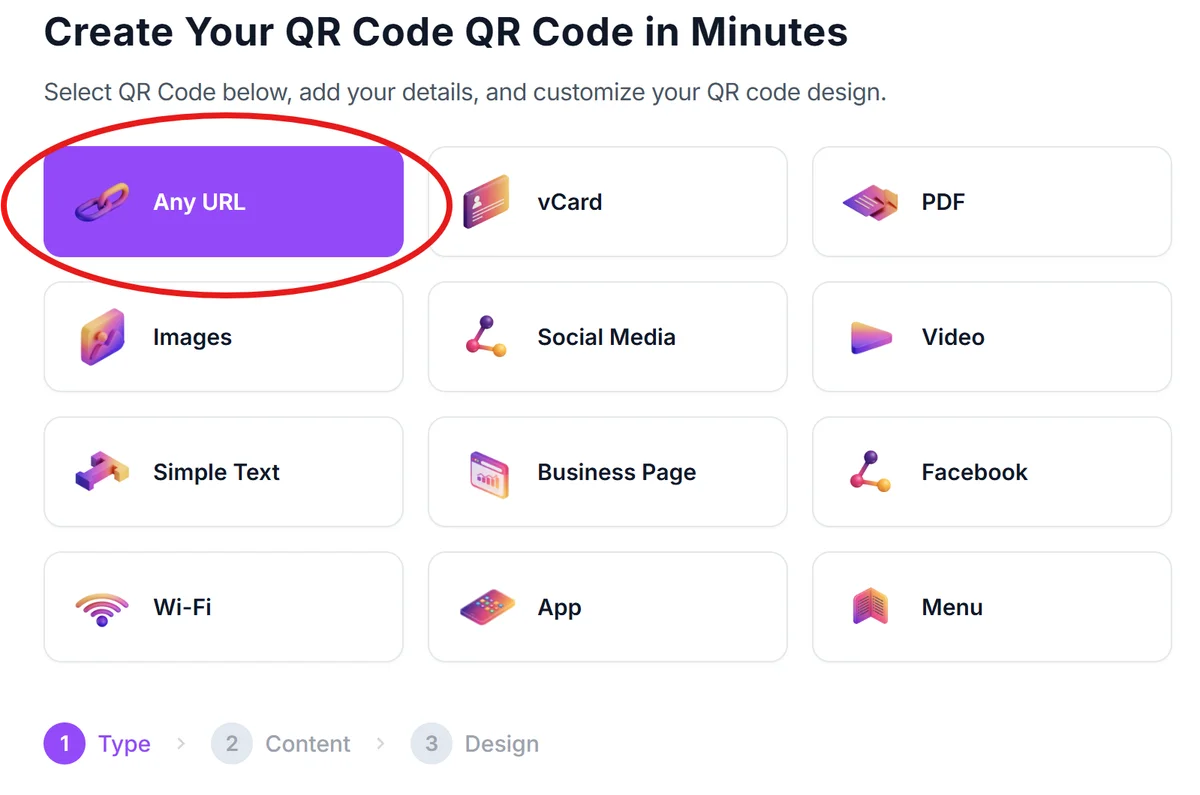
Enter your property information
For WiFi codes, input your network name and password. For other uses, paste the link to your house manual, Google Maps list, or checkout instructions.
Customize for your brand
Add your property colors or logo to match your decor. Keep designs simple – guests need to scan these easily, even in dim lighting. Check out our QR code design tips for creating visually appealing codes that work perfectly.

Test before printing
Scan your codes with different phones to ensure they work reliably. Test from various angles and distances your guests might use.
Place strategically around your property
Position WiFi codes near the entrance, house manual codes on coffee tables, and local guide codes in bedrooms or kitchen areas.
Best practices for property QR codes
<br>
Print codes at least 2x2 inches for reliable scanning. Tiny codes on business cards won't work when guests are tired or in poor lighting.
Laminate or use waterproof materials for codes near sinks, pools, or outdoor areas. Nothing's worse than a soggy, unreadable code. For durable options, consider creating QR code stickers that can withstand various weather conditions.
Include a short text description below each code like 'Scan for WiFi' or 'House Manual.' Not everyone immediately recognizes QR codes.
Update linked content regularly, especially local recommendations. Closed restaurants or outdated information reflects poorly on your hosting.
Frequently Asked Questions
Begin with a WiFi QR code. It's the most common guest request and provides immediate value. Place it near your entrance with clear labeling.
Use static codes for information that never changes (like WiFi passwords) and dynamic codes for content you'll update regularly (like local recommendations or house rules).
Put WiFi codes near the entrance, house manual codes on coffee tables or counters, and local guide codes in bedrooms. Avoid placing them where they'll get wet or damaged.
Most modern smartphones and tablets scan QR codes through their camera app without additional software. iPhones since iOS 11 and Android phones since version 8 have built-in scanning.
Yes, with dynamic QR codes you can see scan statistics including frequency, location, and device types. This helps you understand which codes provide the most value to guests.
Related Guides
Ready to create your QR code?
Generate custom QR codes in seconds - free and easy to use.
Create Free QR Code →